



Question
Windows Menu Boxes Too Large
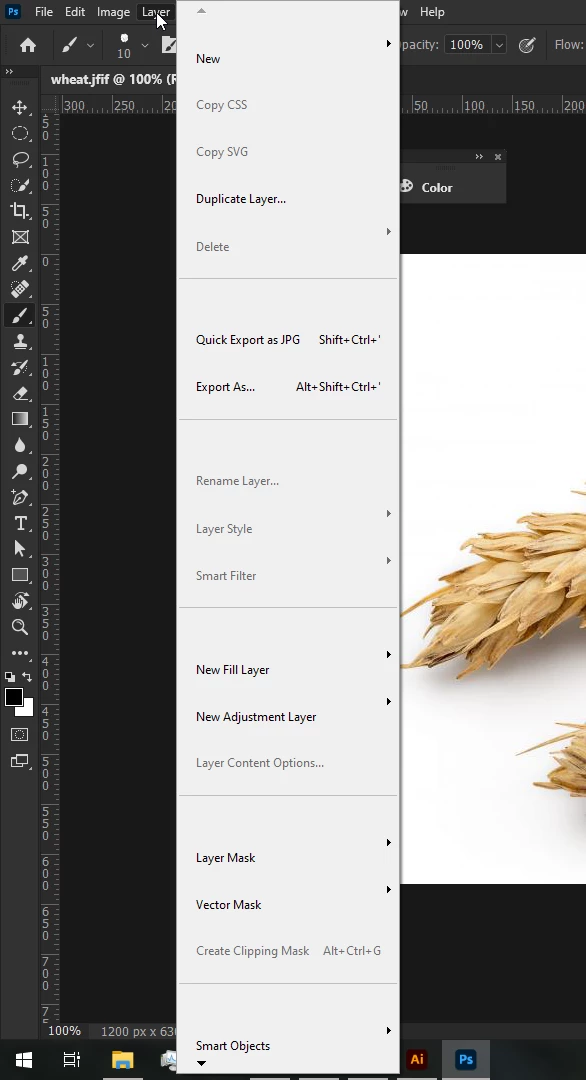
I've had this problem for some time and have had trouble finding information about it. I think this is unrelated to the Photoshop UI settings since changing the scaling in the settings doesn't fix the problem. I'm wondering if anyone else has encountered this and have suggestions on what to do.
Photoshop's Windows context menu is supposed to be a lot smaller than this, as if each box take up too much space, definitely it's not normal to have to scroll because the boxes are this large.
 AdChoices