misterfrench
Participating Frequently
November 23, 2023
Question

your graphics processor is incompatible message - why? when it IS updated?

  • November 23, 2023
  • 2 replies
  • 409 views

heya all

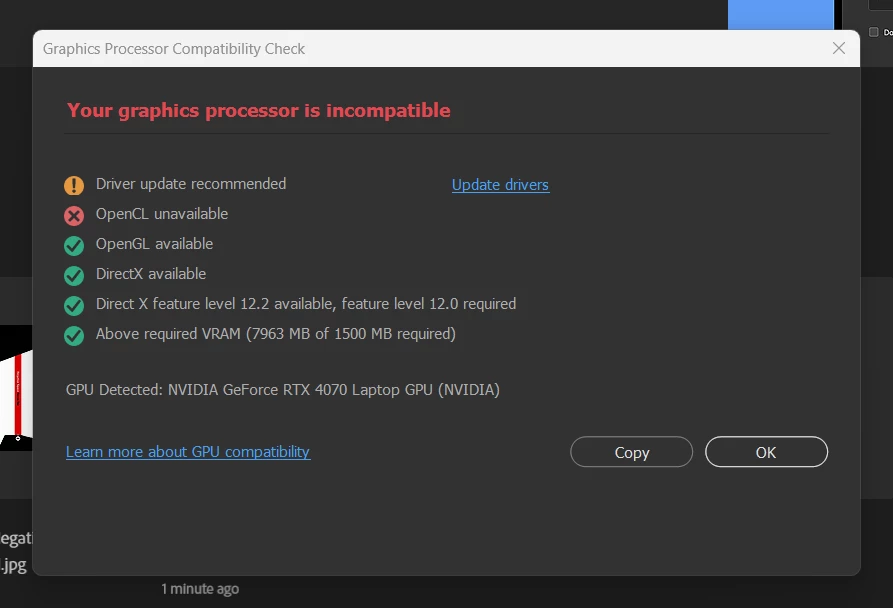
i have been fine until today, when on launch i got this error.  "your graphics processor is incompatible"

all my win11 / nvidia / ryzen / adobe is updated, i'm ridiculously attentivel with updating.


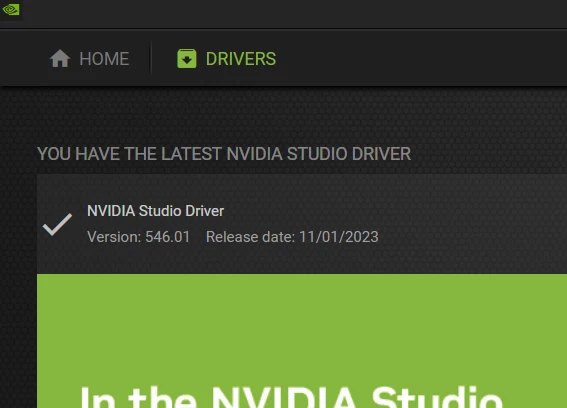
but i get the error attached - saying the GPU (nvidia RTX 4070 card with studio driver) needs to be updated, but i run nvidia experience and i AM using the latest driver. 

and the OpenCL unavailable is confusing as the laptop (a razer 14 ryzen with 32gb ram) from what i understand AMD doesn't support openCL so is this needed?  and if so, why after 6 weeks is it now telling me it's not installed.


pshop works if i close the error box, but i will drive me mad popping up everytime at launch.  i did see the warning box on this adobe page, but i checked and i do NOT have OpenCL installed.


thoughts?


This topic has been closed for replies.

2 replies

misterfrench
Participating Frequently
November 23, 2023

thank you for this @Ged_Traynor!  i did a search but didn't throw in 4070 because i haven't gotten this warning even though i've been on 25.1.0 for a bit.  on my other laptop a razer 17 beast running the RTX 3080Ti i don't get the issue, but it's a intel i9-12900.  thank you for your fast response, not being alone on this somehow gives me a bit of relief.


Ged_Traynor
Adobe Expert
November 23, 2023

@misterfrench there's plenty of reported issues with RTX GPU's and Photoshop version 25.xx

https://community.adobe.com/t5/photoshop-ecosystem-bugs/gpu-incompatibility-issues-with-rtx-4070/idc-p/14245383

Do you have version 24.7.2 installed, you could try copying the Sniffer.exe from version 24.7.2 to 25.1, as discussed in the above thread.