


New Participant
March 11, 2023
Open for Voting

Adding WebP preset to Save For Web?

  • March 11, 2023
  • 11 replies
  • 1950 views

Hi,


Whenever I'm working on a file, 99% of the time I use the Save for Web shortcut [CMD+Option+Shift+S] to export my files.


Right now I'm working on preparing some images for a website and I need to export them in the WebP format. 


I know that I can export to WebP through the "Save as..." window, but that doesn't let me adjust the scale/dimension and see the output file size, which is a bit annoying because I need to have that control to make sure the file is the right size. 


Is there a way to add a WebP preset to the list of presets in the "Save for Web" window?
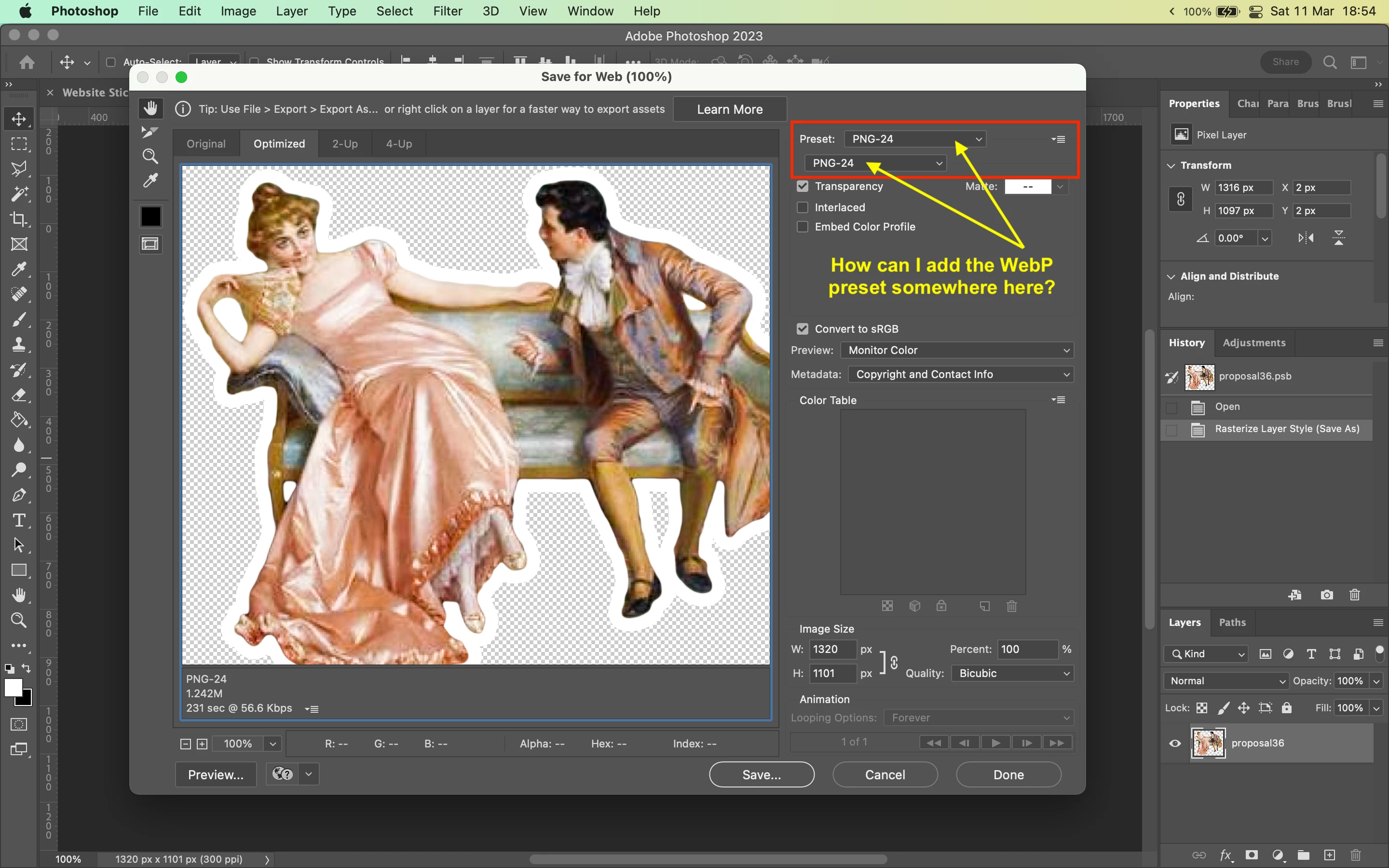


Thanks!

11 replies

Red Aqua Media
Known Participant
March 19, 2024

The dialog box Save for Web should not be removed. This is a feature, which I use very often as web designer. Also, I am using this for small pixel graphics. Best way to minimize file sizes as possible.

And I upvoted this thread, because I miss this feature, too. I need a preview window to see how the final quality is it (after setting the compression speed and quality).

So please, don't remove this dialog box and add WebP format. IMPORTANT and this is NO legacy!

Please & thanks!

Stephen Marsh
Community Expert
May 25, 2023
quote

I need this!!! And a way to export for wab just a layer. This will make easiyer web degin developing


@hugoo10610566 – For all top-level layers? Or only selected layers?

New Participant
May 24, 2023

I need this!!! And a way to export for wab just a layer. This will make easiyer web degin developing

Stephen Marsh
Community Expert
April 15, 2023
alexjohnson21
New Participant
April 15, 2023

I have heavy image files on my website, and I want to convert them to WebP format to reduce their size. My website is 4slash. Can you please check and advise on how to convert the images to WebP using Adobe Photoshop software? I am not sure how to do it

Stephen Marsh
Community Expert
March 13, 2023

Voted!

Kevin Stohlmeyer
Community Expert
March 13, 2023

Hi @toldbysun this post has some options, one of which is to create an action as you said, with some contextual options for image size before you Save a Copy...

https://community.adobe.com/t5/photoshop-ecosystem-discussions/export-many-files-at-once-in-webp-format-photoshop/m-p/13604411


toldbysunAuthor
New Participant
March 13, 2023

Thank you all. Welp, I guess I'm going to have to figure out a script or an action myself. Thanks for your help!

Kevin Stohlmeyer
Community Expert
March 13, 2023

Hi @toldbysun I moved this post to the Ideas forum so users can upvote.

c.pfaffenbichler
Community Expert
March 13, 2023

It’s »Save for Web (Legacy)« … meaning the feature is not being developped further and might even be removed altogether in the future. 

So there does not seem to be a realistic hope for this request to be implemented. 


If there is a limited number of settings you use regularly I would recommend automating those with a Script or Scripts. 


D Fosse
Community Expert
March 13, 2023

"Export As" is the replacement for SFW, so a feature request for that should have better chances. However, after several years, Export is still unfinished, with several long standing bugs, and still missing essential features. All I ask is that they finish it befote adding new stuff...

c.pfaffenbichler
Community Expert
March 13, 2023

»replacement« may be a strong term (edit: as you imply with »still unfinished«) or does »Export As« allow exporting animated gifs yet? 

Well, »hope springs eternal« or something like that …