
Improve JPEG algorithm
Background- I'm a product photographer in the automotive industry and generate JPEG images for internal and external customers. Capture is in CR2 format; I retouch the original RAW files and use Save for Web to create the finished JPEG. Photos typically have a clean white background (255,255,255).
Problem- Even with the highest quality settings, there are color artifacts/halos along edges where there should only be white pixels. I cannot switch to another format such as PNG or HEIF either.
Idea- The JPEG encoding algorithm should look for contiguous color (especially white and black) in the original and make sure that encoded blocks actually remain that color. Artifacts and color halos both increase file size and reduce quality. You already do color fringing removal in Camera RAW so why not here?
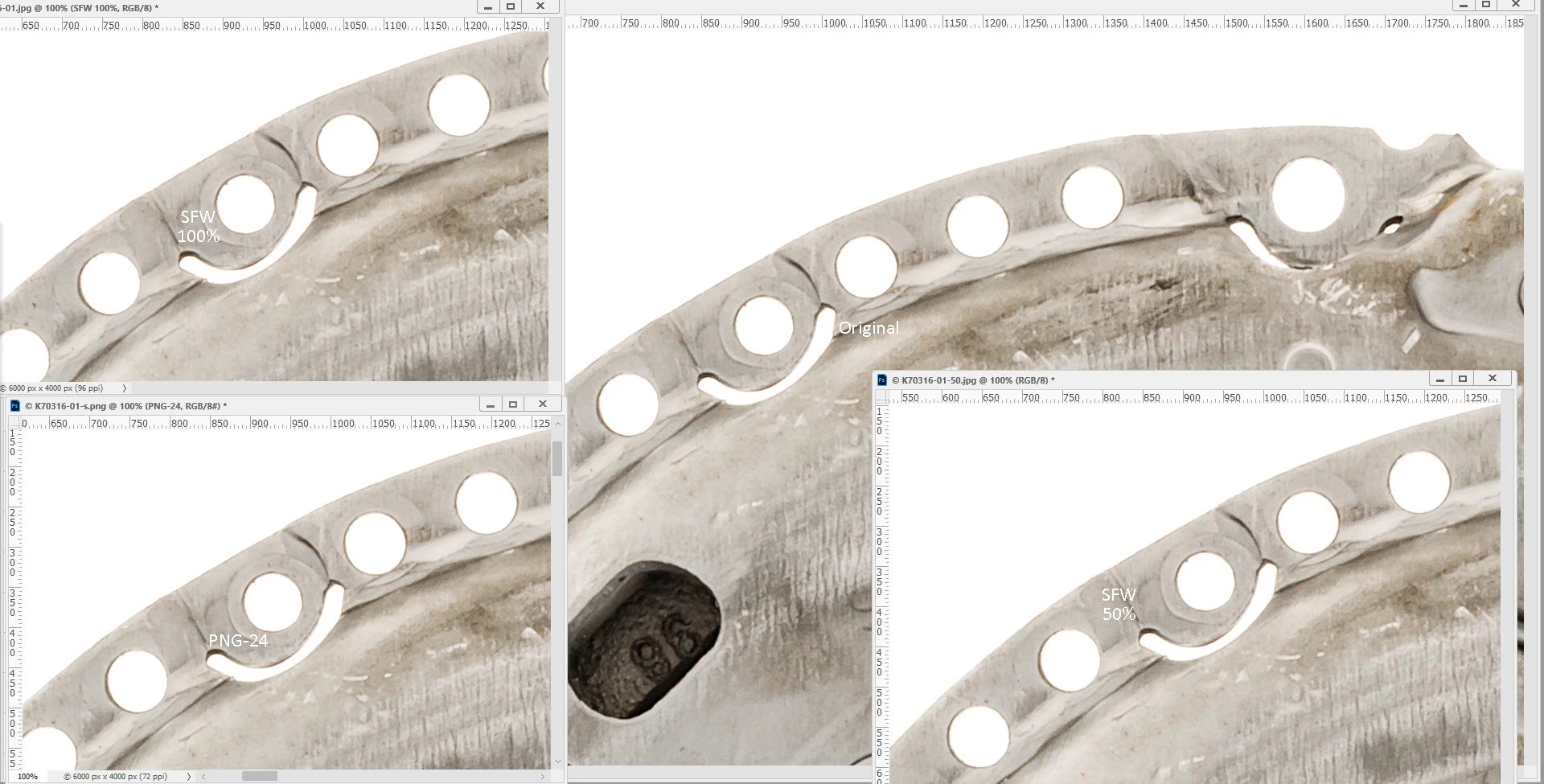
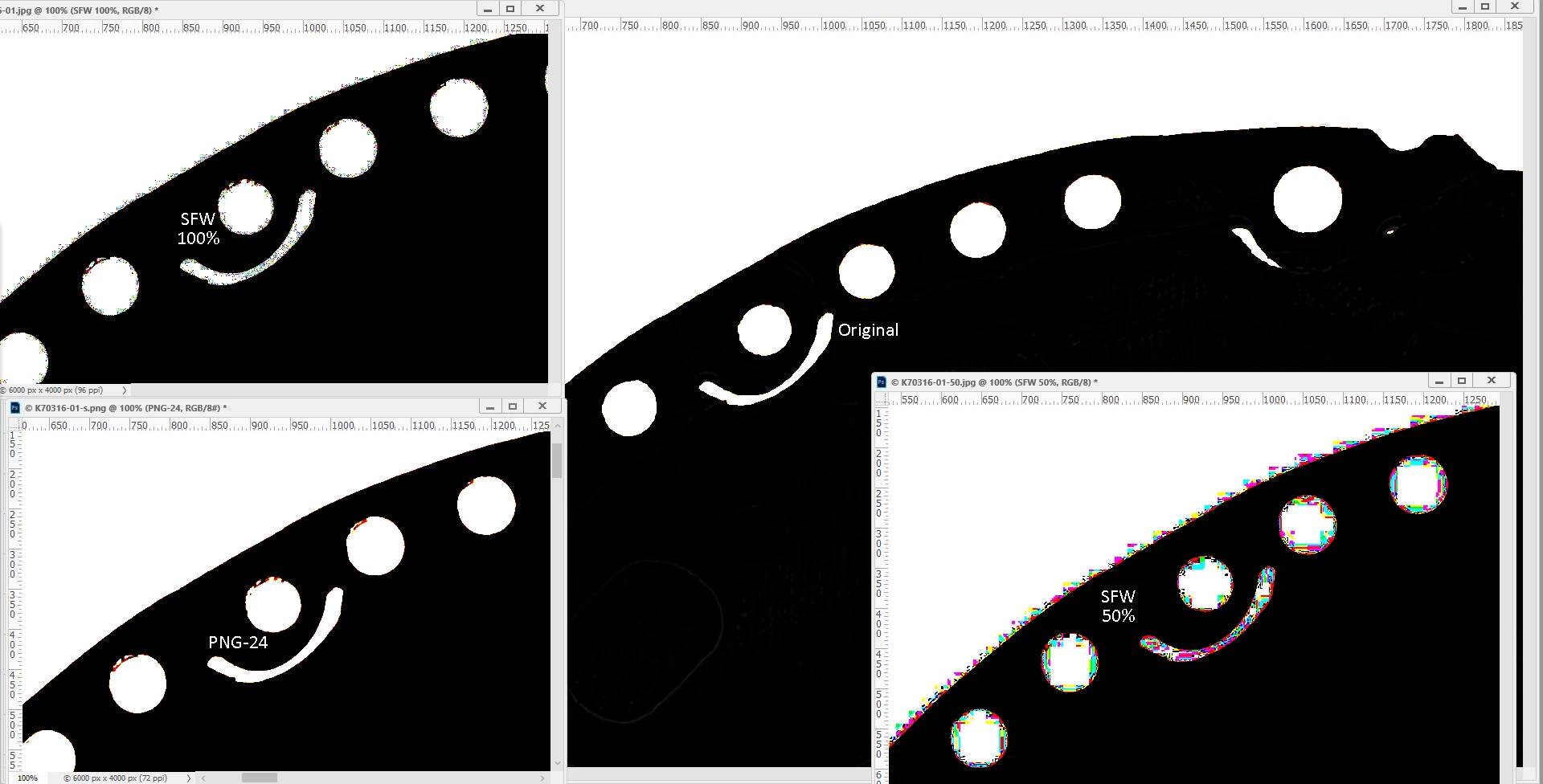
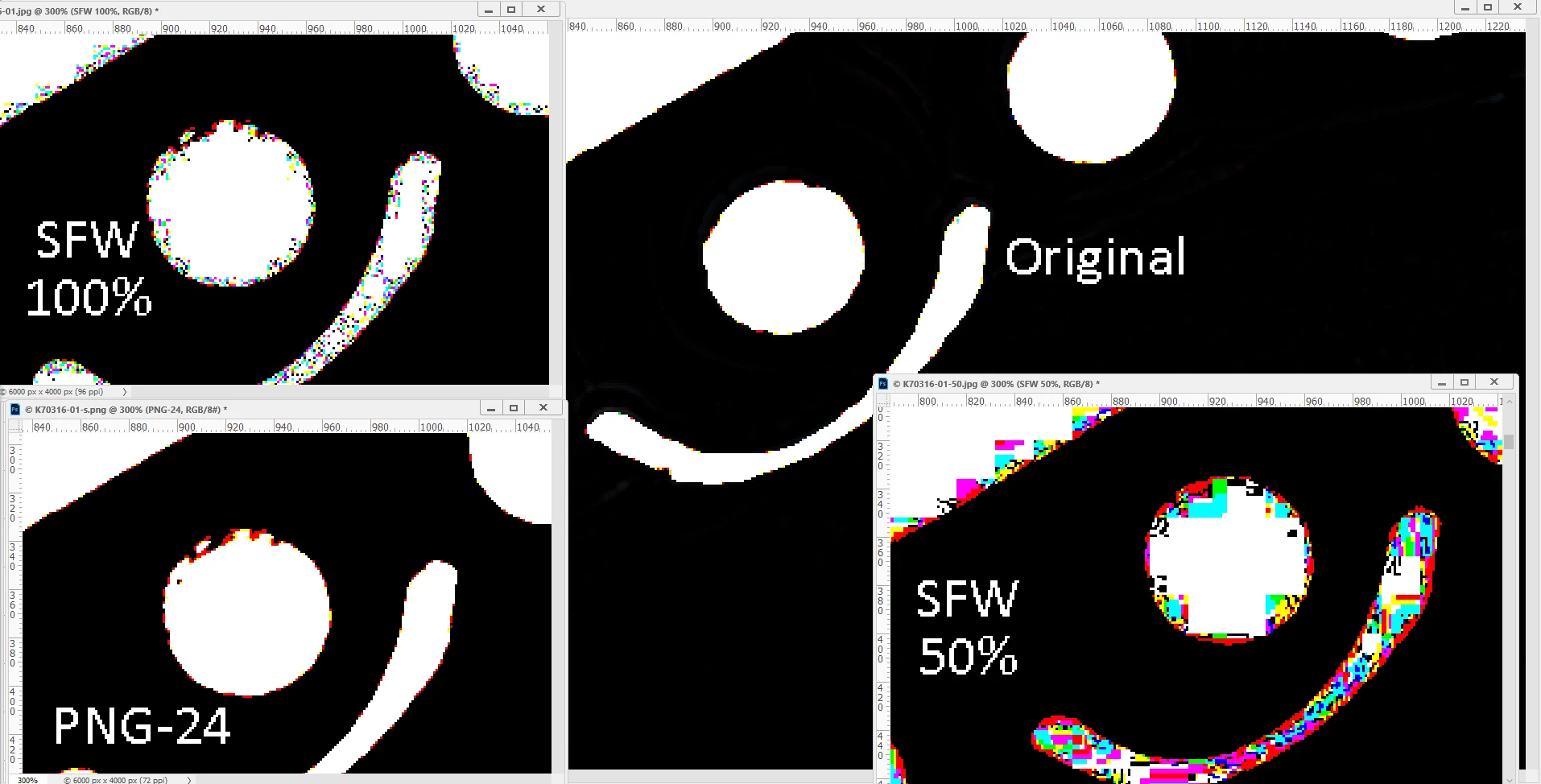
Background is the original edited CR2 file, upper left JPEG SFW@100% quality, lower left PNG-24 SFW, lower right JPEG SFW@50% quality. Save As gives essentially the same results as Save for Web.
To get the high-contrast effect: Add a Levels adjustment layer, drag black slider all the way right (253), then duplicate.
First image- 100% zoom
Second image- 100% zoom, high-contrast
Third image: 3:1 zoom, high-contrast
 AdChoices