

PSE 2019 Reconnect Scan Options?
Hello,
I am a brand new user to PSE 2019. After a few hiccups, I think it's running smoothly and I imported photos from my Pictures folder and one other folder on my C-drive. I am running PSE Elements on a Windows 10 Pro laptop with a 500 GB SSD and 32 GB of memory. It also has a WiFi connection to drives on my desktop PC.
The Organizer showed me that I had a BIG mess in the storeage folders in my Pictures folder with a LOT of dups. I proceded to delete files and folders. Some of the deletes were done within the Organizer and some were done in Windows Explorer. When I thought things were more organized, i started a "Backup Catalog" procedure.
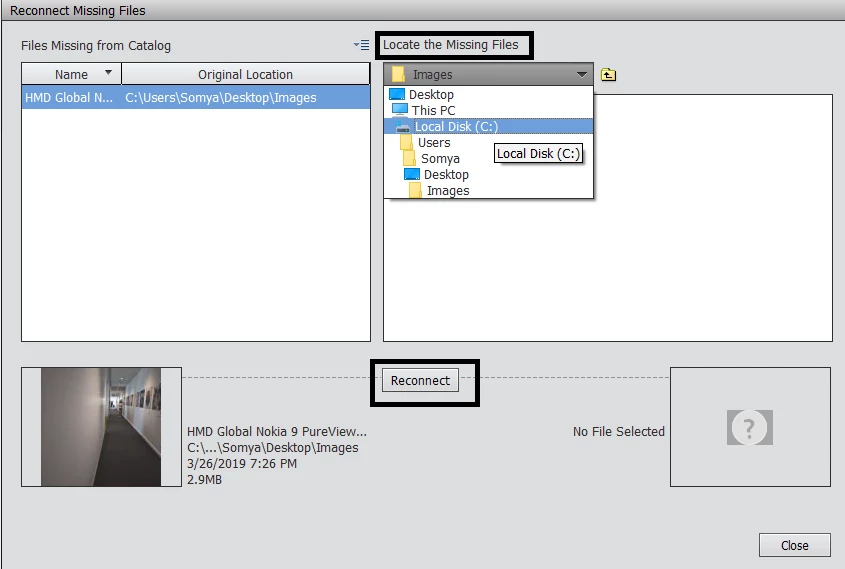
The first thing that the Backup told me was that I needed to run "Reconnect" to find missing files. This Reconnect took F-O-R-E-V-E-R! It took close to 1 hour just to complete the Reconnect. I looked at the small widow that displayed while the Reconnect runs and saw that it was scanning network connected drives on my desktop PC. I've got nearly 10 TB (correction) of storage on my desktop PC but not all in use. I DO NOT NEED (or want) these drives scanned by PSE 2019.
Is there a way to tell the Reconnect scan to skip certain drives?? I've looked at Preferances but did not see an option to do this.
Thanks for your help!
 AdChoices