


PSE Organizer won't return to Media after Search
I have a Dell XPS15 laptop with hi res screen. With PSE2018 and no other Adobe products when I use the search function, the "back to Grid" does not work. Screen freezes. I uninstalled and re-installed PSE with same results. Please help! This is a high-powered laptop with VERY few other programs running. I've tried changing preferences and screen resolution; clearing temporary files; restoring, repairing, and making a new catalog; changing default printer and updating all drivers and the Organizer itself... all with the same result.
Opening screen:
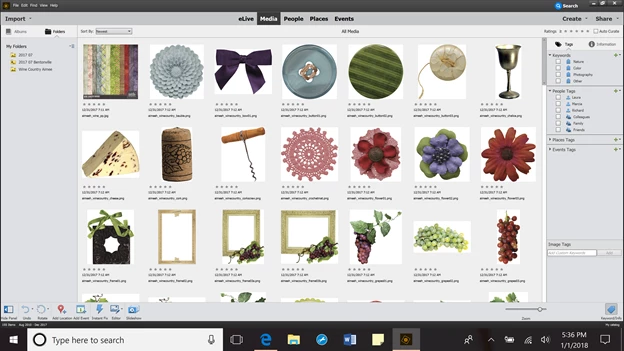
Click on search, hover over Smart Tags
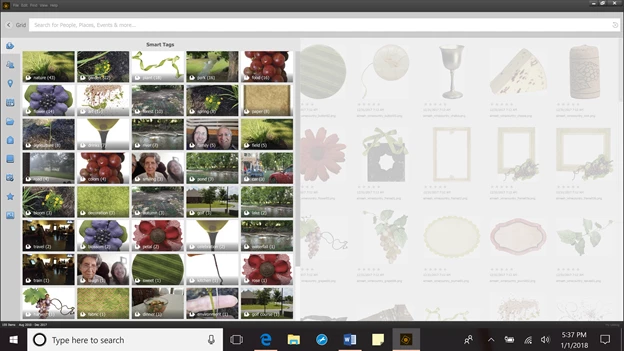
Select a Smart Tag stack and move mouse
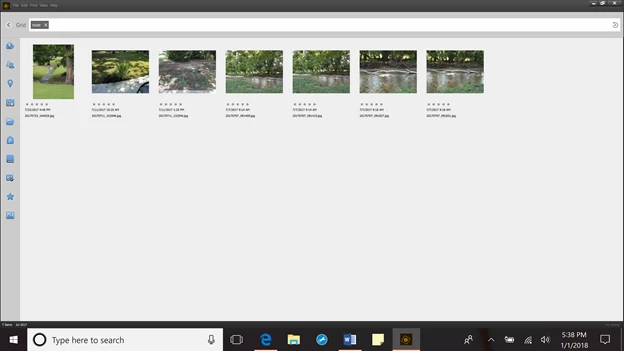
That's as far as I can get. At this point there is a screen freeze and the back button won’t work, can’t click on any of the thumbnails, Media, or People. Import, Creat, Share, and eLive usually work and sometimes Places and Events. But I want to be able to go back to Media with this group of thumbnails displayed (as the program is intended to do).
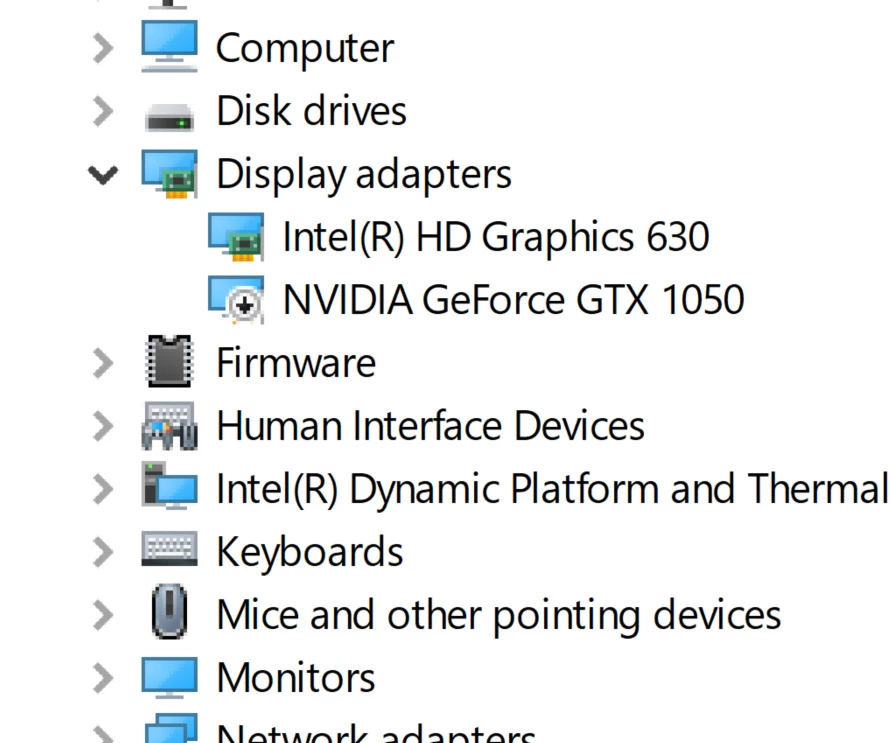 Here's a partial list of my devices. Apparently PSE 2018 can't handle the NVIDIA graphics card, so with it disabled the Organizer works fine. Kind of a shame to lose the graphic capability... but I guess I can enable/disable depending on if I want to do a Search in Organizer. I have to give credit to the Adobe support team. After a 3-hour chat they came up with a solution that works for me. Thought I would pass on the info for fellow sufferers.
 AdChoices