


Participant
March 16, 2017
Answered

Adobe Photoshop CS5 has stopped working error

  • March 16, 2017
  • 2 replies
  • 3311 views

Hello.

I have been using my Adobe Photoshop CS5 for a long time, but suddenly, a couple days ago it started to through me this error:
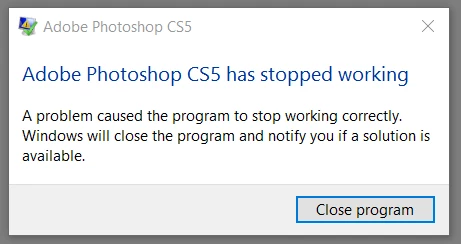
After that I deleted it, and installed again, but that didn't work.

The Application log says:

- <Event xmlns="http://schemas.microsoft.com/win/2004/08/events/event">

- <System>

<Provider Name="Application Error" />

<EventID Qualifiers="0">1000</EventID>

<Level>2</Level>

<Task>100</Task>

<Keywords>0x80000000000000</Keywords>

<TimeCreated SystemTime="2017-03-15T06:49:31.363954200Z" />

<EventRecordID>15841</EventRecordID>

<Channel>Application</Channel>

<Computer>DESKTOP-SOUD8OK</Computer>

<Security />

</System>

- <EventData>

<Data>Photoshop.exe</Data>

<Data>12.0.0.0</Data>

<Data>4bbc5b10</Data>

<Data>AcLayers.DLL</Data>

<Data>10.0.14393.447</Data>

<Data>5819c038</Data>

<Data>c0000374</Data>

<Data>000000000000afb9</Data>

<Data>75c</Data>

<Data>01d29d583faca058</Data>

<Data>C:\Program Files\Adobe\Adobe Photoshop CS5 (64 Bit)\Photoshop.exe</Data>

<Data>C:\WINDOWS\AppPatch\AppPatch64\AcLayers.DLL</Data>

<Data>7705b41c-f17a-48fb-aed5-b457e170d5e7</Data>

<Data />

<Data />

</EventData>

</Event>

    This topic has been closed for replies.
    Correct answer Mohit Goyal

    Well, the error related to one of the windows file. You may try and download the latest version graphics drivers from the manufactures website also, reinstall the Photoshop application if the graphics update didn't work.

    Thanks,

    Mohit

    2 replies

    Mohit Goyal
    Community Manager
    Community Manager
    March 17, 2017

    Hi j.k,

    Please let us know crash log error to find the root cause.

    Find crash logs in windows: Photoshop Elements Editor Help | How to Find Crash Logs on Windows

    Thanks,

    Mohit

    Participant
    March 18, 2017

    Mohit Goyal
    Community Manager
    Mohit GoyalCommunity ManagerCorrect answer
    Community Manager
    March 19, 2017

    Well, the error related to one of the windows file. You may try and download the latest version graphics drivers from the manufactures website also, reinstall the Photoshop application if the graphics update didn't work.

    Thanks,

    Mohit

    Ned Murphy
    Legend
    March 16, 2017

    Deleting programs does not work.  You need to unistall them.  Try using the Cleaner Tool and see if that helps with getting a working installtion again.  Use the Creative Cloud Cleaner Tool to solve installation problems

    Participant
    March 16, 2017

    Sorry, I mean I uninstalled the program.

    Jeffrey_A_Wright
    Community Manager
    Community Manager
    March 16, 2017

    Moving this discussion to the Photoshop General Discussion forum.