Participating Frequently
October 3, 2019
Question

Can't access Print settings for Photoshop Manages Color

  • October 3, 2019
  • 1 reply
  • 1649 views

I am using an Epson SC P800 printer to print from Photoshop.

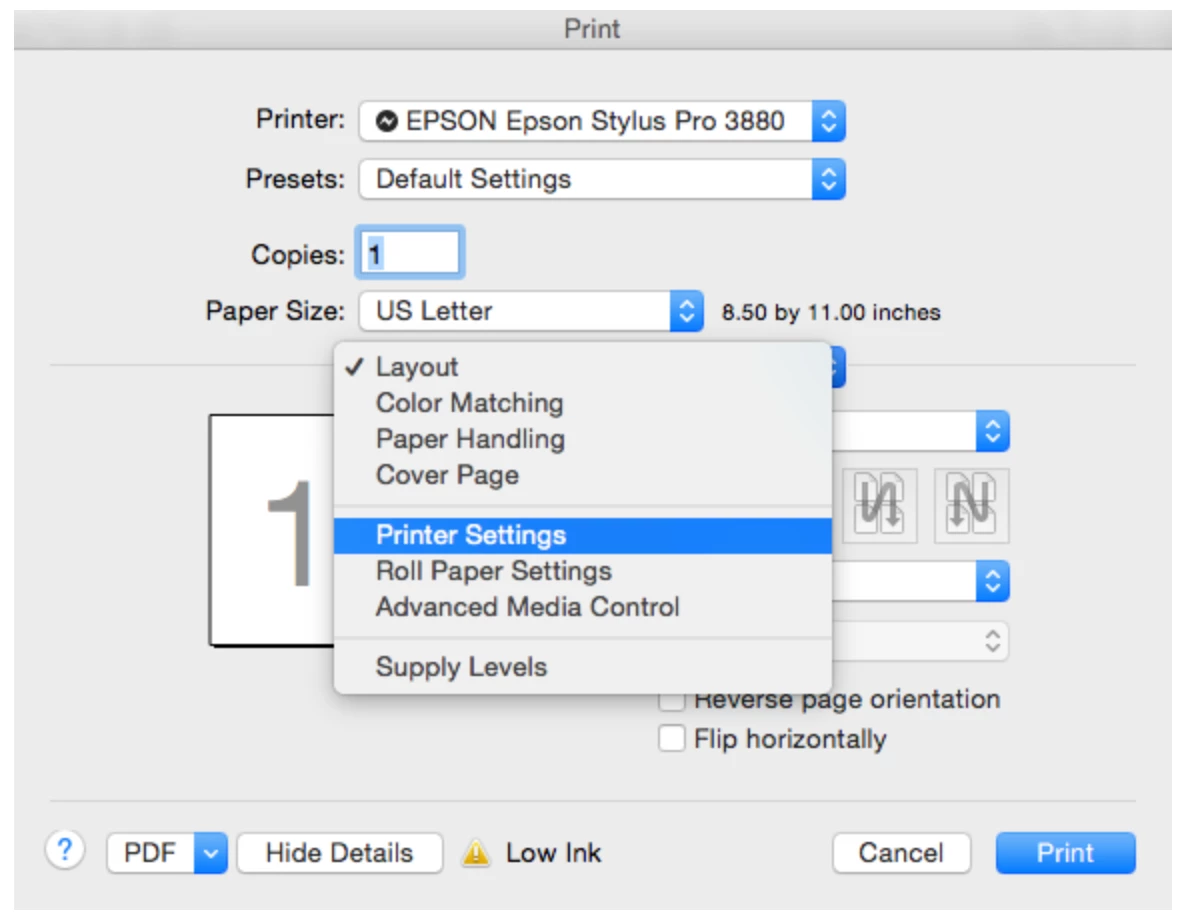
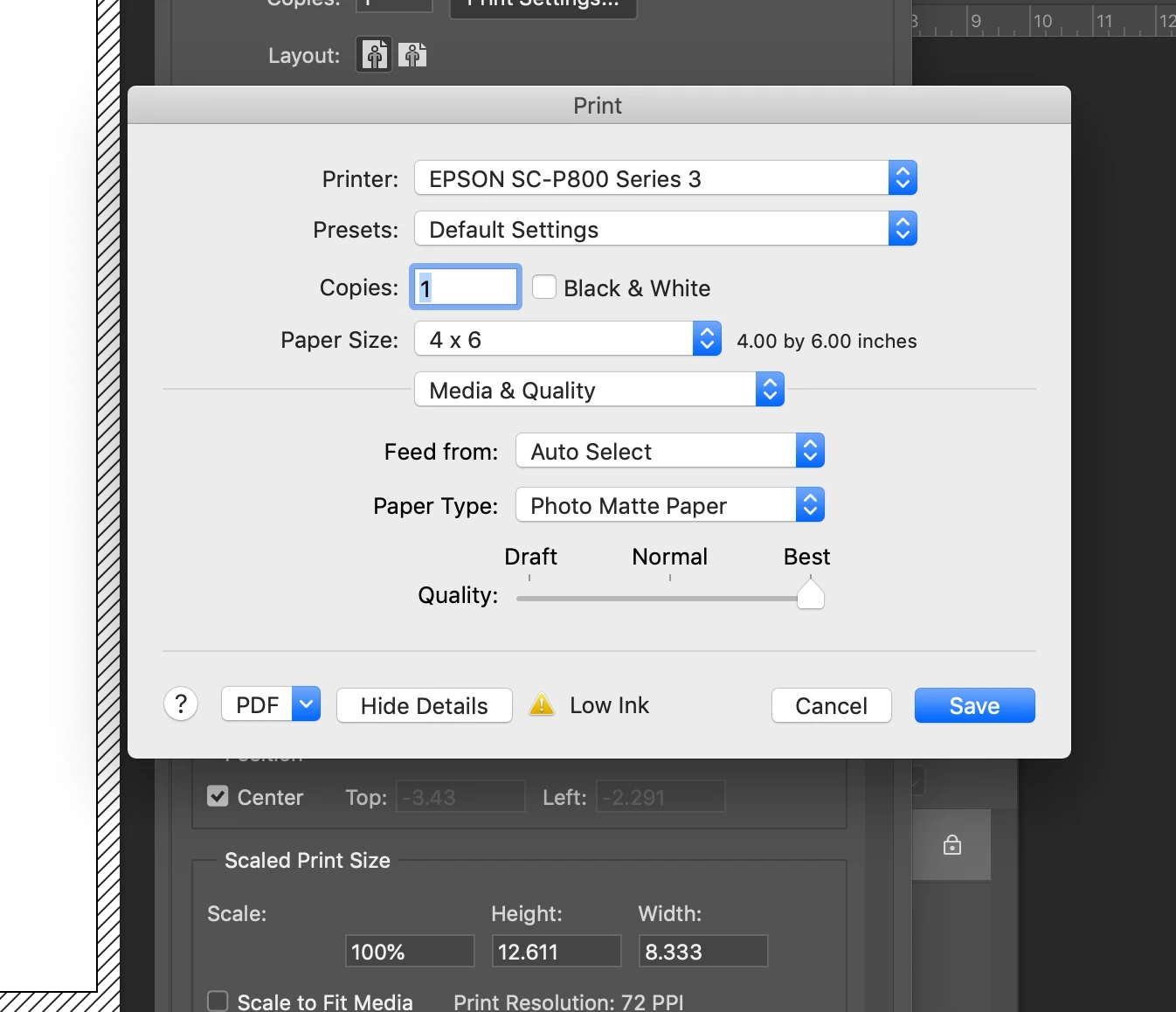
Last night my printer lost wi-fi connection with my computer and when I re-connected the printer to wi-fi, the print settings for Photoshop manages color changed and the prints look awful.


I am attaching the current print dialog settings (first attachment) and the print dialog settings that I wish I could access (second attachment). I have re-installed the Epson print drivers and un-installed and then re-installed Photoshop CC, and performed all the maintainace of the epson print heads/nozzles.  I have gone through all of the suggested fixes listed by Adobe. All previous versions of Photoshop give me the same print dialog settings.

Does anyone know how I can retrieve Printer settings in the print dialogue box??


Many Thanks!

Kathryn
This topic has been closed for replies.

1 reply

nikunj.m
Community Manager
Community Manager
October 3, 2019

Hi Kathryn, 


We apologize for the issue you are facing while printing through Photoshop.


Would you mind sharing the version of Photoshop you are currently using by going to Help > System info?


As you mentioned that you have uninstalled and re-installed the printer drivers, could you please confirm if you have installed the latest drivers from the manufacturer’s website?


You can try to hit the print option in Photoshop with the spacebar pressed (that would reset the print settings for Photoshop) and check if that helps.


You may also try to reset the preferences for Photoshop using the steps mentioned in the link below.

https://helpx.adobe.com/in/photoshop/using/preferences.html


Regards,

Nikunj

Participating Frequently
October 3, 2019
Hi Nikun,Photoshop 20.0.06