Adobe does not seem to support WEBP you will need to install a third party plug-in for that support. Animated Gif file created by Photoshop are exported from Layered Document that have a Frame Animation time line or a Video time line. Using menu File>Export>Save for Web (legacy). So I have know knowledge about WEBP other then its a better optimized Image file encoding than Jpeg. Jpeg does not support transparency or Animation. If WEBP is a better Jpeg I think you will find Animation and transparency is not supported.
So if you install a third Party WEBP plug-in the works. You may be able the edit Adobe Script Export Layers to Files and add WEBP support and an option to save WEBP file. TO save a sequence of WEBP images. You may have to modify your work-flow that your Layered document will have a Frame Animation where each Layers will be a full frame and the frame animation panel frames is the sequence of the layers in the layer stack. If you create you Animation differently, you can edit Animated gif by opening the GIF file in Photoshop you will get that Layer Stack and the Frame Animation time line that is the layer stack in sequence. However, the Layer stack layers will have the GIF color support. Exporting WEBP image would not have better color then your gif. So I feel the first thing you should do is ask you client why they want WeBP images. Ask if GIF color quality be acceptable. Color support limited to 256 mapped colors.
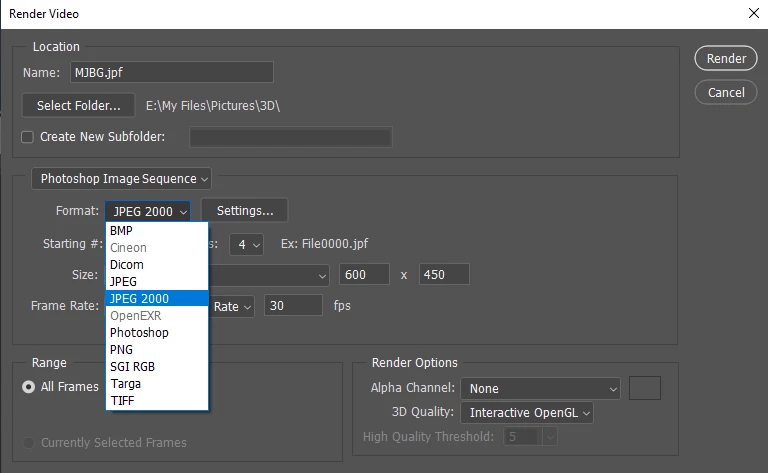
If you create your layer document where layers have better color quality the 256 mapped colors. You could output a better quality image sequence using menu File>Export>Render Video and save out a image sequence. Perhaps the Plug-in will add WEBP the the output file type list.



 AdChoices