


New Participant
July 9, 2018
Question

Can't resize smart object.

  • July 9, 2018
  • 2 replies
  • 5827 views

Hi, I'm trying to resize a smart object from 1024 px to 180 px. Photoshop keeps adding 0.02 px at the end of it, resulting in transparent pixels on the edge when I export. This is infuriating. Does anyone know why this is happening and how to fix it?

I thought this had to do with the "snap to pixel grid" preference but tried both and it doesn't change anything.
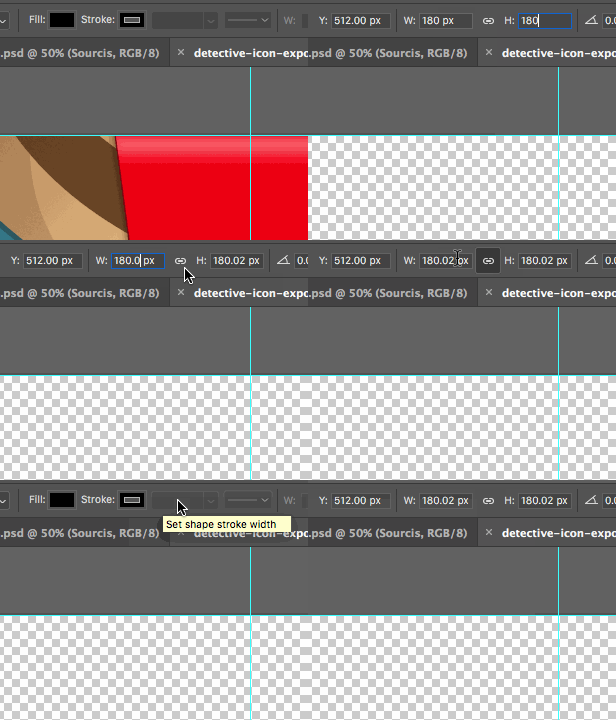
This topic has been closed for replies.

2 replies

macpawel
Participating Frequently
July 9, 2018

Maybe it's vector Smart Object?

If yes - go to Illustrator, and then use pixel grid to be sure your size is correct?

Sometimes it's not possible to scale object without firctions

As said Mark create a nwe one file (destination size) and then pase your Smart object and scale using Transform Tools

pawel

Jason Burnett
Inspiring
June 21, 2023

This is not how it has been nor how it is supposed to be. The advantage of vector smart images is that you can resize them WITHOUT having to rasterize and commit to size or resolution. Without a doubt, any Vector Smart Image in photoshop should be resizable. It would be useless without it. This has to not only be a bug, but a big bug. 

Without being able to resize a vector smart object while in Photoshop, you just as well not use vector smart objects. The shouldn't even call them smart or vector if you can't resize them.

Adobe Expert
July 9, 2018

hi!

Are you using Edit>Transform(command T)?
and then typing in the height and width? is it possible that your image is not exactly 1024?

It works for me when I try it. If you just want to save the image out you could also use Edit>Image size to scale it down. Or use Edit>Canvas Size to size the canvas down and then scale your image to fit?

Or create a new file that is 480x480 paste in your smart object and scale it down to fit, then save?

Or feel free to share the image and I can take a look at it.

Hope it helps!
mark

headTrix, Inc. | Adobe Certified Training & Consulting
New Participant
July 9, 2018

Edit > Image size doesn't work for what I'm trying to do. I need to resize and export the same smart object at 20 different sizes.

None of the solutions seems to work. Here is a video of the issue. Photoshop just doesn't seem to be able to precisely scale smart objects at all. This must be a bug.

Photoshop Issue - YouTube

Adobe Expert
July 10, 2018

You can also use File>Export>Save for Web and just change the height and width everytime you export?

headTrix, Inc. | Adobe Certified Training & Consulting