


Files always open in oldest PS version
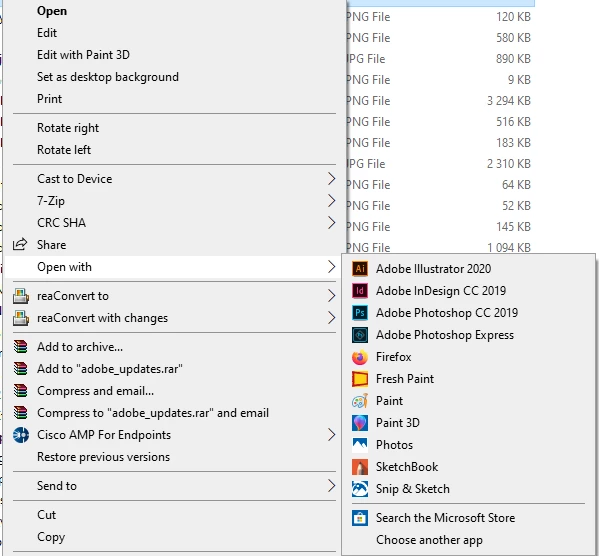
I have two PS version installed. PS 20.0.8 (CC 2019) and 21.0.2 (CC 2020) When I open image files from either local drives or external drives they always open in the oldest PS version. When I'm able to right click and define another PS version to open the files (Choose another app) it lasts just for that single file. The next time I open an image file (PSD, jpeg, png, gif) it goes back to the old default. When I choose PS 2020 from my system to open files they just open it directly, I'm not able to choose that app as default in W10. When I open files from external devices where I'm not able to choose another app it also always open in the old PS version and not the newest. However, when I already have the CC 2020 version open then my image files opens there when opened from file explorer, Bridge or external drives. But it's very annoying that they never open in CC 2020 when that application is not opened. On my desktop I only have the CC 2020 version.
Must I delete the PS CC 2019 version from my CC membership in order to get my files opened in PS CC 2020 by default when the 2020 version isn't open? Must I loose the ability to roll back to older version in order to "force" windows to open my files in PS 2020 in any circumstances?!
 AdChoices