Ah okay, I see your situation.
I definately tried your code out, and I like the try-catch block so that no error message pops up, which is annoying aswell in my code. In my case though, it just didn´t happen anything with your version. Maybe I did something wrong on my end, since I´m completely new to script coding.
I think the main problem is that I´m not targeting the correct layer. The adjustment window pops up, but it doesn´t target the adjustment layer that I have just created.
I made some progress though, replacing one variable (desc4 in this case) with the one created (desc173) and I manage to at least change the layer mask when I have 'legacy' checked in the brightness dialog box.
This would be the code:
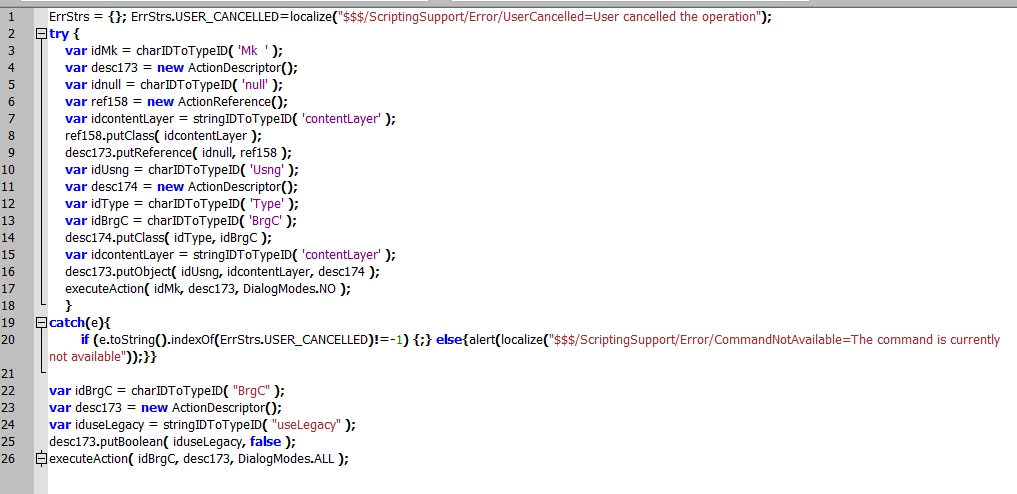
ErrStrs = {}; ErrStrs.USER_CANCELLED=localize("$$$/ScriptingSupport/Error/UserCancelled=User cancelled the operation");
try {
var idMk = charIDToTypeID( 'Mk ' );
var desc173 = new ActionDescriptor();
var idnull = charIDToTypeID( 'null' );
var ref158 = new ActionReference();
var idcontentLayer = stringIDToTypeID( 'contentLayer' );
ref158.putClass( idcontentLayer );
desc173.putReference( idnull, ref158 );
var idUsng = charIDToTypeID( 'Usng' );
var desc174 = new ActionDescriptor();
var idType = charIDToTypeID( 'Type' );
var idBrgC = charIDToTypeID( 'BrgC' );
desc174.putClass( idType, idBrgC );
var idcontentLayer = stringIDToTypeID( 'contentLayer' );
desc173.putObject( idUsng, idcontentLayer, desc174 );
executeAction( idMk, desc173, DialogModes.NO );
}
catch(e){
if (e.toString().indexOf(ErrStrs.USER_CANCELLED)!=-1) {;} else{alert(localize("$$$/ScriptingSupport/Error/CommandNotAvailable=The command is currently not available"));}}
var idBrgC = charIDToTypeID( "BrgC" );
var desc173 = new ActionDescriptor();
var iduseLegacy = stringIDToTypeID( "useLegacy" );
desc173.putBoolean( iduseLegacy, false );
executeAction( idBrgC, desc173, DialogModes.ALL );
What I somehow need to achieve is to access the values dialog box that is created afterwards, only within the first try block / the first function, like it would be normally so that it doesn´t lose the 'connection'.
Any suggestions?
Try this..
newBCLayer();
selLayerRGB();
setBC();

function newBCLayer() {
var desc2 = new ActionDescriptor();
var ref1 = new ActionReference();
ref1.putClass( charIDToTypeID('AdjL') );
desc2.putReference( charIDToTypeID('null'), ref1 );
var desc3 = new ActionDescriptor();
var desc4 = new ActionDescriptor();
desc4.putBoolean( stringIDToTypeID('useLegacy'), false );
desc3.putObject( charIDToTypeID('Type'), charIDToTypeID('BrgC'), desc4 );
desc2.putObject( charIDToTypeID('Usng'), charIDToTypeID('AdjL'), desc3 );
try{
executeAction( charIDToTypeID('Mk  '), desc2, DialogModes.NO );
}catch(e){}
};
function selLayerRGB() {
var desc = new ActionDescriptor();
var ref = new ActionReference();
ref.putEnumerated( charIDToTypeID('Chnl'), charIDToTypeID('Chnl'), charIDToTypeID('RGB ') );
desc.putReference( charIDToTypeID('null'), ref );
desc.putBoolean( charIDToTypeID('MkVs'), false );
try{
executeAction( charIDToTypeID('slct'), desc, DialogModes.NO );
}catch(e){}
};
function setBC() {
var desc9 = new ActionDescriptor();
var ref5 = new ActionReference();
ref5.putEnumerated( charIDToTypeID('AdjL'), charIDToTypeID('Ordn'), charIDToTypeID('Trgt') );
desc9.putReference( charIDToTypeID('null'), ref5 );
var desc10 = new ActionDescriptor();
desc10.putInteger( charIDToTypeID('Brgh'), 0 );
desc9.putObject( charIDToTypeID('T   '), charIDToTypeID('BrgC'), desc10 );
try{
executeAction( charIDToTypeID('setd'), desc9, DialogModes.ALL );
}catch(e){}
};





 AdChoices