


Jim_Palik
Inspiring
January 16, 2018
Answered

How to add scanning feature

  • January 16, 2018
  • 1 reply
  • 3297 views

I have an HP Officejet Pro 8620. Is there a way to add scanning to Photoshop CC? I need to scan to a Tiff or psd file. The software that came with the scanner only allows saving to a jpg.

If there is no was to add scanning to Photoshop, is there another Adobe CC app that includes high res scanning other than Acrobat.

I look forward to your answer,

Jim
    This topic has been closed for replies.
    Correct answer Terri Stevens

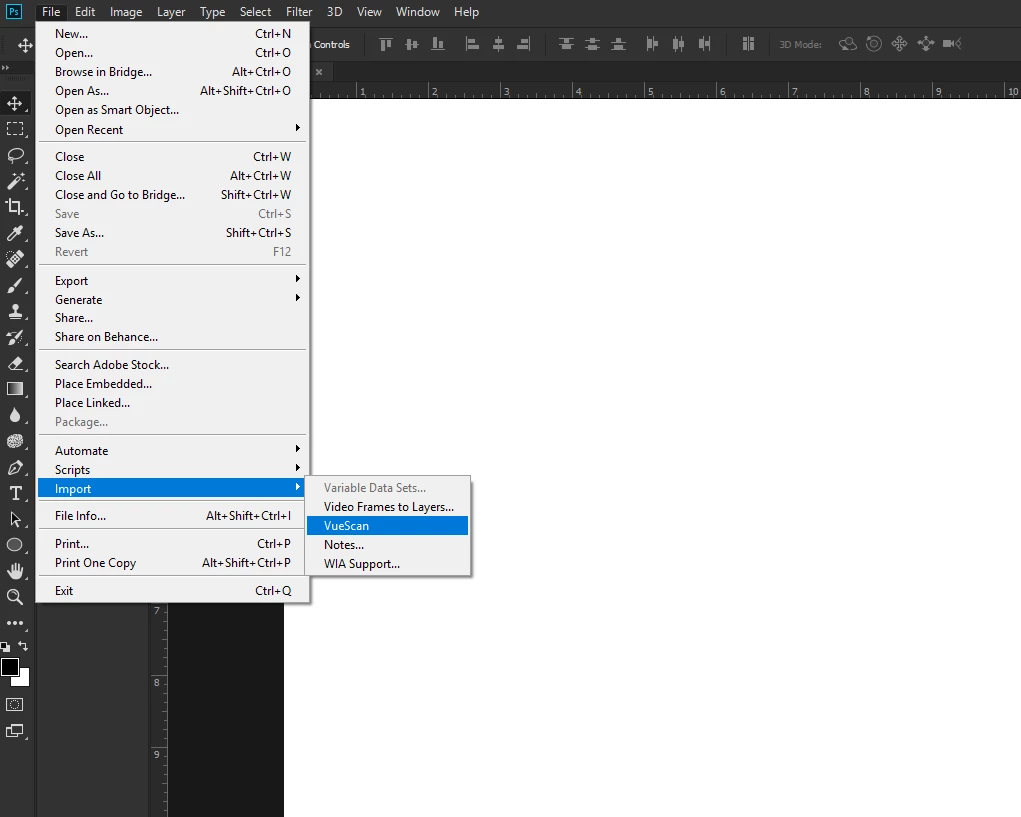
    Nothing to implement Jim, it just shows up under the 'import' menu in CC. As far as I'm aware none of the CC apps come with scanner drivers. Of course Acrobat does for OCR but its not in your package. If all you want to do is save as Tiff then the $29 basic version may be all you need.

    1 reply

    Terri Stevens
    Legend
    January 16, 2018

    You could try third party software. VueScan is used by most professionals I know and supports your scanner. Unfortunately it's not free but does scan directly into Photoshop. There are two versions, which is best depends on how much control you want over the scanning process. The professional version supports scanner profiles and batch processing for example. Anyhow there is a free trial so you can try it if you are interested.

    HP Officejet Pro 8620 Scanner Driver and Software | VueScan

    Jim_Palik
    Jim_PalikAuthor
    Inspiring
    January 16, 2018

    Thanks,

    I have the trial version of ViewScan but I did not know that it imports directly into Photoshop.

    1. How do I implement it as a Photoshop add-on
    2. I have a full CC subscription that includes 20+ apps. Do any of these include scanner software?

    I would like to avoid spending another $80.00 if possible.

    Jim

    [please refrain from PII and 3rd party URLs in this area - Moderator]
    gener7
    Community Expert
    Community Expert
    January 16, 2018

    If you install it, It will drop the Vuescan plugin into the Plugins folder of the Photoshop Folder at least on my Mac.

    File > Import > Vuescan will bring Vuescan up.

    No, the CC collection does not include scanning software. like printer drivers, the manufacturer supplies it.

    There is a rather chopped down Import software on your OS such as WIA for Windows, or Get Images from Device for the Mac but it is sparse with only basic controls.