


Inspiring
June 4, 2018
Answered

i can't rotate 3d object around the Axis in photoshop without change Value in X and Z

  • June 4, 2018
  • 3 replies
  • 7536 views

Hi

i am trying to rotate 3d object in photoshop around Himself "Axis" by change Y Dimensions .. but the problem here if i change the Y value the 3d object was change the position also  .. it mean if i change value in Y rotation by force it change the ( X Y Z ) Values in position !! looks lick some Relationship Link between position and rotation ..  need to unlock that Relationship link . hop i explain the problem clearly
This topic has been closed for replies.
Correct answer ebrahimz31363108

Hi

Thanks those extra screenshots are useful.

I can't reproduce that here with a simple extrusion like you show in the screenshots.

I would suggest the following:

1.Save your doc and close it.

2. Go to Preferences >General > Reset Preferences on Quit, Close and restart Photoshop.
3. After resetting preferences try with a new extrusion to see if the issue  still happens.
4 If the problem is resolved, open your previous doc and see if it still occurs there.

Dave


you are right

3 replies

Omar.Fathy
Community Expert
Community Expert
June 4, 2018

It is a problem in the GPU and your PC Performance.

Inspiring
June 5, 2018

thank u davescm to your correct answer ,tanks  dramenon AND omar to your post ..

great teem

davescm
Community Expert
Community Expert
June 5, 2018

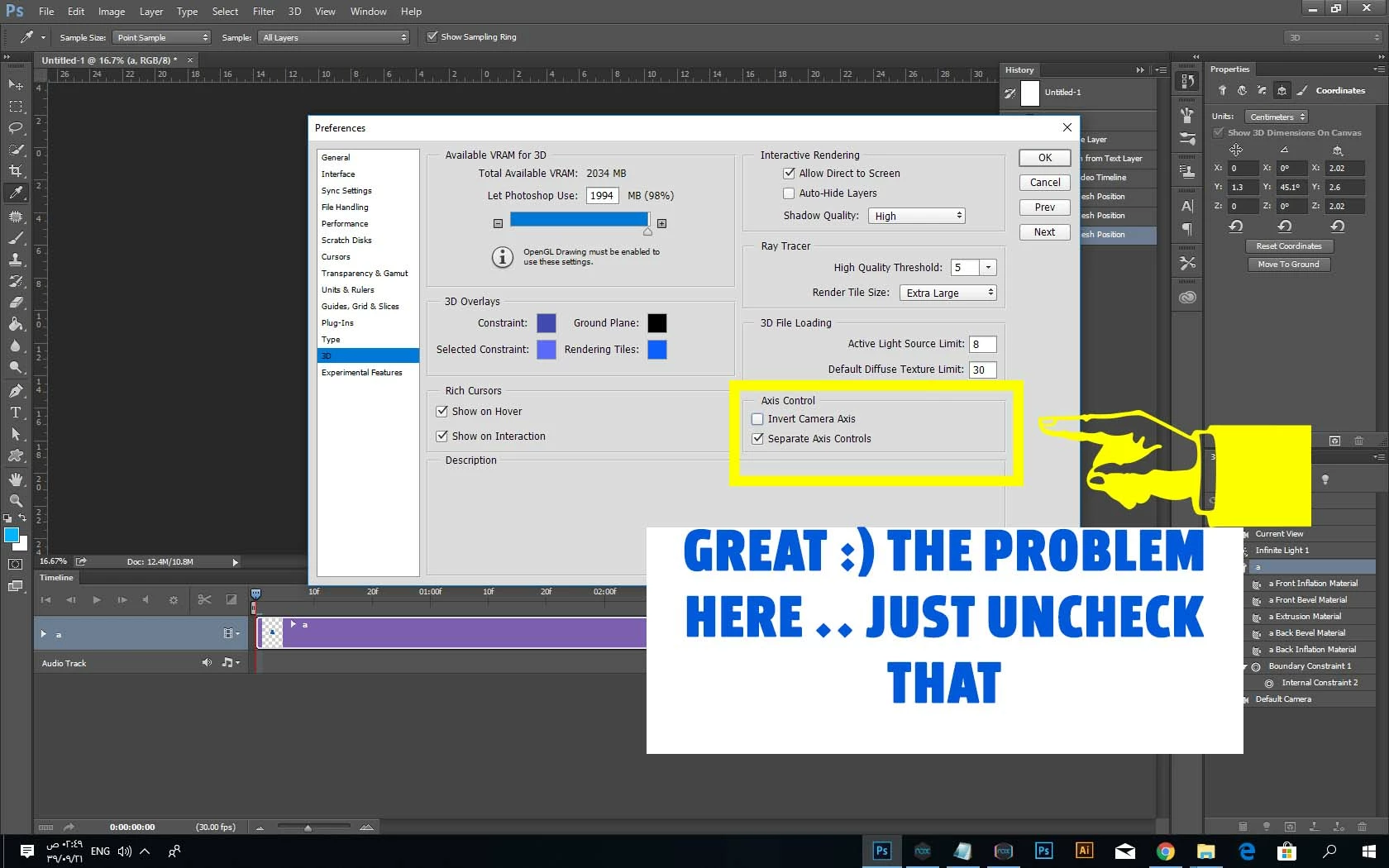
I'll change yours to be the correct answer . Although we were on the right lines with the axis controls,  I didn't realise that option was there . Thanks for posting back

Dave

Dramenon
Community Manager
Community Manager
June 4, 2018

It's a common problem depending on what app produced the model and the file format. Photohsop 3D does not have a method to define a point of rotation at this time.

You can try to "Reset Coordinates"

  • From the 3D Panel > Select your 3D Scene or Model.
  • Open Properties Panel to see 3D coordinates and select "Reset Coordinates"
  • It will center the model at x,y,z / 0,0,0

If that is not working, try and export the file as OBJ and then import that OBJ.

Inspiring
June 4, 2018

yes Mr.dramenon i was do it but it did not fix the problem .

davescm
Community Expert
Community Expert
June 4, 2018

How are you changing the Y rotation value - typing into properties or dragging with the on screen "widget"?

Are the X and Z rotation values in properties changing or just the model moving, as if the centre of rotation is not at the centre of the object?

Dave

Inspiring
June 4, 2018

yes Mr.davescm

in the beginning i am sorry to make 2 post  in same problem , it is Inadvertent error.

i try to change rotation by insert value in the box and by moving mouse after select the rotate tool .

after change Y value rotation the value in Z and X  position was change and also the 3d object was moved to Different place.

and can u tell me how to make sure that note u say it "if the centre of rotation is not at the centre of the object?"

davescm
Community Expert
Community Expert
June 4, 2018

Looking at the history panel in your screenshot, it shows you have moved the 3D camera not the object. If you have rotated the object it would say "Set 3D mesh position" in the history panel.

Before:

After:

History :

Are you by any chance using the wrong widget - the one at the bottom left of the screen moves the camera, the one in the object rotates the mesh

Dave