


New Participant
October 22, 2018
Question

I have a problem about Layer Mask & Resize group

  • October 22, 2018
  • 3 replies
  • 1167 views

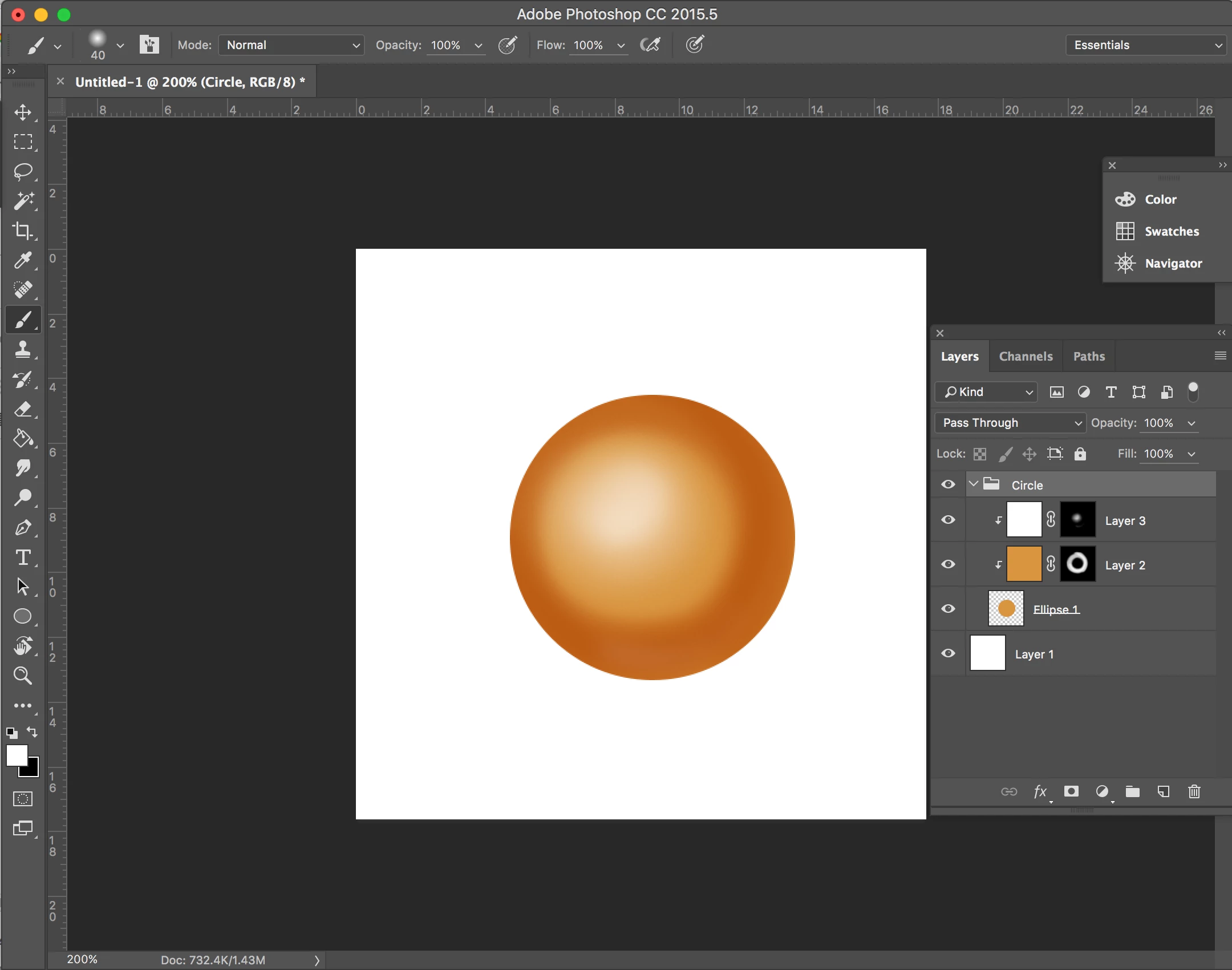
I am normally using photoshop for painting. I have learned this painting way from my mentor by using Layer mask which is easy to adjust the color. Likes the picture below.
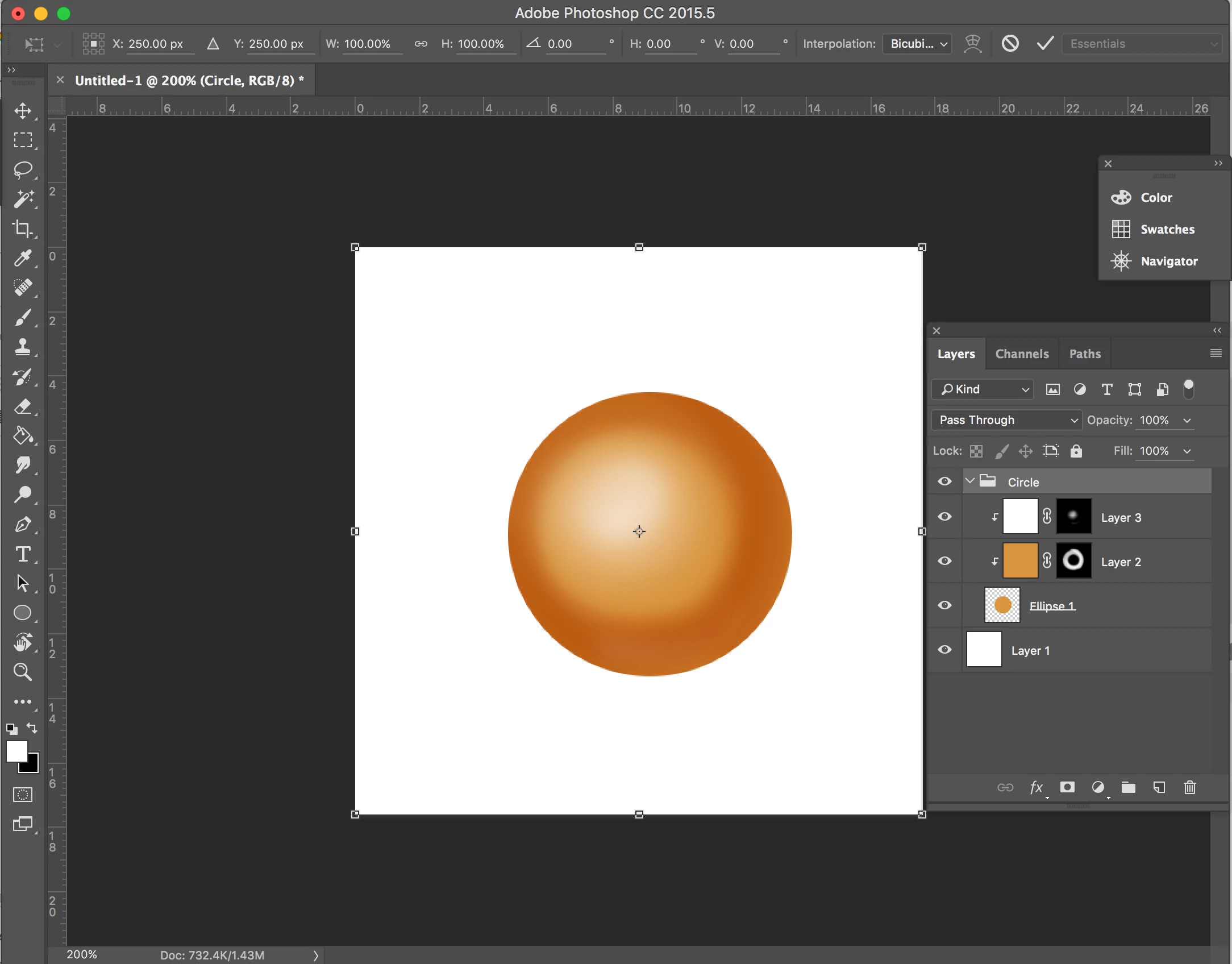
But I have a problem with resizing the group which is it will resize as the canvas size because of Layer mask. Likes the picture below.
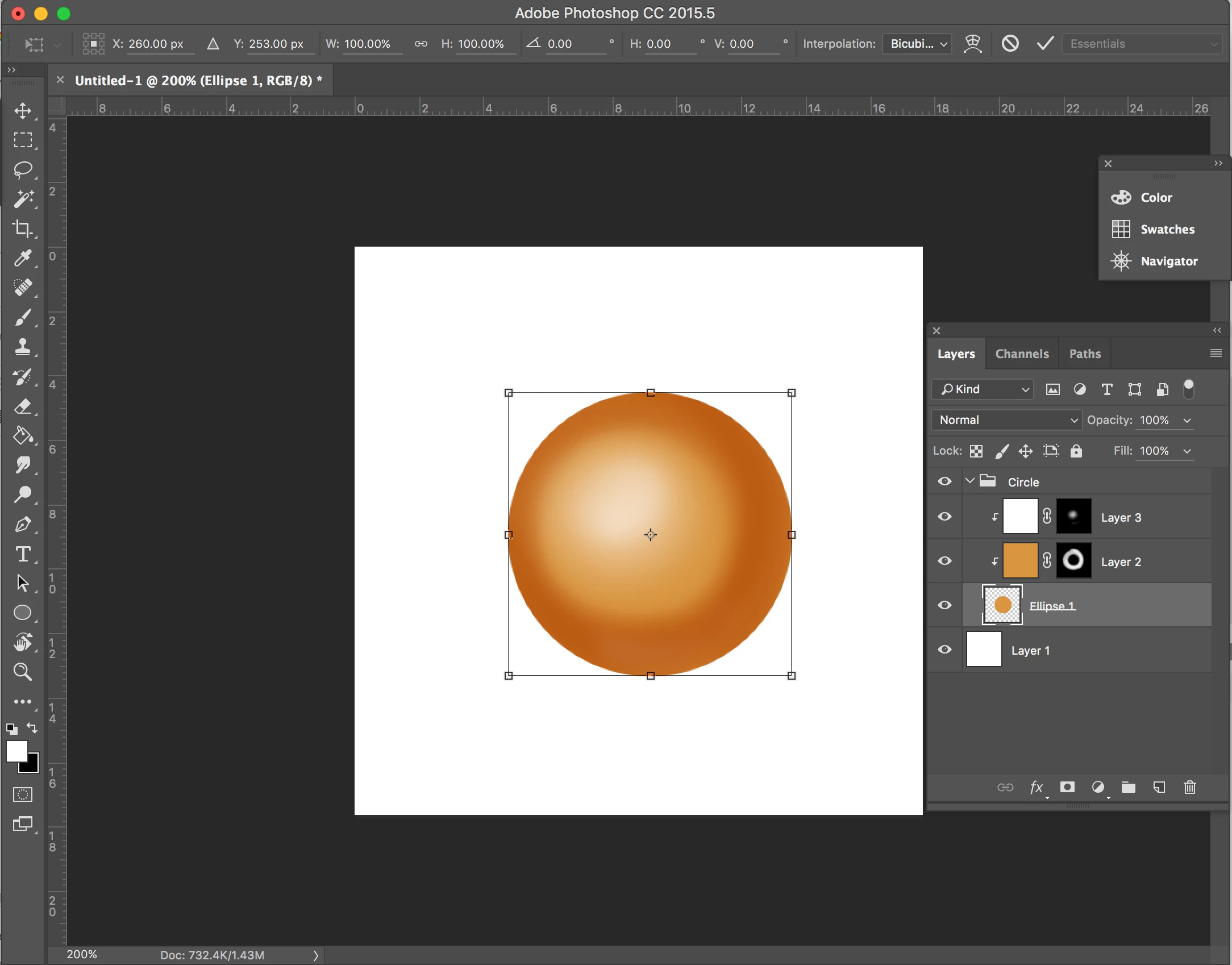
It is totally hard when I paint small objects and want to resize on a big canvas. So Is there have anyway that I can resize the group as the same size of the object that I paint. Likes the picture below. 
Thank you for all answer.

This topic has been closed for replies.

3 replies

Brandon Loshe
Brainiac
July 28, 2021

Hey @awika_erika,


Did you ever figure this out? I'm in one of the 2021 Photoshop versions, and this same problem just started happening to me this afternoon. I'm not sure why it started now or if I clicked something by accident. Just curious if you ever solved this.

Brandon Loshe
Brainiac
July 28, 2021

Oops, never mind. My problem is a little different, and it was a silly mistake I made. In my case, one of the layers and the layer mask came unlinked. 

macpawel
Participating Frequently
October 22, 2018

You cant do it.You have two layers same size as canvas size and this is the reason.

You coud cut your circle instead using mask

Merge Layers or use Smart object and draw circle to cut it from layer

Use CTRL+J command to move selected circle into a new layer

Disable oiginal layer and thats it

davescm
Community Expert
October 22, 2018

Hi

Not with a group. You could however use a smart object rather than a group which would work in the way you describe. Just select your three layers and right click. Then choose Convert to Smart Object.

Dave

New Participant
October 22, 2018

Hello Dave,

Thank you for the answer. But after I tried and the resize it still is the same result as group.

davescm
Community Expert
October 22, 2018

Hi

Make sure you have not included your white background in the smart object.

Before SO

After SO

Dave