


evl123
New Participant
November 19, 2016
Answered

Image doesn't display in camera raw filter

  • November 19, 2016
  • 2 replies
  • 4372 views

Hi all

Who can help me with this? See screenshot below. When I want to use the camera raw filter the image won't show... Instead, it shows a yellow surface. I am using an official version of Photoshop CC 2017.
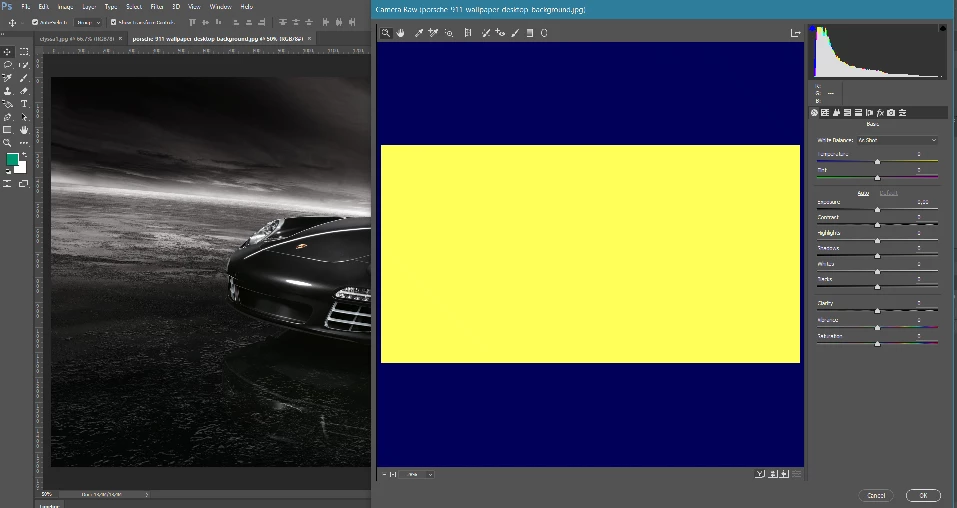
Thank you for your help.
    This topic has been closed for replies.
    Correct answer JJMack

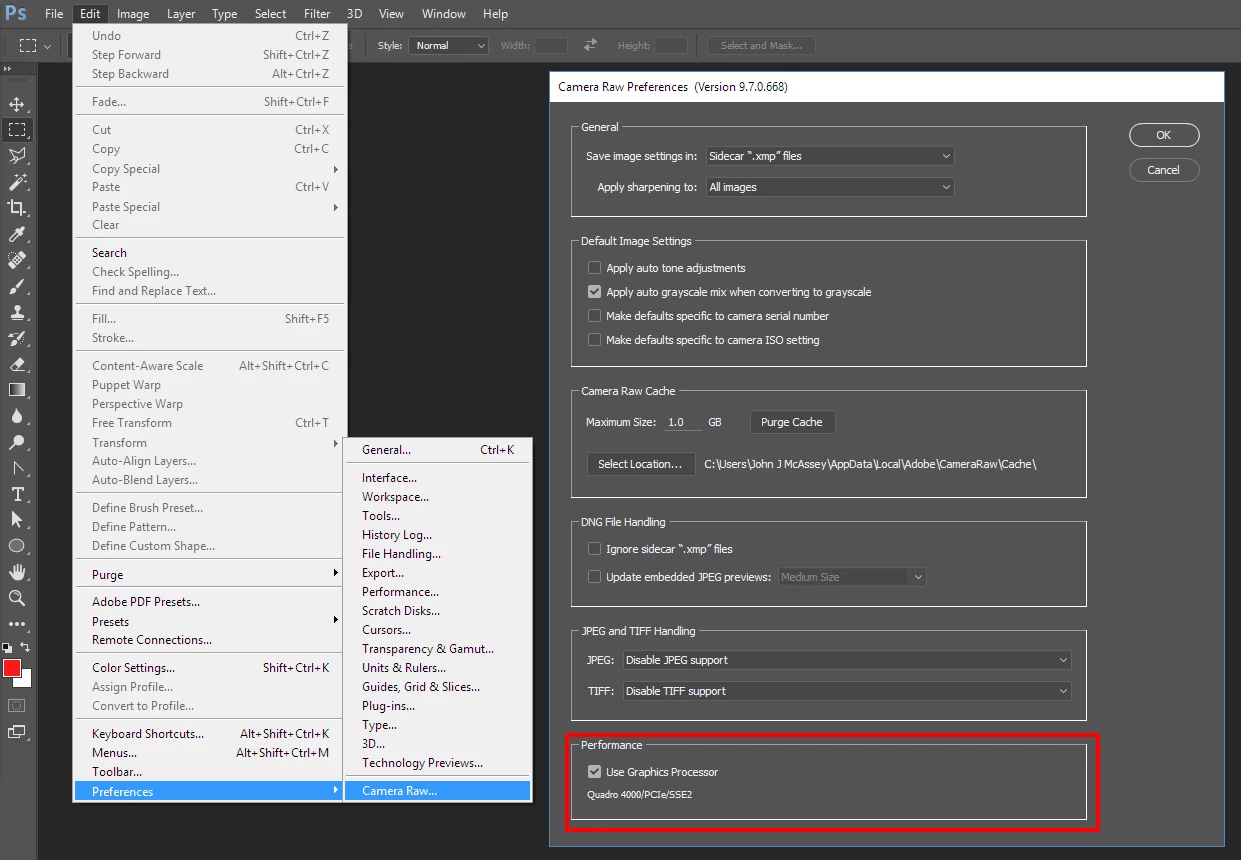
    Check your Camera RAW preferences. If Use GPU is checked uncheck it  and retry. Also check the documents image mode and color space are what you expect

    2 replies

    evl123
    evl123Author
    New Participant
    November 20, 2016

    Indeed! I had to uncheck the box Thanks a lot!

    chanaart
    Adobe Expert
    September 1, 2020

    in general always good to look into the preferences in any app you are using!!! 

    chana

    JJMack
    JJMackCorrect answer
    Adobe Expert
    November 19, 2016

    Check your Camera RAW preferences. If Use GPU is checked uncheck it  and retry. Also check the documents image mode and color space are what you expect

    JJMack