


Answered
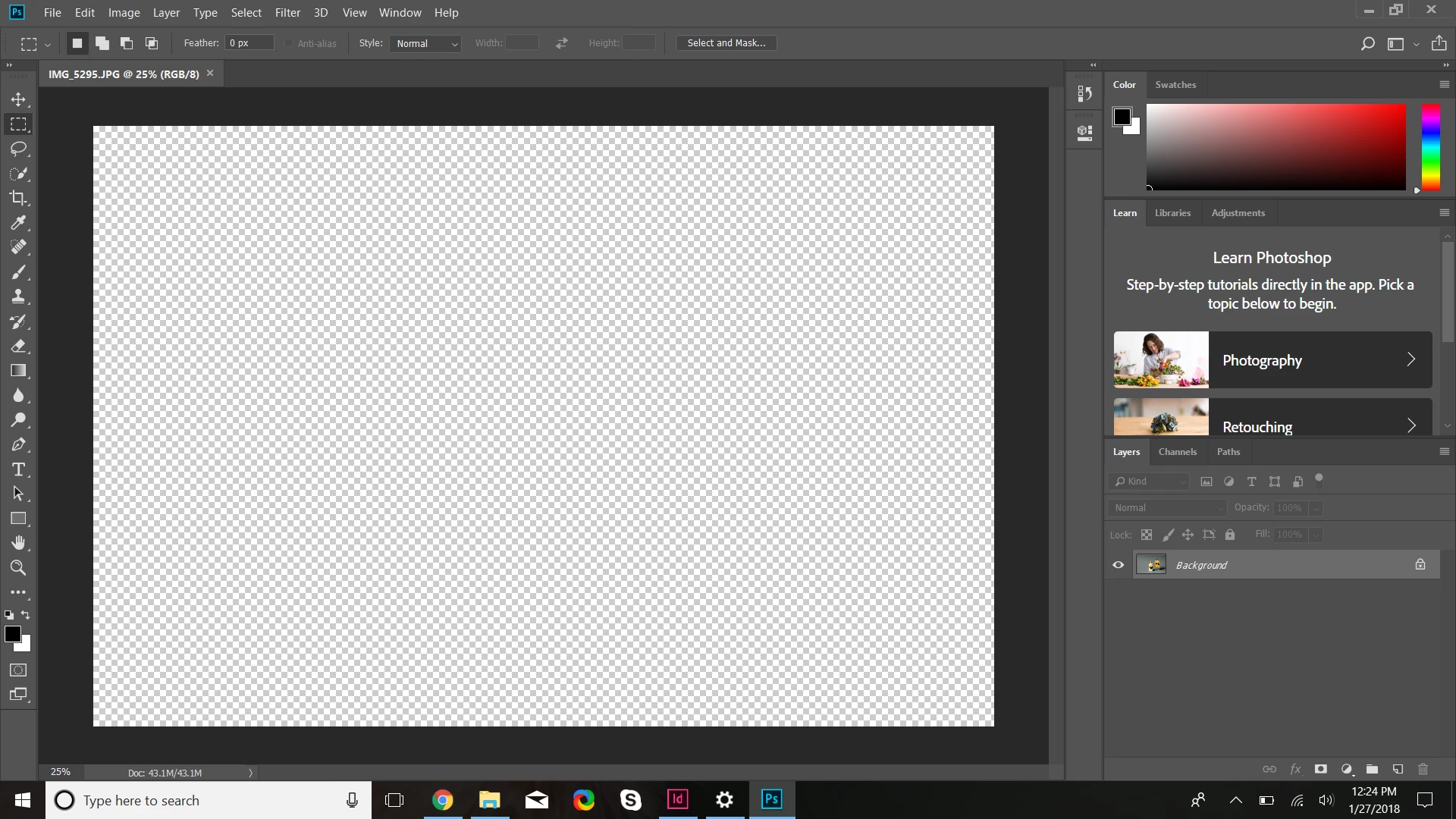
Images not showing up in window when I open them in Photoshop
The image shows up in the layers panel, but not in the actual window. I have read several other threads on this so I will say that I did clear the preferences and it didn't do anything to help. This has been going on for a week and I can't seem to find a solution and I can't do any photo editing with it like this.
Specifically what I'm trying to do: I am in Indesign editing a linked file on Photoshop, or just opening image (JPEG, TIFF) files from my desktop on Photoshop.
Things I have tried:
- Deleting/resetting photoshop preferences (Ctrl+Alt+Shift)
- Uninstalling/reinstalling (this actually fixed the problem last night, but the problem was back again this morning, and when I tried uninstalling again this time it did not help anymore)
- Dowloading older versions of Photoshop (no difference, same issue)
- Opening different file types (Tiff, JPEG, the problem persists with every file)
Things about my computer:
Dell Inspiron 15 5000
Adobe Creative Cloud Photoshop download
Windows 10
What the issue looks like:
 AdChoices