New Participant
September 8, 2018
Answered

Is it possible to make a transparent angular gradient reveal?

  • September 8, 2018
  • 2 replies
  • 450 views

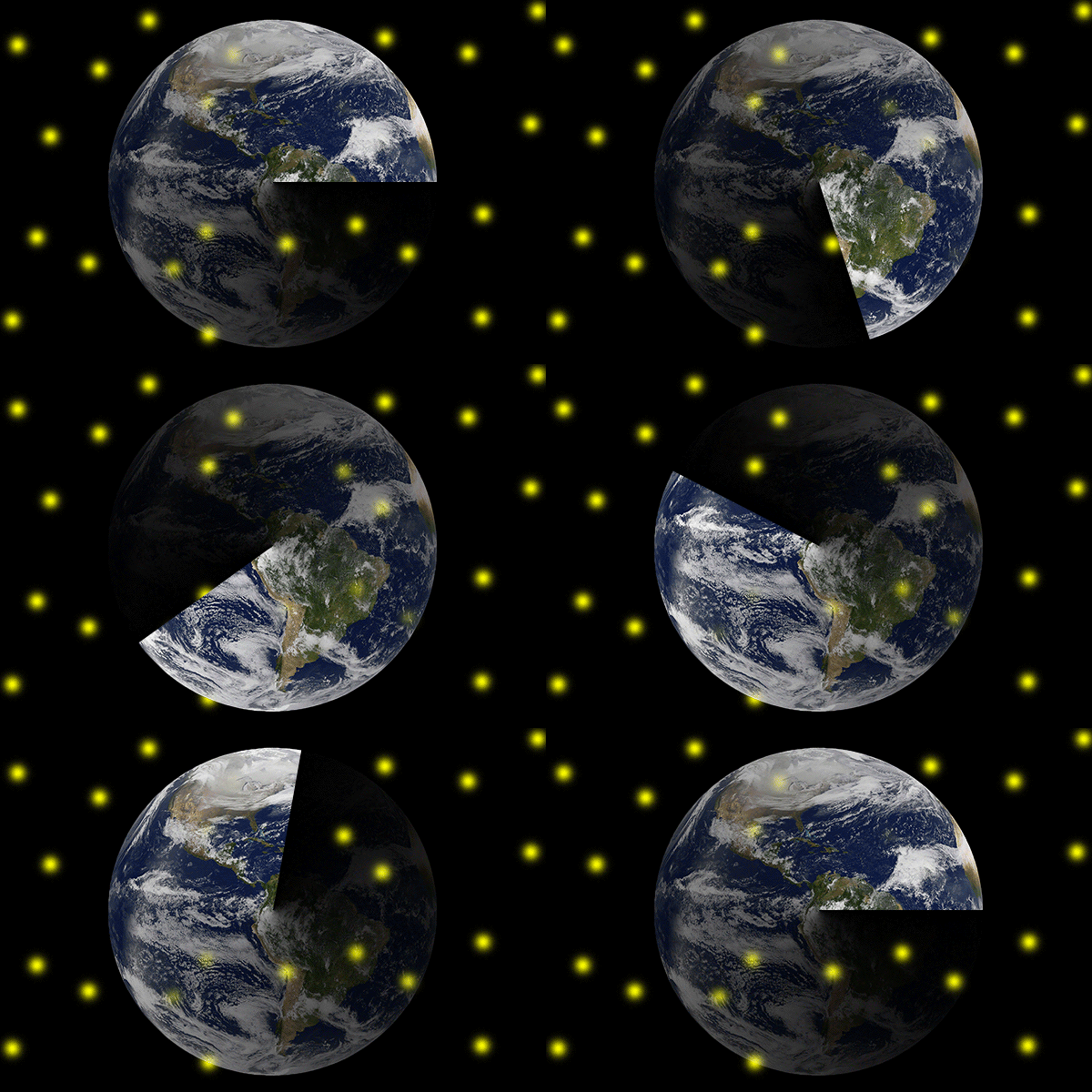
So I have this effect in mind where it reveals the image with an angular gradient mask applied to it, while said gradient is transparent on one side so the effect would look like the image is revealed out of transparency. In short, revealing the image with a radar sweep without color. The problem is, there is no property in which I can animate the layer mask in the video timeline by transforming it, only position and/or enabling it. Moreover, I tried to replicate the effect with two layers by creating a colored layer under the image, clipping the image to the colored layer, then applying said mask to it. But then, I could not rotate it without turning it into a Smart Object first, and I cannot think of any way to animate its transformation without messing up the tween, because the pivot point is still the center, even when animating.

If it isn't possible though, can I do this in other programs?
This topic has been closed for replies.
Correct answer davescm

Hi

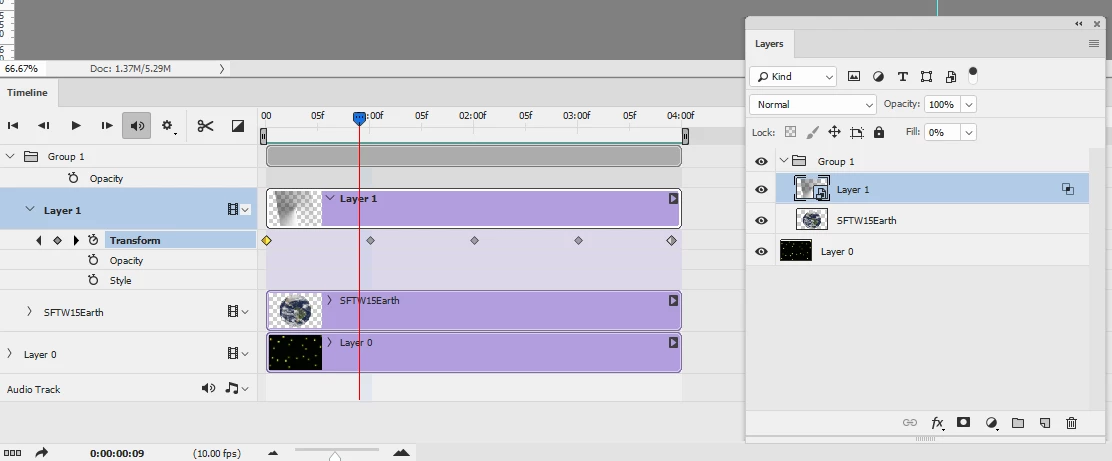
Make the gradient run from solid to transparent.

Put the gradient in a smart object

Turn fill of the smart object to 0%

In Blending options set the knockout of the smart object to shallow

Put the gradient SO layer in a group with the object

Transform the smart object

Dave

2 replies

JJMack
Community Expert
September 8, 2018

Mask are normally Grayscale channels there is on transparency in the mask.  They do produce transparency in the content they mask.

I do not do Video editing with Photoshop.  I know Photoshop 3D objects can be rotated in a video timeline that I have done.  I do not know if a opacity map a 3d object may have can be rotated in an animation or if a 3d light can be rotated in a video animation animation.  I have never tried  blending video segments  in a video timeline or know if you can animate rotating and normal image layer in a video timeline and blend it into a video as a rotating radar sweep using a blending like screen.

Frame animation do not support layer rotation using tween.  However, I believe it would be possible to generate what look like a radar sweep in a Frame animation by duplicating a layer that has the radar beam with blending mode screen rotation it some number of degrees. Then repeating this process till you have a 360 degree sweep. Create a frame animation using these layers that you then you add a new background layer these layer will be blended into the new background layer that is visible in all frames.

JJMack
davescm
davescmCorrect answer
Community Expert
September 8, 2018

Hi

Make the gradient run from solid to transparent.

Put the gradient in a smart object

Turn fill of the smart object to 0%

In Blending options set the knockout of the smart object to shallow

Put the gradient SO layer in a group with the object

Transform the smart object

Dave

JJMack
Community Expert
September 8, 2018

So you answered many thing for what I did not know and wondered about.

You showed one can rotate smart object layers layers and blend layer in a video timeline that there are blending options like layer styles have.

Thank you Dave.

JJMack
davescm
Community Expert
September 8, 2018

Thank you so much btw.


You're welcome

Dave