JayLAL89
Participant
May 8, 2018
Answered

Is there a way to resize the height of multiple images at once without setting a specific width?

  • May 8, 2018
  • 5 replies
  • 7865 views

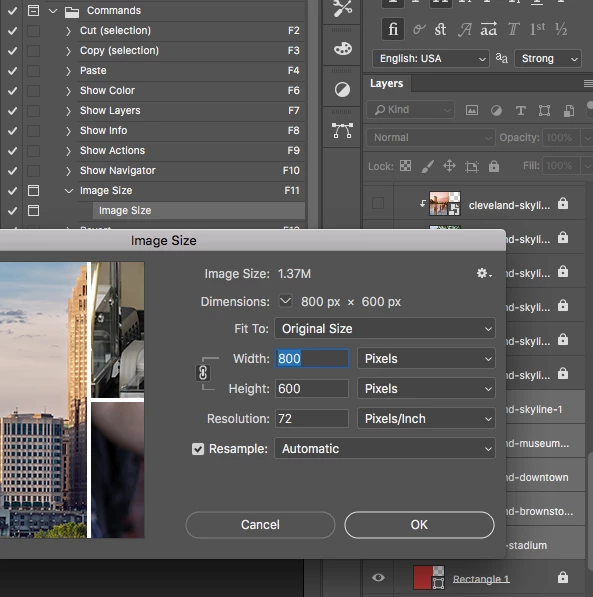
I have multiple images with different dimensions.  Is there a way to resize the height of multiple images at once without setting a specific width?  I tried using the default action in photoshop (default > actions > commands > image size) but it requires I resize all images to have the same width.

This topic has been closed for replies.
Correct answer Kukurykus

I wrote it in CS6 EXTENDED, but now tried in 19.1.3 version and it works too however you are right as I mistaken height with width. Now I corrected order, so layers won't be based on width, but height length. Additionally I added 'locked' layers case. So each time script meets them, they will be bypassed. Processing selected layers only version I will do a little later. Change:

resize(s = 600 / ((b = bounds)[2] - b[0]) * 100, s)

to

if (!positionLocked) resize(s = 600 / ((b = bounds)[3] - b[1]) * 100, s)

Here is mainly Action Manager ver. that does the same like previous one with correction (but still with no selected layers):

function sTT(v) {return stringIDToTypeID(v)}

function adl(v) {

     (ref = new ActionReference()).putEnumerated

     (sTT(v), sTT('ordinal'), sTT('targetEnum'))

}

adl('application'); if (typeIDToStringID(executeActionGet(ref)

.getEnumerationValue(sTT('rulerUnits'))) != 'rulerPixels')

     preferences.rulerUnits = Units.PIXELS

adl('document'), len = executeActionGet(ref).getInteger(sTT('numberOfLayers'))

for(i = 1; i <= len;) {

     (ref = new ActionReference()).putIndex(sTT('layer'), i++)

     if (typeIDToStringID((dsc = executeActionGet(ref))

     .getEnumerationValue(sTT(lS = 'layerSection'))) == lS + 'Content') {

          (lst = new ActionList()).putReference(ref), dsc.putList(sTT('null'), lst)

          function prtct(v) {

               return dsc.getObjectValue(sTT('layerLocking')).getBoolean(sTT(v))

          }

          if (!prtct('protectPosition') && !prtct('protectAll')) {

               bnds = dsc.getObjectValue(sTT('bounds'))

               if (!dsc.getBoolean(sTT('visible'))) {

                    executeAction(sTT('show'), dsc, DialogModes.NO)

               }

               (ref = new ActionReference()).putIndex(sTT('layer'), i - 1);

               (dsc = new ActionDescriptor()).putReference(sTT('null'), ref)

               executeAction(sTT('select'), dsc, DialogModes.NO)

               function h(v) {return bnds.getUnitDoubleValue(sTT(v))}

               if ((s = 600 / (h('top') - h('bottom')) * 100) < Infinity) {

                    function wh(v) {

                         dsc.putUnitDouble(sTT(v), sTT('percentUnit'), s)

                    }

                    wh('width'), wh('height'), executeAction

                    (sTT('transform'), dsc, DialogModes.NO)

               }

          }

     }

}

In previous script I prevented also transforming while processing empty layer. Here's a version where you can select layers:

function adl(v1, v2) {

     eval("(ref = new ActionReference()).put" + (!v2 ? "Enumerated" : "Index")

     + "(sTT(v1), " + (!v2 ? "sTT('ordinal'), sTT('targetEnum')" : I) + ")")

}

function prtct(v) {

     return dsc.getObjectValue(sTT('layerLocking')).getBoolean(sTT(v))

}

function prcs(v) {

     adl('layer', v); if (typeIDToStringID((dsc = executeActionGet(ref))

     .getEnumerationValue(sTT(lS = 'layerSection'))) == lS + 'Content') {

          (lst2 = new ActionList()).putReference(ref), dsc.putList(sTT('null'), lst2)

          if (!prtct('protectPosition') && !prtct('protectAll')) {

               bnds = dsc.getObjectValue(sTT('bounds'))

               if (!dsc.getBoolean(sTT('visible'))) {

                    executeAction(sTT('show'), dsc, DialogModes.NO)

               }

               if (v) (ref = new ActionReference()).putIndex(sTT('layer'), I);

               (dsc = new ActionDescriptor()).putReference(sTT('null'), ref)

               executeAction(sTT('select'), dsc, DialogModes.NO)

               function h(v) {return bnds.getUnitDoubleValue(sTT(v))}

               if ((s = 600 / (h('top') - h('bottom')) * 100) < Infinity) {

                    function wh(v) {

                         dsc.putUnitDouble(sTT(v), sTT('percentUnit'), s)

                    }

                    wh('width'), wh('height'), executeAction

                    (sTT('transform'), dsc, DialogModes.NO)

               }

          }

     }

}

function sTT(v) {return stringIDToTypeID(v)} $.level = 0

adl('application'); if (typeIDToStringID(executeActionGet(ref)

.getEnumerationValue(sTT('rulerUnits'))) != 'rulerPixels')

     preferences.rulerUnits = Units.PIXELS

try{

     (ref = new ActionReference()).putIdentifier(sTT('layer'), 1)

     bG = !(executeActionGet(ref)).getBoolean(sTT('background'))

}

catch (err) {bG = 1}

adl('document'), tL = sTT('targetLayers')

if ((dsc = executeActionGet(ref)).hasKey(tL)) {

     for(lst1 = dsc.getList(tL), i = 0; i < lst1.count; i++) {

          I = lst1.getReference(i).getIndex() + bG, prcs(true)

     }

}

else prcs()

5 replies

Marja de Klerk
Inspiring
May 14, 2018

You can easily make your own action to set the height to 600px while retaining the original dimensions of the photo's:

  • In Actions Create a New Action and press the 'record' button.
  • Go to Image > Image Size and set the height to 600 pixels. The width will automatically adjust to the original dimensions if width and height are linked with 'constrain aspect ratio'. This is the default setting. Click OK.
  • In Actions stop recording.

Now you can play the action in the other photo's. Done!

Stephen Marsh
Community Expert
Community Expert
May 14, 2018

Thanks Marja, however the request is to proportionally resize multiple layers at different source heights to the same target pixel height, with the caveat being that they already exist in a document (not as separate files), preferably resizing with a “single command”.

Kukurykus
Legend
May 12, 2018

Copy it to notepad. Save as "Steady Height with Proportional Width.jsx" (incl. double quotes) into 'Presets / Scripts' of your Photoshop folder. Then (re)launch Ps and you will find this script in 'File / Scripts' menu. You may bind some shortcut to it, so any time you want to use this script you will just press some key(s) (in some cases you didn't specified it may not work):

preferences.rulerUnits = Units.PIXELS

function sTT(v) {return stringIDToTypeID(v)}

(ref = new ActionReference()).putEnumerated

(sTT('document'), sTT('ordinal'), sTT('targetEnum'))

len = executeActionGet(ref).getInteger(sTT('numberOfLayers'))

for(i = 1; i <= len;) {

     (ref = new ActionReference()).putIndex(sTT('layer'), i++)

     if (typeIDToStringID((dsc = executeActionGet(ref))

     .getEnumerationValue(sTT(lS = 'layerSection'))) == lS + 'Content') {

          (lst = new ActionList()).putReference(ref), dsc.putList(sTT('null'), lst)

          if (!dsc.getBoolean(sTT('visible'))) {

               executeAction(sTT('show'), dsc, DialogModes.NO)

          }

          (ref = new ActionReference()).putIndex(sTT('layer'), i - 1);

          (dsc = new ActionDescriptor()).putReference(sTT('null'), ref)

          executeAction(sTT('select'), dsc, DialogModes.NO)

          with(activeDocument.activeLayer) {

               resize(s = 600 / ((b = bounds)[2] - b[0]) * 100, s)

          }

     }

}

Stephen Marsh
Community Expert
Community Expert
May 12, 2018

Kukurykus  I just tried your script in CC2018 with 3 layers selected, only 1 of the 3 layers is being resized to 600px high. Unless I have misunderstood the OP, all selected layers need to be the same height at 600 pixels, maintaining their original aspect ratio/proportional width. Each selected layer needs to be resized independently.

Kukurykus
KukurykusCorrect answer
Legend
May 12, 2018

I wrote it in CS6 EXTENDED, but now tried in 19.1.3 version and it works too however you are right as I mistaken height with width. Now I corrected order, so layers won't be based on width, but height length. Additionally I added 'locked' layers case. So each time script meets them, they will be bypassed. Processing selected layers only version I will do a little later. Change:

resize(s = 600 / ((b = bounds)[2] - b[0]) * 100, s)

to

if (!positionLocked) resize(s = 600 / ((b = bounds)[3] - b[1]) * 100, s)

Here is mainly Action Manager ver. that does the same like previous one with correction (but still with no selected layers):

function sTT(v) {return stringIDToTypeID(v)}

function adl(v) {

     (ref = new ActionReference()).putEnumerated

     (sTT(v), sTT('ordinal'), sTT('targetEnum'))

}

adl('application'); if (typeIDToStringID(executeActionGet(ref)

.getEnumerationValue(sTT('rulerUnits'))) != 'rulerPixels')

     preferences.rulerUnits = Units.PIXELS

adl('document'), len = executeActionGet(ref).getInteger(sTT('numberOfLayers'))

for(i = 1; i <= len;) {

     (ref = new ActionReference()).putIndex(sTT('layer'), i++)

     if (typeIDToStringID((dsc = executeActionGet(ref))

     .getEnumerationValue(sTT(lS = 'layerSection'))) == lS + 'Content') {

          (lst = new ActionList()).putReference(ref), dsc.putList(sTT('null'), lst)

          function prtct(v) {

               return dsc.getObjectValue(sTT('layerLocking')).getBoolean(sTT(v))

          }

          if (!prtct('protectPosition') && !prtct('protectAll')) {

               bnds = dsc.getObjectValue(sTT('bounds'))

               if (!dsc.getBoolean(sTT('visible'))) {

                    executeAction(sTT('show'), dsc, DialogModes.NO)

               }

               (ref = new ActionReference()).putIndex(sTT('layer'), i - 1);

               (dsc = new ActionDescriptor()).putReference(sTT('null'), ref)

               executeAction(sTT('select'), dsc, DialogModes.NO)

               function h(v) {return bnds.getUnitDoubleValue(sTT(v))}

               if ((s = 600 / (h('top') - h('bottom')) * 100) < Infinity) {

                    function wh(v) {

                         dsc.putUnitDouble(sTT(v), sTT('percentUnit'), s)

                    }

                    wh('width'), wh('height'), executeAction

                    (sTT('transform'), dsc, DialogModes.NO)

               }

          }

     }

}

In previous script I prevented also transforming while processing empty layer. Here's a version where you can select layers:

function adl(v1, v2) {

     eval("(ref = new ActionReference()).put" + (!v2 ? "Enumerated" : "Index")

     + "(sTT(v1), " + (!v2 ? "sTT('ordinal'), sTT('targetEnum')" : I) + ")")

}

function prtct(v) {

     return dsc.getObjectValue(sTT('layerLocking')).getBoolean(sTT(v))

}

function prcs(v) {

     adl('layer', v); if (typeIDToStringID((dsc = executeActionGet(ref))

     .getEnumerationValue(sTT(lS = 'layerSection'))) == lS + 'Content') {

          (lst2 = new ActionList()).putReference(ref), dsc.putList(sTT('null'), lst2)

          if (!prtct('protectPosition') && !prtct('protectAll')) {

               bnds = dsc.getObjectValue(sTT('bounds'))

               if (!dsc.getBoolean(sTT('visible'))) {

                    executeAction(sTT('show'), dsc, DialogModes.NO)

               }

               if (v) (ref = new ActionReference()).putIndex(sTT('layer'), I);

               (dsc = new ActionDescriptor()).putReference(sTT('null'), ref)

               executeAction(sTT('select'), dsc, DialogModes.NO)

               function h(v) {return bnds.getUnitDoubleValue(sTT(v))}

               if ((s = 600 / (h('top') - h('bottom')) * 100) < Infinity) {

                    function wh(v) {

                         dsc.putUnitDouble(sTT(v), sTT('percentUnit'), s)

                    }

                    wh('width'), wh('height'), executeAction

                    (sTT('transform'), dsc, DialogModes.NO)

               }

          }

     }

}

function sTT(v) {return stringIDToTypeID(v)} $.level = 0

adl('application'); if (typeIDToStringID(executeActionGet(ref)

.getEnumerationValue(sTT('rulerUnits'))) != 'rulerPixels')

     preferences.rulerUnits = Units.PIXELS

try{

     (ref = new ActionReference()).putIdentifier(sTT('layer'), 1)

     bG = !(executeActionGet(ref)).getBoolean(sTT('background'))

}

catch (err) {bG = 1}

adl('document'), tL = sTT('targetLayers')

if ((dsc = executeActionGet(ref)).hasKey(tL)) {

     for(lst1 = dsc.getList(tL), i = 0; i < lst1.count; i++) {

          I = lst1.getReference(i).getIndex() + bG, prcs(true)

     }

}

else prcs()
PECourtejoie
Community Expert
Community Expert
May 9, 2018

Hello, have you tried to give a huge number for the width?

c.pfaffenbichler
Community Expert
Community Expert
May 9, 2018

File > Automate > Fit Image might also be useful.

Sahil.Chawla
Adobe Employee
Adobe Employee
May 9, 2018

Hi Jaylal,


Could you please try going to File > Scripts > Image processor and try that option and let us know how it goes?


Check out this article for steps: How to Batch Resize in Photoshop: A Step-by-Step Guide (2021)


Regards,

Sahil

JayLAL89
JayLAL89Author
Participant
May 9, 2018

Hey! Thanks for the reply.  Unfortunately, I was asked me to define a width as well.

Also, I think I should clarify what I am trying to do.  I want to resize all images to have the same height while retaining each individual image dimensions (the PSD file is a collage and the width of the images I want to resize do not matter).  Is there a function that will allow me to resize all 4 images at once to give them a height of 600px while retaining their original dimensions (so the width would automatically resize based on the height of the image)?  Is it possible to do this in the original PSD file (without needing to alter the images in an outside folder)?

For example, my desired height is 600 px:

  • image 1 is 400 px x 200 px > resized to 1200 px x 600 px
  • image 2 is 525 px x 300 px > resized to 1050 px x 600 px
  • image 3 is 600 px x 375 px > resized to 960 px x 600 px
  • image 4 is 1000 px x 500 px > resized to 1200 px x 600 px

End Result (all images have a height of 600 px):

Stephen Marsh
Community Expert
Community Expert
May 10, 2018

For example, my desired height is 600 px:

  • image 1 is 400 px x 200 px > resized to 1200 px x 600 px
  • image 2 is 525 px x 300 px > resized to 1050 px x 600 px
  • image 3 is 600 px x 375 px > resized to 960 px x 600 px
  • image 4 is 1000 px x 500 px > resized to 1200 px x 600 px

In all cases, you are upsizing the layers… Which may lead to poor quality results. You appear to have smart objects so the current pixel dimensions may not be that small and you may have an excess of original pixels than the 600px height.

I believe that you will need a script that works at a unit of measure for px rather than %.