


jeffp49430459
Participating Frequently
February 21, 2017
Answered

Moving CS5.1 to new computer

  • February 21, 2017
  • 3 replies
  • 5139 views

Please help.  I have purchased a new iMac.  I have Photoshop CS5.1 on my old iMac and I want to transfer it.  I cannot afford to upgrade at this point.  So, I downloaded the install file from Adobe.com, and when I try to extract the program and install it, I get an error message saying "Install.app" can't be opened.  You should eject the disk image.  I have tried several times.  I have had no luck.  Has anyone a solution?  Again, I cannot afford to upgrade at this point and Photoshop CS5.1 has worked effectively for me on the other iMac (and continues to)
This topic has been closed for replies.
Correct answer Jeff Arola

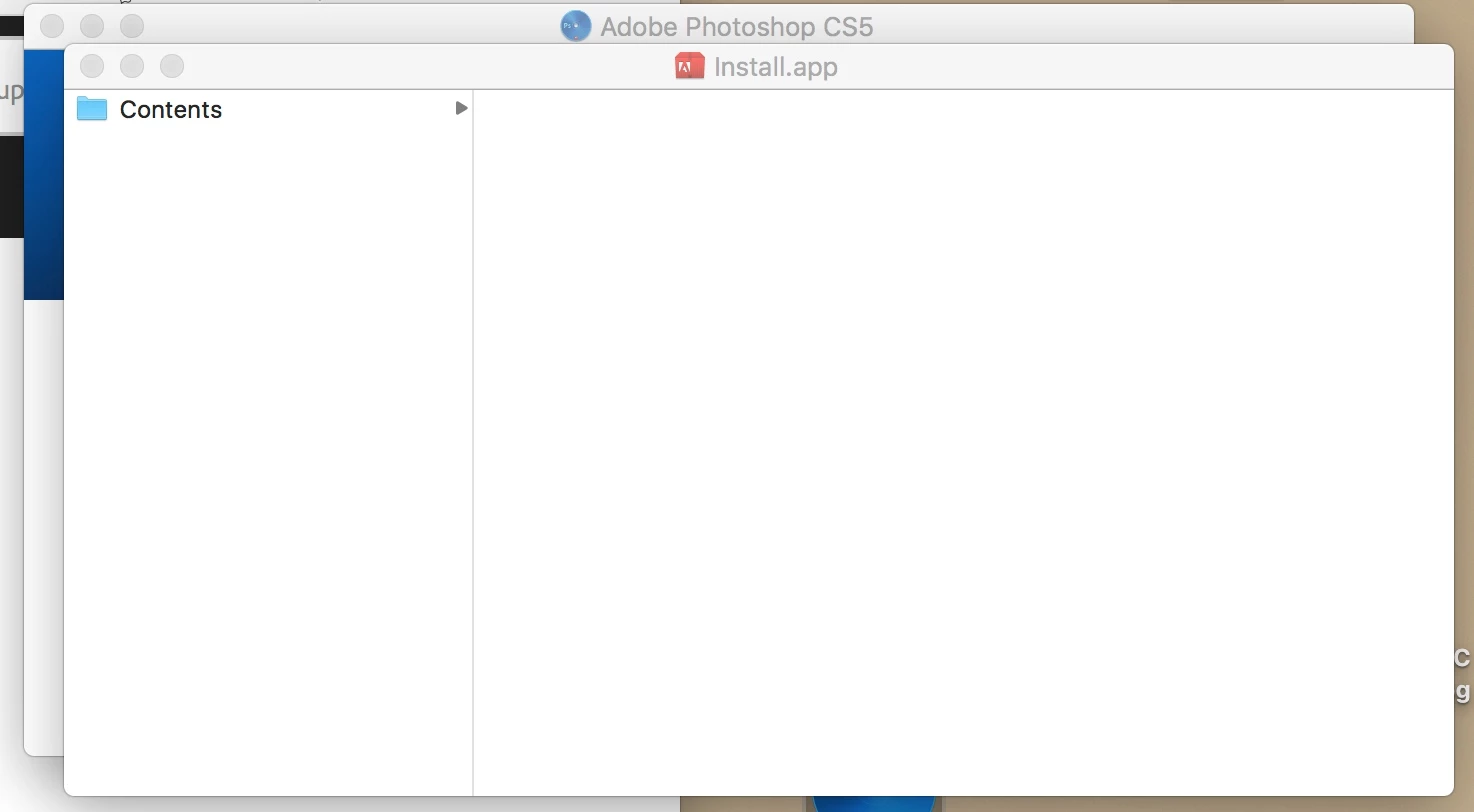
Thank you.  But when I follow through this procedure, I am shown thatt he installer contents are empty.   So it would appear that the Adobe download links are not good?


Your new mac has macOS Sierria 10.12?

In your screenshot you have the installer for photoshop cs5, and you want the photoshop cs5.1 installer from the link below.

The cs5.1 download from adobe should work just fine.

Photoshop CS5.5 on this page is really photoshop cs5.1, someone just mislabeled it.

Download Adobe Creative Suite 5.5 products

Follow the instructions on this page under

Creative Suite 5.5, 5, and 4

Installing Creative Suite on macOS 10.12 (Sierra)

3 replies

Inspiring
February 25, 2017

Here is a link to some more download options, in case this helps you getting a functional download.

Download Adobe CS5.5 Trials: Direct Links (no Assistant / Manager) | ProDesignTools

Steve

jeffp49430459
Participating Frequently
February 25, 2017

Thank you SteveWeinrebe​.   That is one of the links I have tried in the past, to no avail.    The following is what I get when I click the required link   "

Access Denied

  You don't have permission to access "http://trials2.adobe.com/AdobeProducts/PHSP/12_1/osx10/Photoshop_12_1_LS1.dmg" on this server.

Reference #18.7e64d717.1488067044.8df3b84 

and I click on it while I am logged in on this Adobe site (which is what I was told would give me permission)

JJMack
Community Expert
Community Expert
February 26, 2017

If you do not follow the download instructions you ywill receive an access denied message.Follow the instructions and sign in.

JJMack
jeffp49430459
Participating Frequently
February 23, 2017

jeffp49430459
Participating Frequently
February 23, 2017

and just to be as clear as possible, I have downloaded this quite a number of times, using different browsers on different occasions.  i am not running a virus program whilst downloading.  I close all other programs.  I do everything the way I have done every other program download.  If there is a way to connect my new mac to my old mac and directly transfer the program, I will do that!  I will do whatever it takes!  (Do I sound desperate yet!?)

moving Photoshop CS5.1 to another computerPhotoshop General Discussion

JJMack
Community Expert
Community Expert
February 23, 2017

Did you search for Mac install problem and find things for example if you Mac is using Sierra you would find links like

Installing Creative Suite on macOS 10.12 (Sierra)

https://blog.conradchavez.com/2016/06/16/macos-10-12-sierra-will-adobe-software-work/

JJMack
JJMack
Community Expert
Community Expert
February 21, 2017

If you are not going to use your old machine make sure you deactivate CS5 on that machine.   You do not transfer Photoshop you install and activate CS5 on you new machine.   Install create many folders and configures Photoshop into you system.   You can copy your user files from you old machine and also migrate you Photoshop presets from your old machine

I do not use a Mac however I have read you need to make some Apple setting to allow download software to install otherwise Mac security prevent the install from working.

JJMack
jeffp49430459
Participating Frequently
February 22, 2017

Thank you for your reply... I have been downloading new software on to the machine all week since I purchased it.  No other download has been an issue, so I don't believe it is a settings problem.  Also, I know I will have to deactivate photoshop on the other machine, but I hesitate to do so until I can load it on the new iMac since I will regularly have to work in photoshop in the mean time.  thank you for your thoughtful response, however.

JJMack
Community Expert
Community Expert
February 22, 2017

Please do a search on Mac install problems there have been threads on Problem install Photoshop download on Mac and how you can set Mac security setting to allow the Installer to work. I do not use a Mac so I forget the exact details.

JJMack