
dphiii
Participating Frequently
Nov 10, 2018 7:37 AM UTC
Answered

Photoshop 2019 Save for Web Error Mac OS Mojave

Hello everyone,

I have an issue saving jpgs for web with my newly updated Photoshop 2019. I also recently updated my OS to Mojave.

When I try to save, there's a message saying:

"Adobe save for web error. Could not complete this operation. An unknown operating system error has occured."
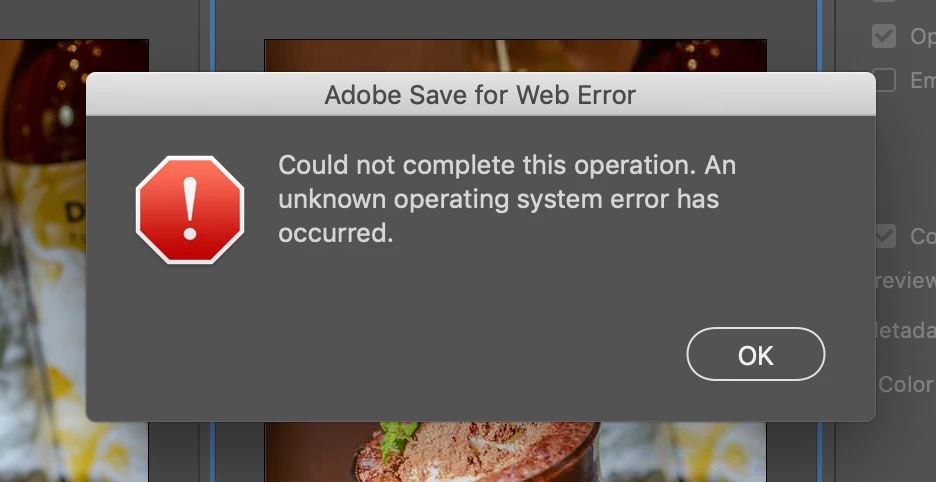
I've uninstalled and reinstalled my Photoshop but it still didn't work. I tried older version of Photoshop it also didn't work. I've been trying out different settings as well as Googling it but I couldn't find the answer. If anyone happens to run into the same problem and know the answer that'd be super helpful. Thank you!

This topic is closed to new replies. Start a new post to keep the conversation going.
stephenb53403254Correct answer
Participant
Dec 17, 2019 8:41 PM UTC

Yes so true. Completely forgot about slicing. 

We need a solution ASAP. 

Not having Save For Web is essentially bricking some people's workflows right now. 


Hey guys, not sure if this will solve the issue for everyone, but it certainly solved it for me. I started experiencing this issue today after my Mac updated to Catalina 10.15.2 and my Photoshop updated to 21.0.2 (Photoshop 2020).


Upon updating Photoshop, I didn't realize that it would add an entirely new photoshop app to my computer (& different icon) instead of just "refurbishing" the 2019 app. So the solution that worked for me was to open up the 2020 version from the adobe creative cloud and boom, I can now export / save for web as normal!


I definitely felt crazy for not having realized this sooner, but here's hoping this will help someone else who may feel the same way!


Cheers!

77 replies

Participant
Aug 13, 2020 9:43 PM UTC

Thank you so much! I updated my PS app and voila-- my save to web works! Really appreciate your help!

Translate
Participant
Jun 23, 2020 7:04 PM UTC

I am having the same problem with my new 20.0.9 Photoshop update, it just wont save images for web format, giving me the same message, I gave it permission in Settings, tried almost everything and still no luck. 

Translate
Legend
Jun 23, 2020 7:18 PM UTC

Photoshop is at 21.2 and this issue has been fixed.

https://helpx.adobe.com/photoshop/kb/fixed-issues.html

Translate
Participant
May 2, 2020 11:00 PM UTC

Im having the same issue. I deleted and re-downloaded the app. Aproved photoshop in the privacy settings. Restarted my computer and still can't save for web. As a recurring issue for many users that pay a membership for adobe creative cloud this must be fixed immediately!

Translate
Participant
Apr 17, 2020 5:01 PM UTC

Awesome, worled for me. Thanks

Translate
joycekwc
Participant
Apr 15, 2020 4:35 AM UTC

Thanks for the answer! That solved my problem too, but I'd never have guessed that either.

Translate
Participant
Apr 9, 2020 5:35 PM UTC

GUYYYYYYYYYS I HAVE FOUND THE SOLUTION!!!!! I have tried everything and nothing worked BUT THEN I discovered that  if your layers are converted to Smart Object THEN YOU MUST CONVERT THEM BACK TO LAYERS AND it will export your GIF AYYYYYYYY~~~~  

I hope this helps. 

Translate
Participant
Apr 6, 2020 10:54 AM UTC

For those who have the problem with the window error when try to save for the web in the photoshop, can be the ram.Yes, I had 8gb and this problem it happened to me too. Then I upgrade to 16gb, and boom, now is working.

Regards,

Nuno

Translate
Participant
Apr 2, 2020 3:02 AM UTC

Hey I just got this error today and *needed* to find a solution as it was already messing up my work flow. Decided to uninstall the latest version I had (21.1.1) and install Photoshop (21.0.3) it went away. You might be able to install to (21.1) not sure, figured it was best to jump back two updates. Hope this works for you!

Translate
Participant
Mar 31, 2020 7:27 AM UTC

Had the same problem after updating my macbook to macOS Catalina. I downloaded Photoshop 2020, which strangely is not an update to my current Photoshop but a completely new application, Save for Web finally works. Hope this helps!

Translate
emerydesignonline
Participating Frequently
Mar 28, 2020 2:51 AM UTC

I'm also having this problem. 

Translate