


Participant
September 29, 2020
Question

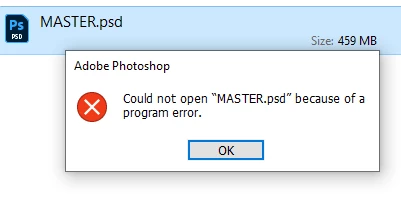
Photoshop 2020 : Could NOT Open File because of a Program Error

  • September 29, 2020
  • 1 reply
  • 290 views

Hi! Suddenly I cannot open THIS one project PSD file ...Please help!
* Other files in the batch opens fine!
* Rebooted system
* Updated NVIDIA driver

Thank you!


{Thread title edited by moderator}


This topic has been closed for replies.

1 reply

nikunj.m
Community Manager
Community Manager
September 29, 2020

Hi,


We're sorry about the trouble with Photoshop. Would you mind sharing the version of Photoshop you are using along with your computers operating system?


If you are facing the issue with a specific file, it may be due to an issue (corruption) with the file itself. Is the file stored on an external drive? If yes, you can try moving the file to the desktop and check if you are able to open the file. You can also try toggling ON/OFF, the option for Legacy compositing in Photoshop by going to the Preferences, then Performance. Once done, quit and relaunch Photoshop to check if that helps.


Please let us know how it goes!

Regards,

Nikunj

WMC_VidAuthor
Participant
September 30, 2020

Thanks!

I also tried opening the backup copy in an ext.drive, same deal.

Will try your suggestions.

-------

OS: Windows 10 Pro

PSD : 12.2.4