



Photoshop WINDOW is not centered, moves out of the screen/display + TABS do not react
Hey!
Hope I can describe my Photoshop issue in English.
On my last Macbook Pro 2016 13" and on my new one 2019 15" I have this issue most of the time with photoshop - I think not at all with the other software of the Adobe Creative Cloud.
Issue:
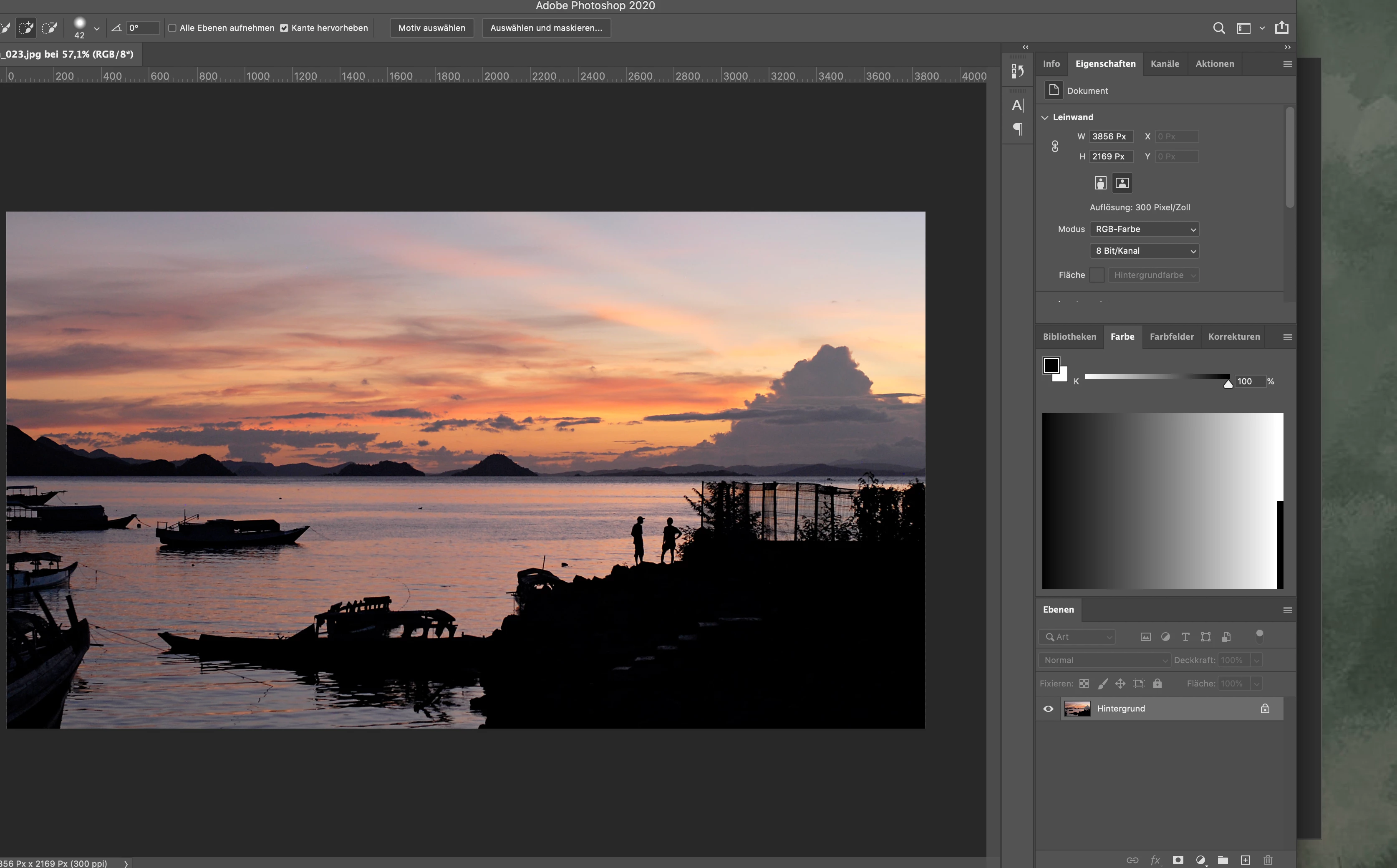
As you can see in the screenshot my Photoshop window moves out of the viewport/display of my Macbook (to the left). This happens quite often after I am working for some time with Photoshop and switching between Photoshop and a browser, other CC software… It is not only that I have to move it back to the center of the window in order to see everything.
The second part of the issue are the openend tabs in Photoshop: they suddenly do not react anymore, when I click on them. The workaround I use since months is to click on the right side of the window an drag it a little bit smaller or bigger. This does actually activate the chosen tab and I can continue working.
As you can imagine this is a pain in the a… even though I can work with it. But after I got my new Macbook this year I thought the issue gets solved automatically. I do not now any other CC user, who has the same problem.
I do appreciate any information or help to get rid off this.
Thank you in advance!
Kind regards
Flo
 AdChoices