
"Export as" thumbnails preview problem
Hello,
I've recently upgraded my PC and have a weird issue with the export as panel
When I try using export as panel to export multiple layers as individual files (regardless of the export format) some preview thumbnails show a "loading" circle animation (including a screenshot) and after a while they go broken (as seen in the screenshot2)
What's more interesting is, if I ignore the errors or hit export at any state, all the layers get exported. HOWEVER, the file names don't match the exported layer names. For instance, if layers are named 1,2,3,4,5 then a file named 2.png will have the contents from layer named 1, 5.png will have contents of layer named 3 and so on. This naming is random as far as I can say. Sometimes photoshop just exports the files with correct names.
screenshot 1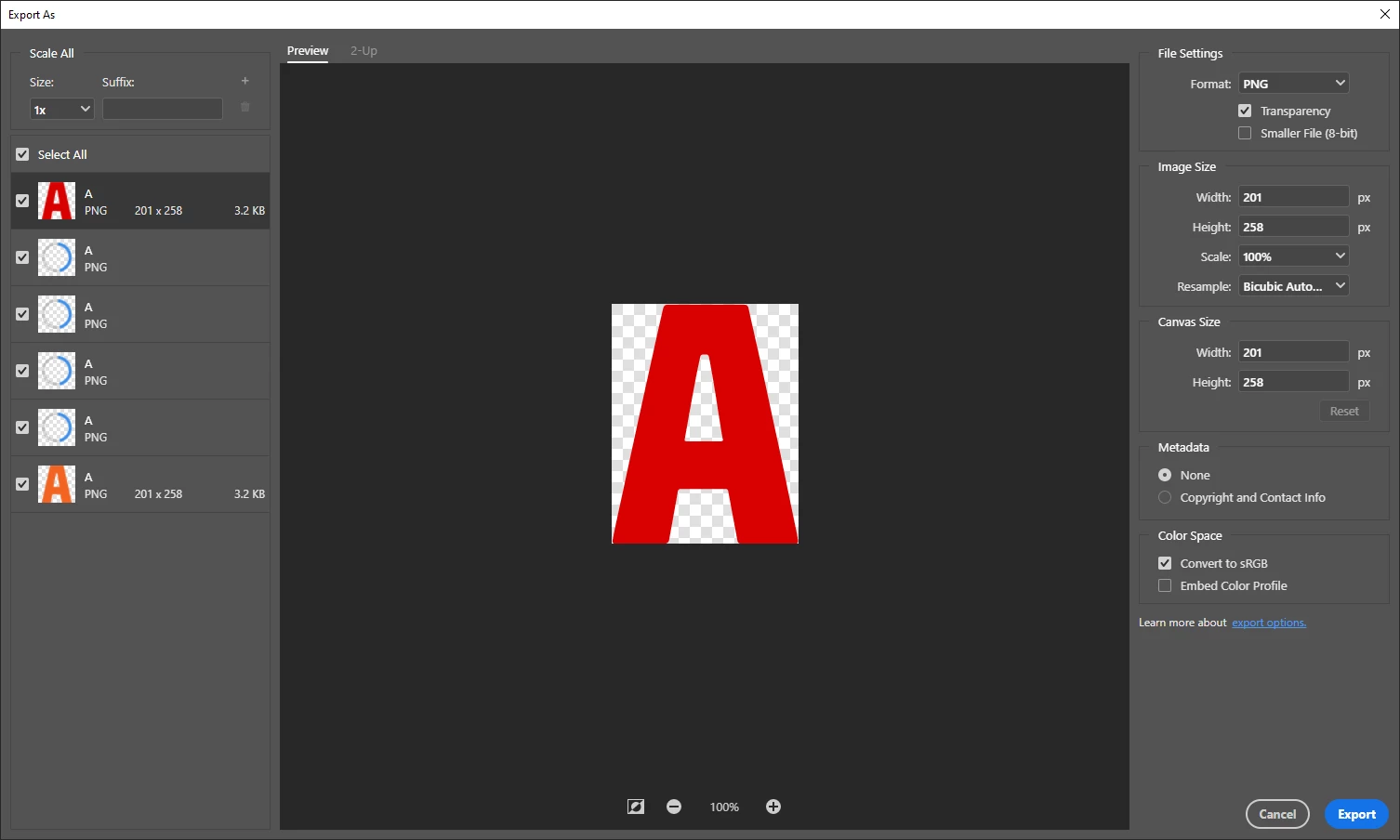
screenshot2
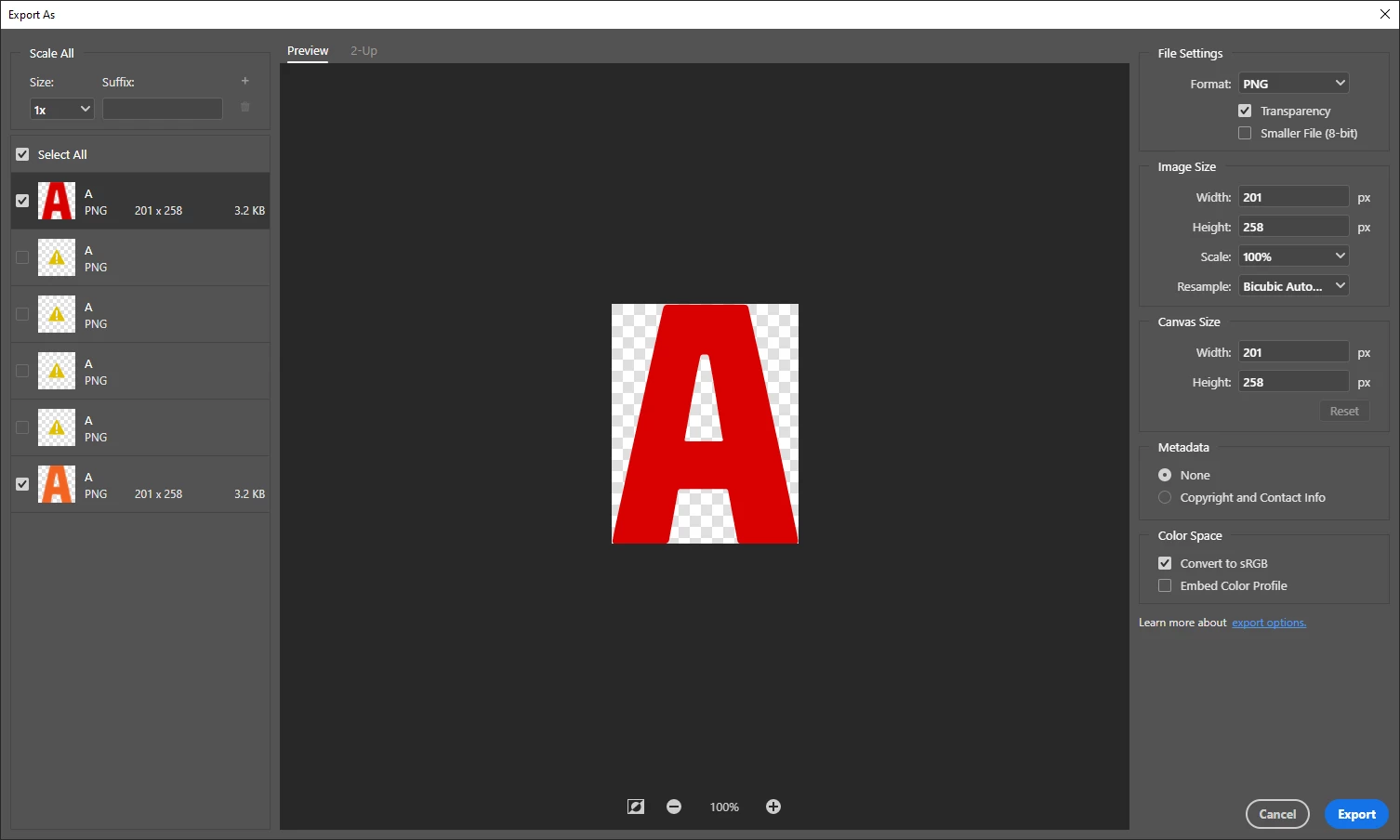
My PC specs are as follows.
OS : Windows 10 Pro
CPU: Ryzen 9 3900
RAM : Gskill Trident-z 64GB 3600Mhz
GPU: Asus RTX 2080TI
The problem has not been damaging my work or productivity too bad so far but I don't want to imagine what's going to happen when I have to work with 100s of layers.
I would appreciate any suggestions towards a solution.
I have tried reinstalling photoshop and tried resetting settings/deleting preferences, neither provided a solution.
Thank you,


 AdChoices