
Inspiring
February 13, 2018
Answered

Strike through text shortcut

  • February 13, 2018
  • 2 replies
  • 26188 views

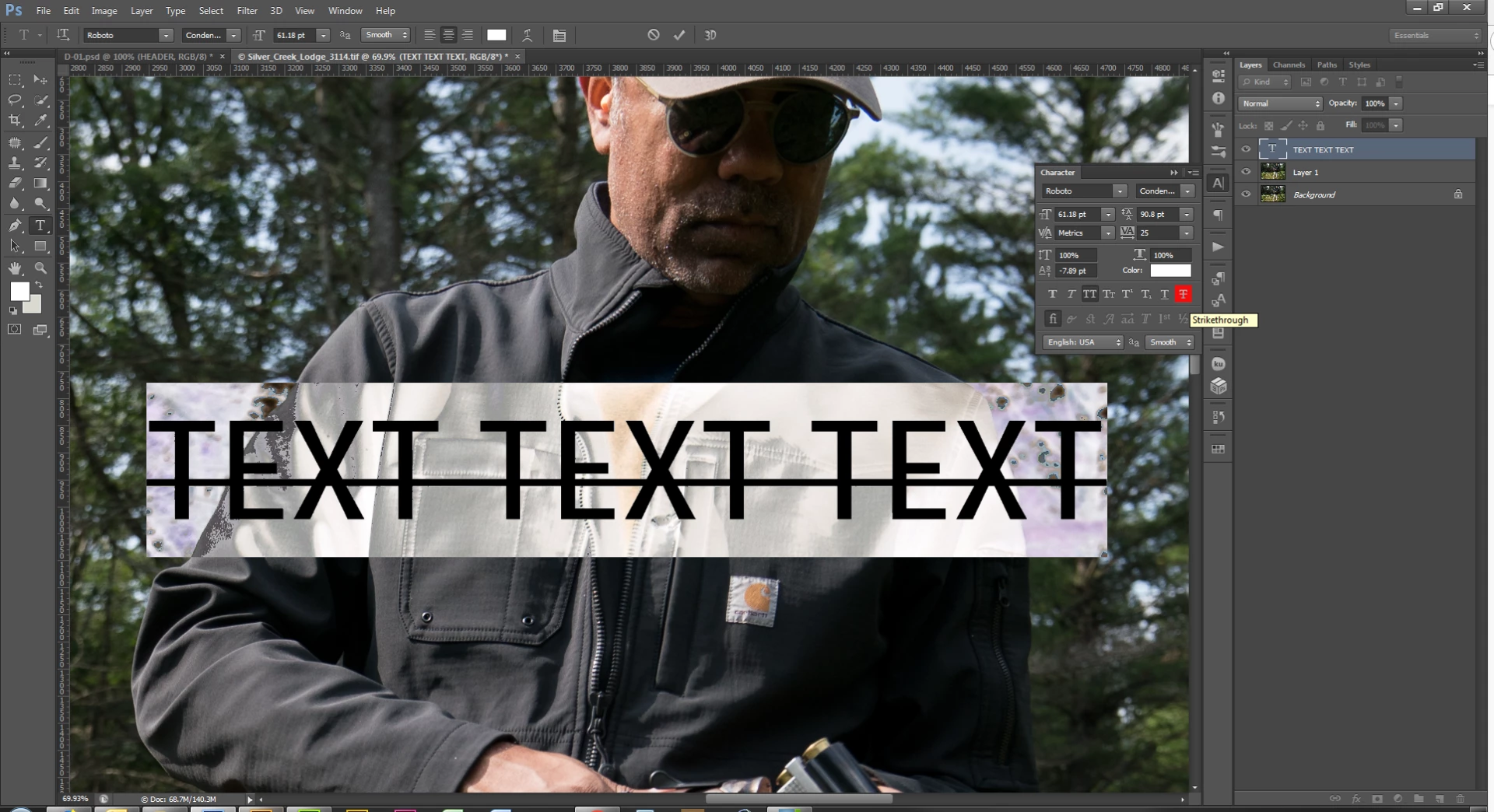
I accidentally hit some key in the shortcuts when I was trying to just type a #1. Now everything has a strike through the middle and I can't figure out how to get rid of it!!! I don't know what I hit. I've tried going to the pref's but can't get rid of the strike through in all my text. Help please!
    This topic has been closed for replies.
    Correct answer WILDCAT54

    Click Window at the top then Character

    With the text highlighted, disable strike through

    2 replies

    pixxxelschubser
    Community Expert
    Community Expert
    February 13, 2018

    Hi NTC Ann​,

    under Windows [Shift]+[Strg]+

    or Character Panel uncheck the "strike-through-Button"

    WILDCAT54
    WILDCAT54Correct answer
    Inspiring
    February 13, 2018

    Click Window at the top then Character

    With the text highlighted, disable strike through

    WILDCAT54
    Inspiring
    February 13, 2018

    If this is on multiple layers, you can select all text layers and then disable this option