



Poor output/rendering quality in PE2018
Hi all,
I have gone through almost all posts concerning this topic and have followed the recommended solutions. Unfortunately I am still not happy with the result of my exported videos. Here's my setting upfront (I am from Germany, so please excuse if I will be unsing wrong terms or wordings).
I come from iMovies and Final Cut Express and working with a Testversion of PE2018 to see if it matches my requirements. I am working with a Panasonic sd909, so AVCHD format. The format parameters of my recorded files are:
Format: H.264, 1920x1080, 25 FPS, AC3, 48kHz
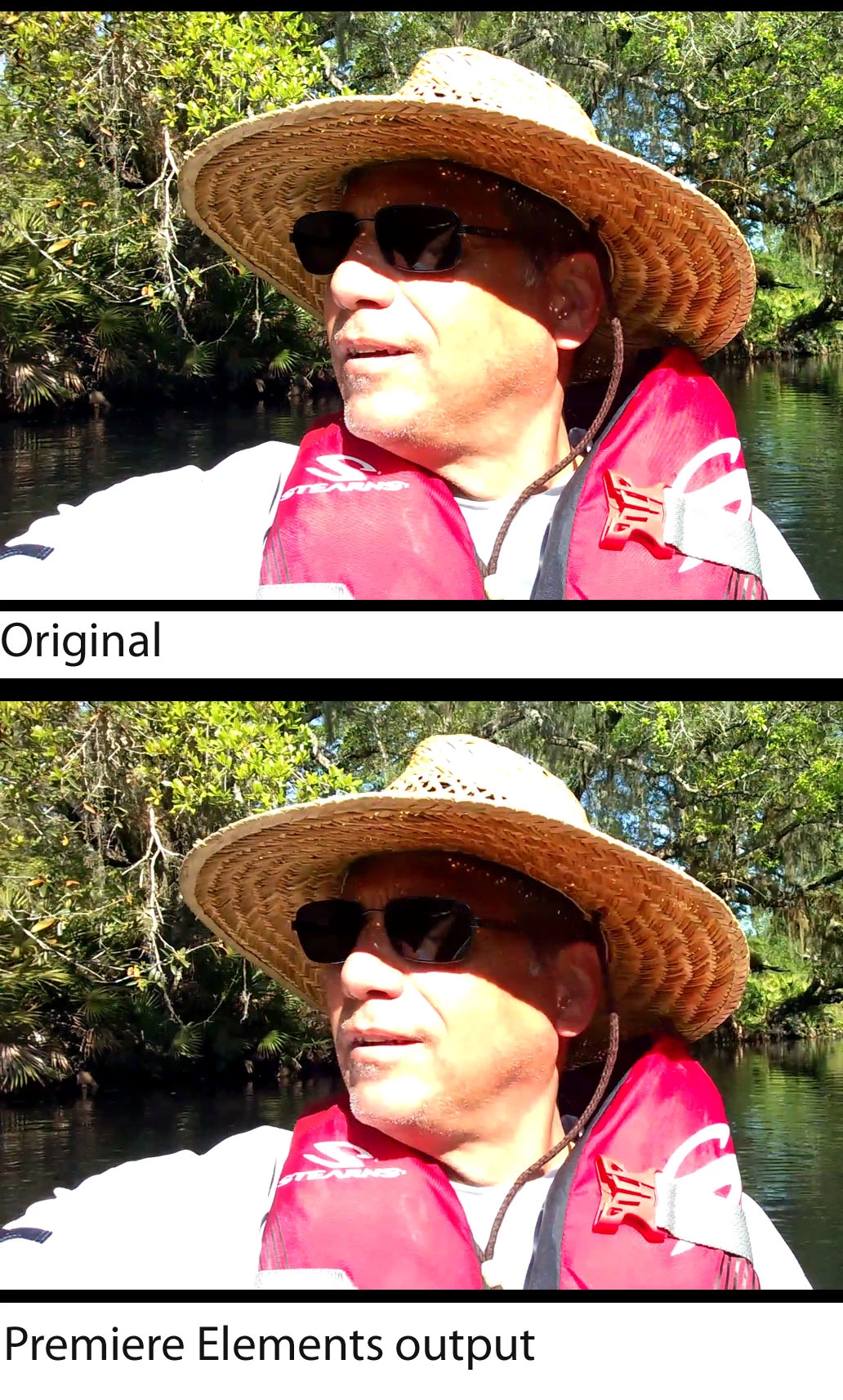
When I start a new project I chose "PAL-AVCHD-Full HD 1080i 25" as settings for my new project, as this is exactely the format I am recording. Via SD-Card I import the files. There is no orange line under the time line, so the setting matches the file I imported. In my recent testing I didn't do any cutting or editing the the clip. I just went to the export function. And no matter which output format I chose, the final file is clearly worse than my original. Even if I go to the custom settings and chose H.264 as an output format (with the exact parameters derived from the original) the best result is shown below in a comparison with my original MTS file:
This is the original file, coming straight from my cam.

This is the same frame after PE2018.

As you can see: the output file is much darker, has far less details, is lacking resolution even if I push the bitrate to the max, borders are edgy etc. And the entire appearance is becoming worse, when you have a look at the motion and not only at a screenshot. It gets also worse, when I add a background or additional text. And ultimately it is not a question of the player I used: QT, MPlayer, VLC,... all the same.
To my understanding I took all steps I know and I found on the web. Is this the max quality PE2018 is able to deliver? Neither iMovies nor FCExpress have brought such a loss. Please tell me that I made some mistakes  PLEASE !
Cheers
Arndt
 AdChoices