mattchristensen
Community Manager
Community Manager
March 31, 2021
질문

Discuss: New way to control how label colors and clip names are displayed in the timeline

  • March 31, 2021
  • 13 답변들
  • 42175 조회

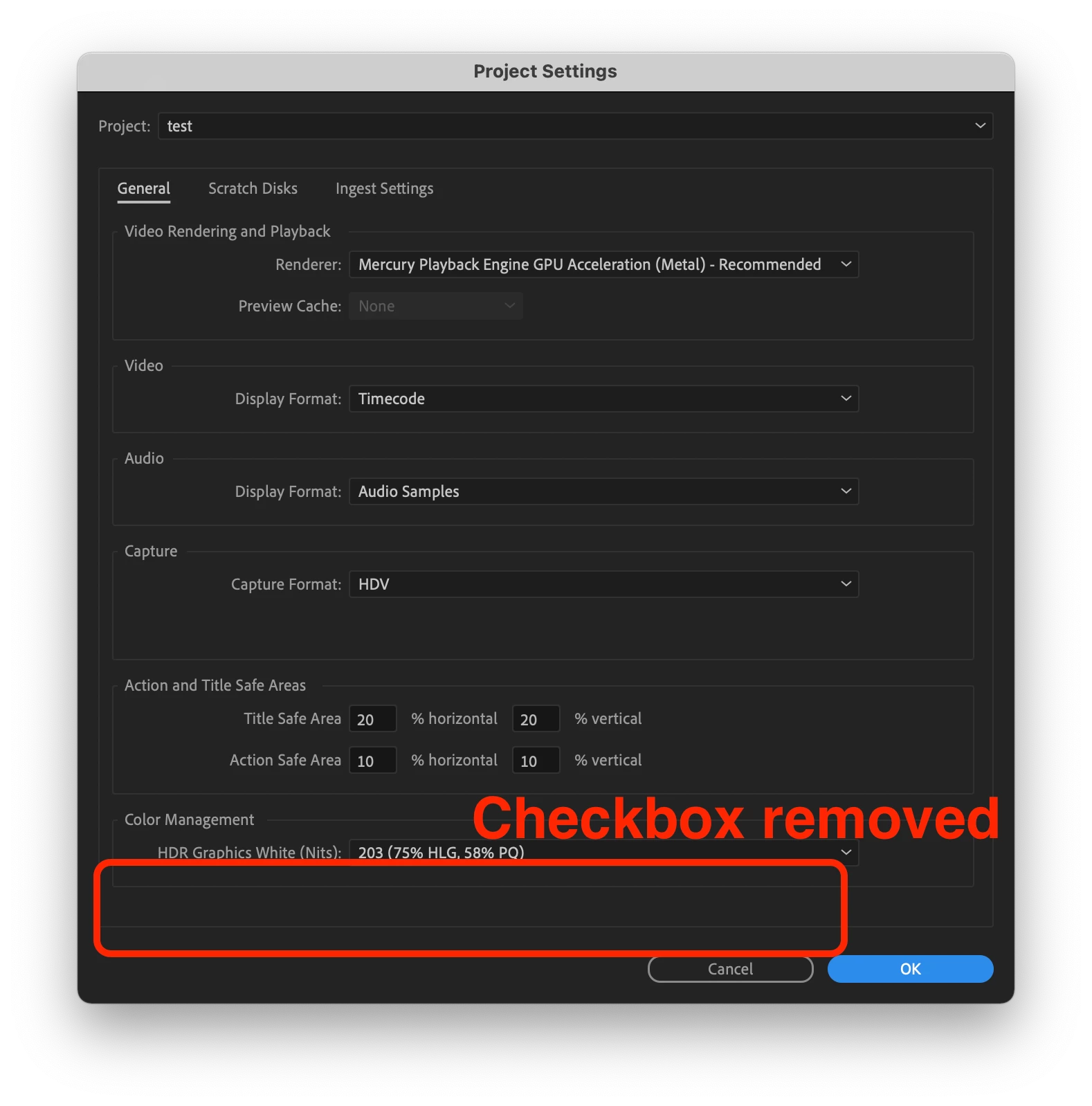
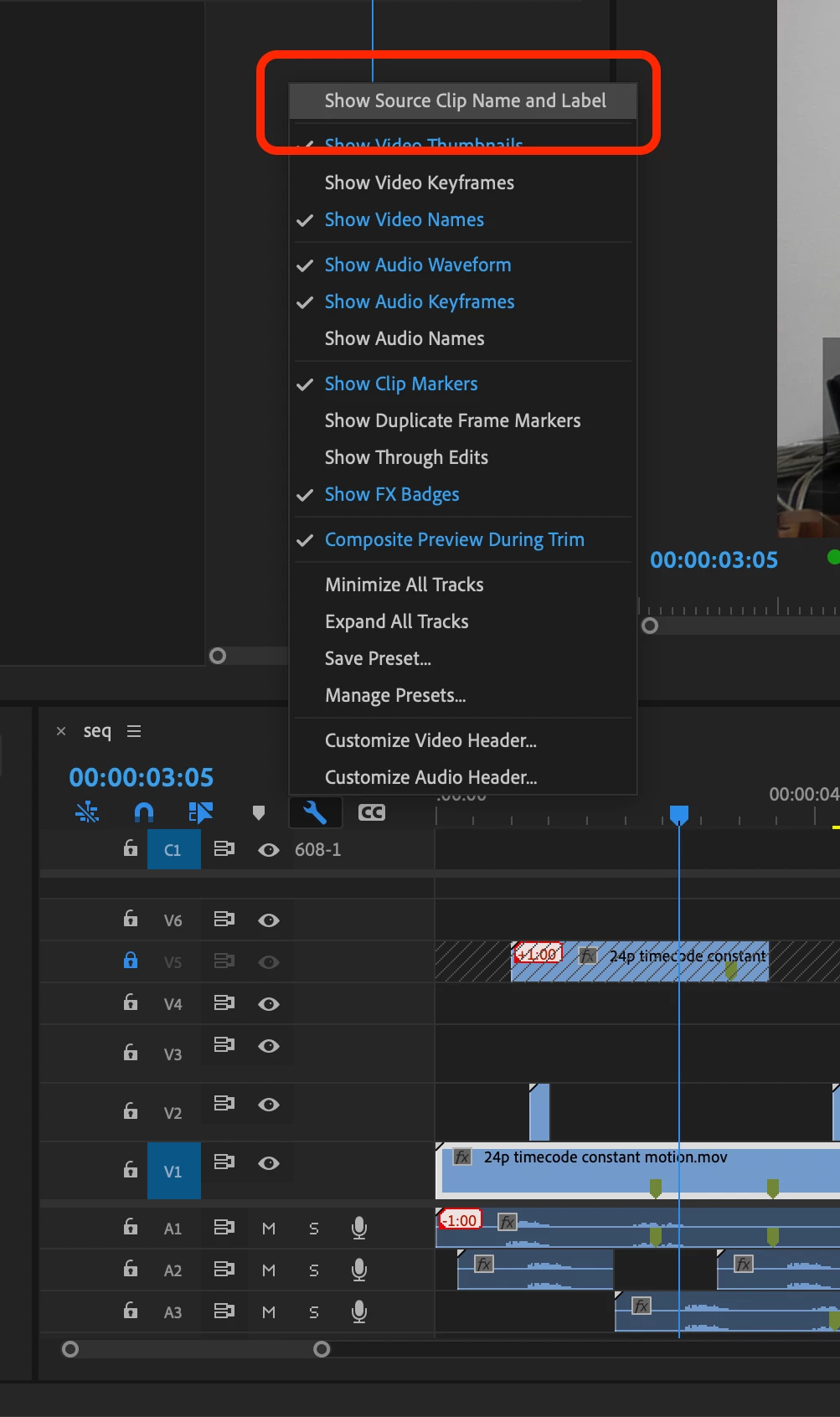
New in Premiere Pro Beta 15.2 (Build 9) is a refined workflow for controlling how label colors and clip names are displayed in the timeline. Previously you could use a checkbox in the Project settings called “Display the project item name and label color for all instances” to control if your timeline clips used their own independent name and label color or matched the source clip in the Project panel. Now, this option has been removed from the Project Settings and can be found as a view option in the wrench menu in the Timeline panel called “Show Source Clip Name and Label”.


This change means you can easily toggle this view setting via a keyboard shortcut. Additionally, if you are working in a Production you now have a way to control this setting and decide if you want your clip name and label colors to be unique to the timeline, or reflect the source clips.


Let us know how this feature is working for you!


13 답변

Known Participant
April 1, 2021

Hopefully this illustration from my old FR helps explain the persisting issue with grouping 2 unrelated things into the same on/off option:


Moving the option to the Timeline's wrench menu might be helpful to some, but not nearly as helpful as it would be had the underlying problem been fixed.  It's like upgrading a car's tires while ingnoring the fact its engine is on fire. 😉  Hopefully this can be sorted out before the official release!

mattchristensen
Community Manager
Community Manager
April 1, 2021

@Pierre Louis B.  It's totally valid to want clip name and label color to be separated. Believe me, we debated and considered it. But for any change to an application as complex as Premiere Pro you have to weigh every bit of complexity added against its usefulness and need. The reality is that the overwhelming majority of users and use cases prefer clip name and label color to be linked. You claim they are unrelated, but that's not really true. Every time you look at a clip you see its label color and its name. Allowing for a scenario where the name could be referring to the clip in the bin, but the label color would not match adds complexity and possibility of confusion.


That's not to say if your workflow would benefit from them being unlinked you are wrong! But we made the decision in this case to go with the simpler route that also aligns with how Premiere Pro has worked up until this point. As always, thanks for the input.


Known Participant
April 1, 2021

Hi Matt,


The current approach is similar to forcing clips in Pr to be resized both Horizontally and Vertically, but NEVER just horizontally or vertically. 


Do most users want to resize clips H+V at the same time?  Yes.

Would only allowing simultaneous H+V resizing be 'simpler' to code. Yes.

Does this mean Pr should only ever allow users to resize H+V (never just H or V)?  NO!


To solve this, Pr, Photoshop and most other programs allow the H and V values to be locked or unlocked from each other.  If it's so important that users be able to turn both clip name and label color sync on/off at the same time, couldn't a simple lock checkbox achieve this?


I find it hard to believe that saving users the extra half second it would take them to check/uncheck 2 side-by-side options takes precedence over the very real need some users have to sync just one of the two settings rather than both, which no amount of time spent in Pr (half second or half century) can currently solve.  If saving users that half second is so important, then by all means add a lock checkbox to optionally lock both settings to each other.  This would be a logical approach that respects the needs of all users, rather than disregarding the needs of some  in order to provide a benefit to others that's negligible at best.


The main reason I need to label individual clip segments in my Timeline rather than having all instance of the clip colored in unison is to visually mark Warp Stabilized clips so that I can easily refer back to them later once they finish analysing.  Here's how I go about doing that with a single shortcut:


For this reason I always kept the sync checkbox off, but lost the benefit of syncronized clip names in the process.

Hopefully this helps illustrate the benefit of seperate sync options.


As for the argument that the decision was also made to "aligns with how Premiere Pro has worked up until this point", if that's the case, then why even make the change from Premiere to Premiere Pro back in 2003? 😉  When something is fundamentally broken, the solution IMO is to fix it rather than perpetuating the problem just for the sake of alignment with past 'brokeness'.


If anything isn't clear, please let me know! 🙂

Known Participant
April 1, 2021

Hi Matt,


While this is an improvement, it's only a half-hearted one at best and is therefore DISAPPOINTING!


The Pr team had an opportunity here to truly fix this feature once and for all by SEPARATING the settings for label color and for clip name, so that they can be turned on/off INDEPENDENTLY one from the other (I pointed this out weeks ago in your FB post).  Why can users only turn both settings on or off?  This all or nothing approach is of ZERO help to users that want to synchronize clip names but not label colors, since they manually color code certain clips in their Timeline for reference.  The issue with the current approach should be more than obvious.  Why is the Pr team failing to see it?


I posted a FR about this problem months ago: https://adobe-video.uservoice.com/forums/911233-premiere-pro/suggestions/42136510-give-us-unified-file-names-and-custom-color-labels?fbclid=IwAR1nvPElMp77pu_3cXQRBsa1_dtmrgYTwbwHdFkV9jQLc7QMDA787lnbU-s


PLEASE fix this so that it finally makes sense, with an individual on/off setting for synchronizing clip names, and a separate on/off setting for synchronizing labels


As always, thank you for listening!

R Neil Haugen
Legend
April 1, 2021

Tell the team "thanks!" Matt. Been wanting something like this before Productions came in. Gonna be very useful especially with productions and all the collaboration on projects that is the modern "thing".


Neil

Everyone's mileage always varies ...