


Participant
October 22, 2024

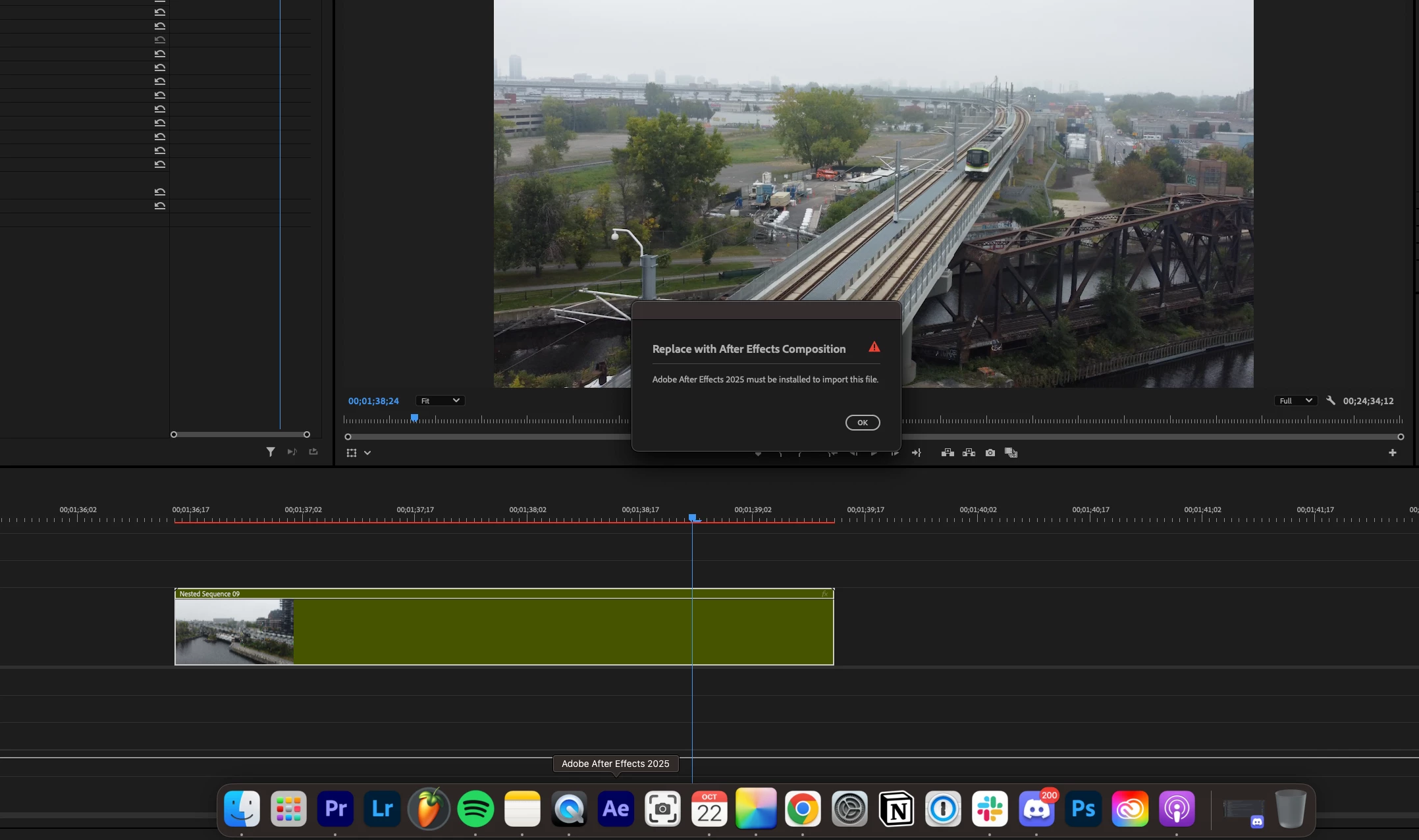
Adobe After Effects 2025 must be installed to import this file.

  • October 22, 2024
  • 29 replies
  • 17349 views

I am running into a very frustrating problem where the new version of Premiere Pro doesn't recognize After Effects. I gave both programs full disk access on Mac and ensured the versions were compatible (up to date no betas). Any solutions?
29 replies

Participant
October 16, 2025

This worked for me too!

Sterphy
Known Participant
October 1, 2025

This is why they need to slow down their insane release cycle

Participant
September 30, 2025

It's stuff like this that ensures Adobe will lose the race. You guys can't make it so your software can talk to itself reliably? Insane. Davinci here we come 

Participant
September 25, 2025

I got the same problem

every file got unlink and when I try to re-link I get this error message. It will only Link when I have the specific after effects file open

Sterphy
Known Participant
September 13, 2025

Just fix it.  Do the job you are paid to do, and make the software we pay for work as it should do. 

Sterphy
Known Participant
September 13, 2025

If they ever fix it it will be YEARS from now. 

Participant
September 1, 2025

Same issue. Also on Mac. Causing a huge issue for me now. Adobe, this is months old. Get on it.

Participant
July 30, 2025

Same happening to me. PP is 25.3 AE is 25.3.2. Anybody find a solution? Many thanks

Participant
July 29, 2025

I am running into the same problem.  I've done everything listed below from restarting my computer to following the steps outline in the YT video above...still to no avail.  I'm at my wits end as I've been dealing with this for nearly a week.  I can't get anything done.  I've scoured the internet looking for any possible clue.  I've evan re-installed both Premiere Pro and AE.  My versions are 25.3.0 and 25.3.2 respectively.  I've given both programs full permissions, and still the same thing keeps happening.  Does anyone have any other help they can provide?

stib
Inspiring
June 25, 2025

Having the same issue. Restarting does NOT fix. My workaround is to install DaVinci Resolve and toss all the Adobe jank in the bin, but unfortunately I still get handed Premiere projects to work on. Get your act together Adobe.