Participant
August 30, 2024
Answered

Source Clip Transcriptions Disappeared

  • August 30, 2024
  • 7 replies
  • 2371 views

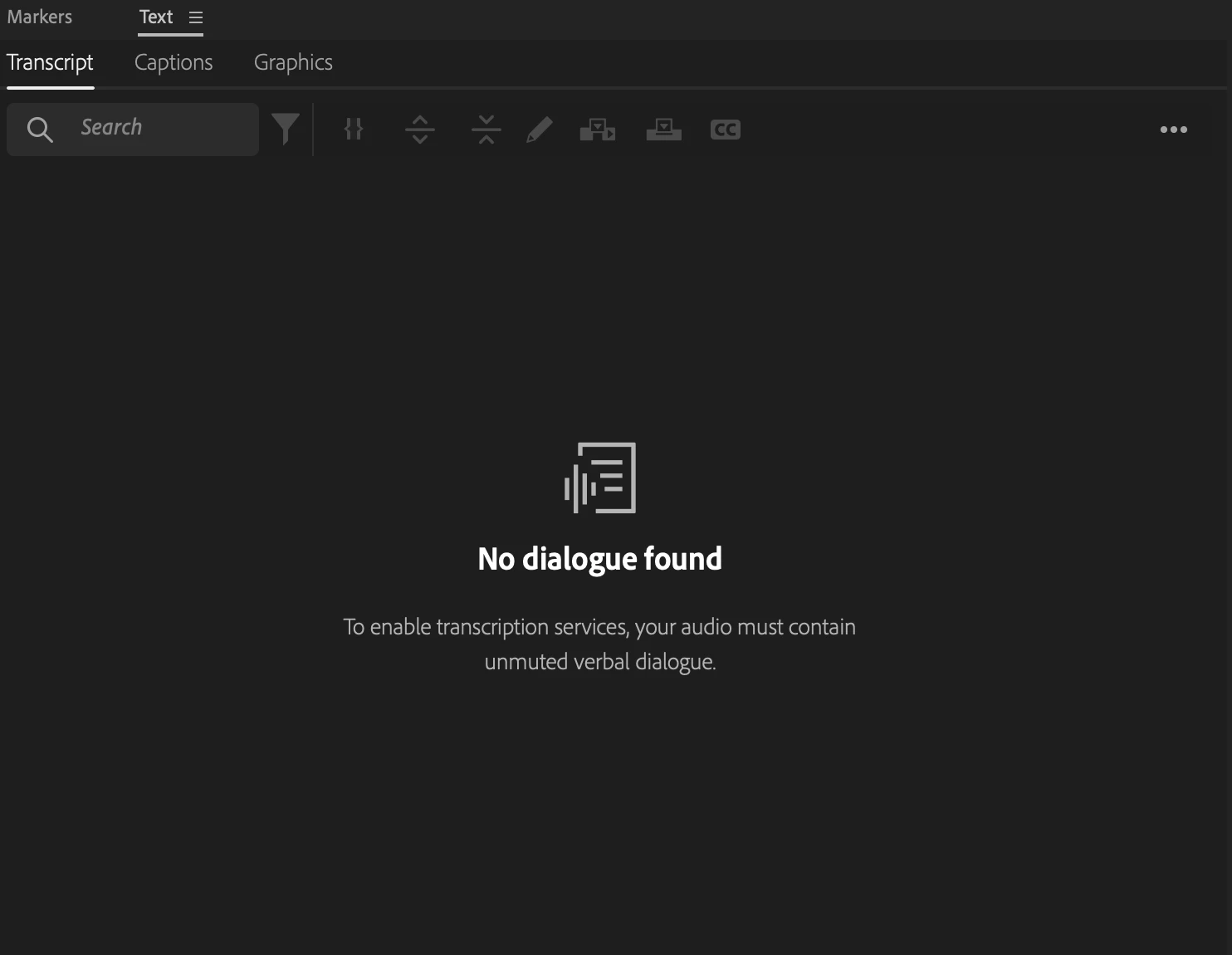
I recently had Premiere transcribe all my interview source clips, but now upon opening the project for the first time in a few weeks, all the transcripts have disappeared from both the sequences and the clips. The source clips still show "Completed" in the transcription status metadata column, so I'm confused as to where they went! I'd rather not re-transcribe everything.


I'm on macOS Monterey 12.4

Premiere 24.5.0


Any advice on how to get them back would be appreciated! Thanks!



This topic has been closed for replies.
Correct answer Elizabeth24802793nc1e

It was happening in all of the projects within one specific Productions, regardless of clip or sequence. The text panel looked the same in both source clip and sequence view. Strangely when I opened the Productions today after having a different Productions open with working transcripts, the missing transcripts returned. If they disappear again I will try some of these other solutions. I appreciate everyone's help, thank you!

7 replies

Participant
October 7, 2024

I have had this sme experience more than once.... In fact I opened my current project this morning to review it and was able to see all the transcripts and search through them. I then closed it and reopend acouple of hours later on the same computer and ther are zero transcripts to be seen anywhere in this project.... not good since we've already done paper edits on the downloads of the original transcripts.

Kerstin Ebert
Adobe Employee
Adobe Employee
October 8, 2024

Hi @TVW5E16 

can you please share more details?

- What Premiere Pro Version are you on?

- Does the transcript show up when you double click on a transcribed source clip?

- Does it say "Transcribe" or "Re-transcribe" when you right-click on a previously transcribed source clip in the Project panel?

- If you're looking at a sequence transcript, are any audio tracks muted?

- Did you reset the preferences or changed anything else when opening the project again a couple of hours later?


Thanks,

Kerstin

Stan Jones
Community Expert
Community Expert
September 4, 2024

@Elizabeth24802793nc1e,


Thanks for reporting back. That's an odd one!


Stan


Elizabeth24802793nc1eAuthorCorrect answer
Participant
September 3, 2024

It was happening in all of the projects within one specific Productions, regardless of clip or sequence. The text panel looked the same in both source clip and sequence view. Strangely when I opened the Productions today after having a different Productions open with working transcripts, the missing transcripts returned. If they disappear again I will try some of these other solutions. I appreciate everyone's help, thank you!

Stan Jones
Community Expert
Community Expert
September 2, 2024
Stan Jones
Community Expert
Community Expert
September 1, 2024

@Elizabeth24802793nc1e,


We need to see more of your screen in the screenshot. For example, are you in source media or sequence view (bottom left of the transcript tab).


If you open a source clip from the Project Panel, and then switch to the Text panel/transcript tab, do you see a transcript?


I would try resetting the workspace if that is not working.


Stan


Community Manager
August 31, 2024

Hi Elizabeth24802793nc1e,


Sorry to hear about this. Is this happening with any specific project/sequence or all of them? Also, have you tried checking the latest version of Pr (v24.6.1) to see if it's working properly?


Thanks,

Sumeet

Participant
August 30, 2024

Auto transcript are not working please help to fix this issue

Bruce Bullis
Community Manager
Community Manager
August 30, 2024

In what version? 
Does the transcription ever complete? 
Does transcription fail on every piece of media, or just some?