


Participant
October 7, 2023
Question

Can't add transform effect to any clips or graphics on my timeline

  • October 7, 2023
  • 5 replies
  • 533 views

Hi Guys! 

Whenever I try to add an effect to a graphic or clip on my timeline I get a closed fist and a circle with a line through it on my cursor. I've tried uninstalling the beta, creating an entirely new project, and restarting my computer but haven't fixed the problem yet. 

Attached is a screengrab for more context, TYIA!
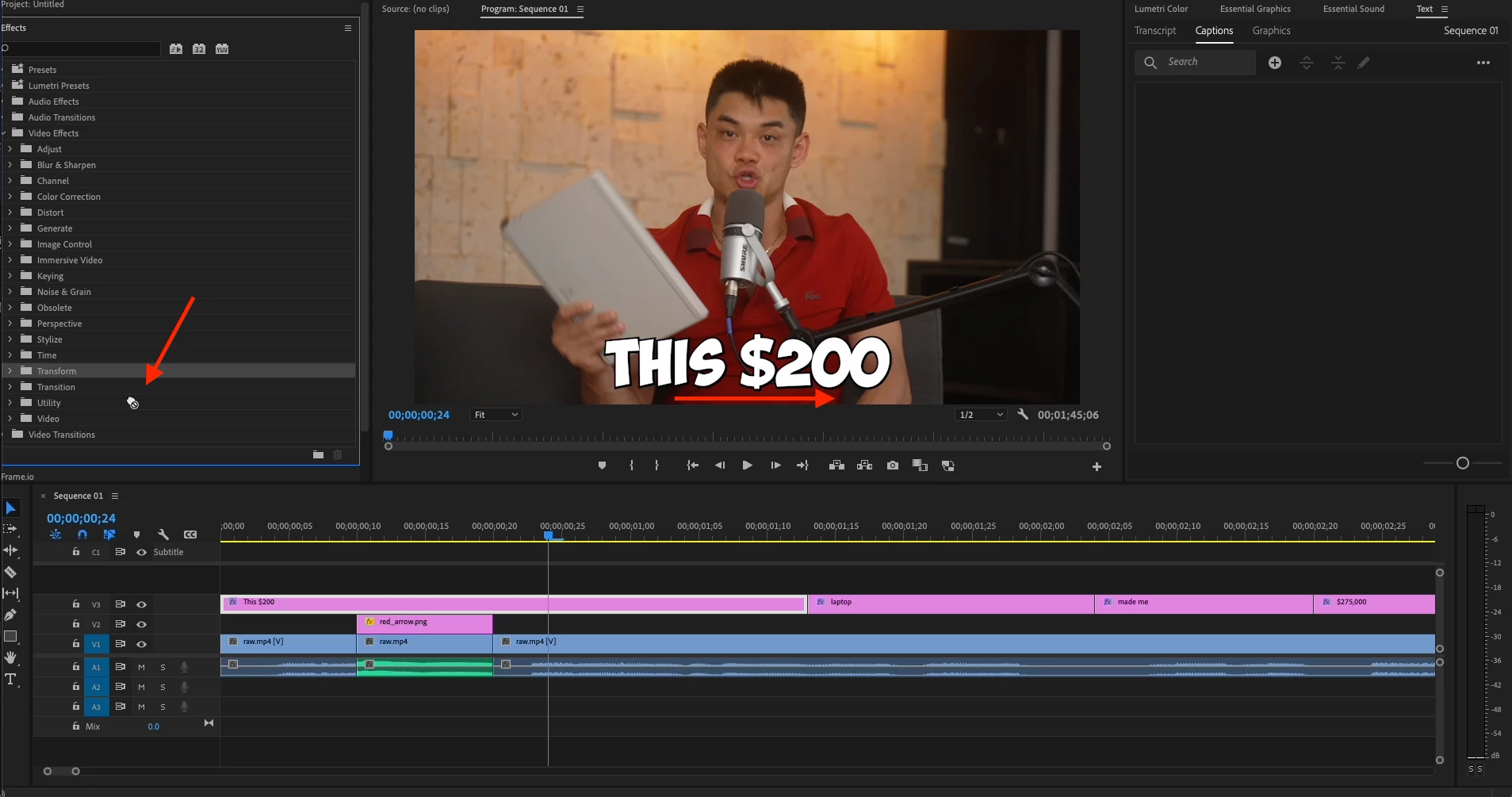
This topic has been closed for replies.

5 replies

MyerPj
Community Expert
Community Expert
October 7, 2023

Open the various folders there. You opened the "Video Effects" folder, but then you are dragging a sub-folder, open the sub-folder just like you opened 'Video Effects'

Ann Bens
Community Expert
Community Expert
October 7, 2023

Ah you are trying to drag the Transform folder instead of the Transform effect from the Distort folder.


R Neil Haugen
Legend
October 7, 2023

You will have the closed fist icon until you get to a precise place that effect can be applied. So for transitions, you have to not only be on a clip, but on the end of the clip, or even over the 'join' between clips. That precise.

Everyone's mileage always varies ...
Participant
October 7, 2023

Hi Ann, 

I've tried that, the specific timeline component I'm having trouble with are subtitles I converted to graphics. I'm trying to add an animation that eases them onto the screen but I can't seem to apply the transform effect.

Ann Bens
Community Expert
Community Expert
October 7, 2023

You need to drag the effect all the way to the clip.

Or select the clip and double click on the effect.