
Participant
July 24, 2025
Question

Export Duration Issue in Adobe Premiere Pro 24/25 via Media Encoder

  • July 24, 2025
  • 3 replies
  • 180 views

Dear Adobe Community/Support,


We’ve observed a recurring issue while editing in Adobe Premiere Pro versions 24 and 25. After exporting our projects via Media Encoder (matching the respective Premiere Pro versions), the exported clip duration exceeds that of the source.


For example, a clip edited to 30 minutes results in an export of approximately 35 minutes. The extended duration includes repeated scenes and noticeable lip-sync discrepancies.


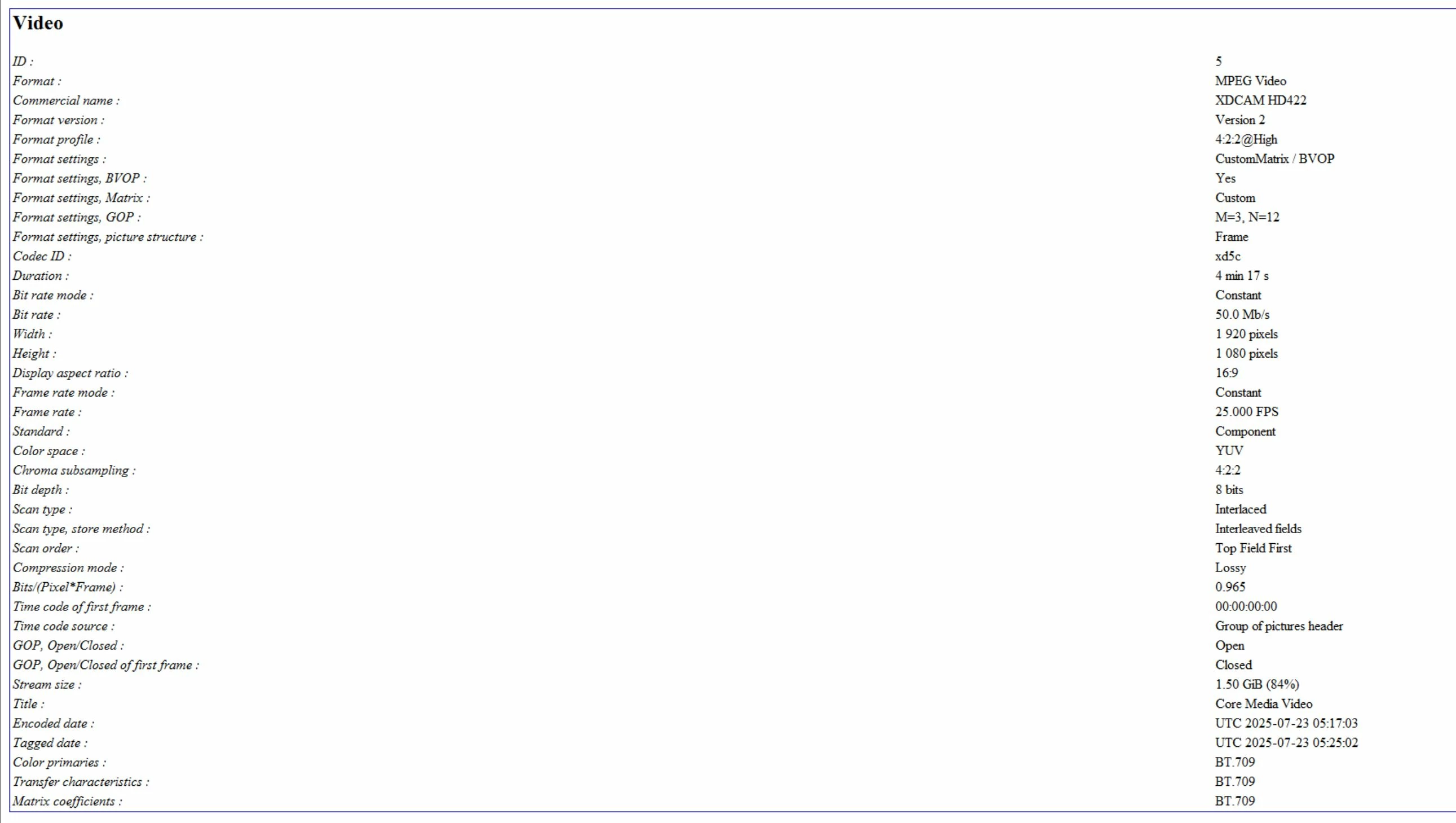
Our source media is typically provided in MOV and MXF formats (attached for reference).


MOV format
 

MXF format
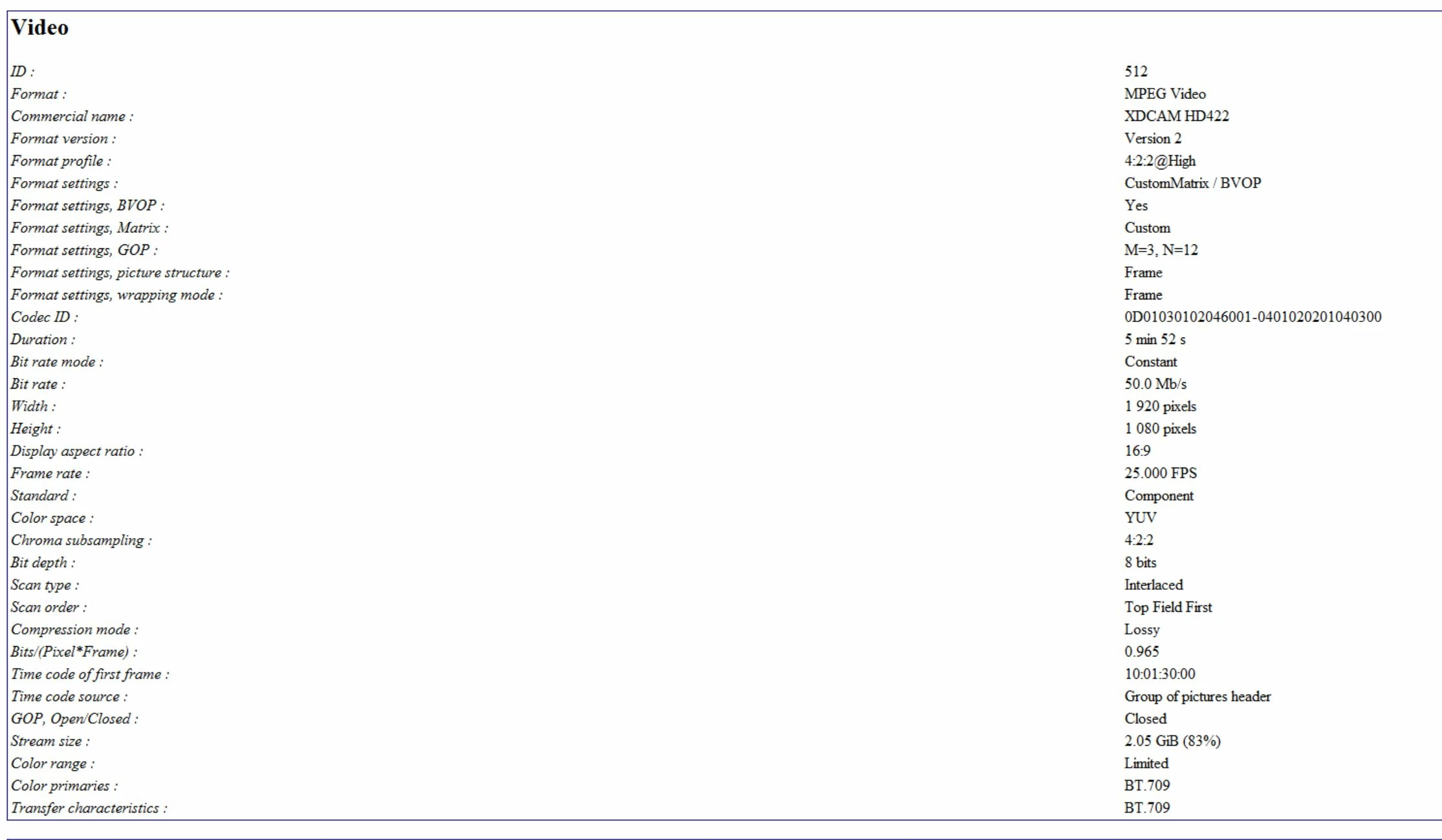
We will export to MXF format for our broadcasting as above format.


We kindly request your assistance in identifying the root cause and helping us resolve this issue.
Thank you in advance.


Best regards,
Chandrahasan, QC Astro 


3 replies

jamieclarke
Community Manager
Community Manager
July 29, 2025

HI @Chandra30389338vkcy - You mentioned this only happens occasionally. If you’re able to reproduce it consistently, please share the steps so we can investigate further.

Participant
July 25, 2025

Hi @jamieclarke , thank you for your reply on the mentioned issue. We have done the reset app preferences and will keep monitoring as well. As requested I'm providing the details as below.


  • Issue – After export the file duration increases with repeated scene and have audio lip-sync compared to the source file.
  • Steps to reproduce – Edit as per usual in timeline in Adobe Premier Pro, export via Media Encoder to local folder and will drag the exported clip to Adobe Premier Pro again to check and verify audio and video.
  • Expected result – The exported clip must be tally with edited clip according to the timeline. There must no changes in duration, video and audio.
  • Actual result – The duration has increase and lip-sync compared to the source file.
  • Screen recording – Providing logs of the impacted clip.


  • Adobe Premiere Pro version –Adobe 24 Version24.6.5 (Build 3), Adobe 25 Version 25.2.0 (Build 147)
  • Operating system – Windows 10 Pro x64 (10.0.19045)
  • GPU driver version (Windows only) – NVIDIA RTX A4000
  • Video format – MXF source file


  • Comparative information helps us understand more about when the issue occurs: 
    • Does it affect all projects or only some projects? 

Not impacting all the projects. It’s on and off.

    • Does it affect new projects? 

Yes

    • When did the problem begin? 

Recently from April onwards

jamieclarke
Community Manager
Community Manager
July 24, 2025

Hi @Chandra30389338vkcy -   Thanks for submitting your bug report. We need a few more details to try to help with the issue.  Please see, How to Report a Problem.


Can you post a screenshot for all of your export settings?


Do you have any third party plugins or panels installed?


Can you try and hold down "SHIFT" while launching Premiere and check the boxes
"Reset app preferences" (Backup Preferences first)
"Clear media cache files"
"Reset plugin loading cache"

Sorry for the frustration.