
Participant
November 5, 2024

Exporting 25fps timeline - Davinci Reads as 50 fps

  • November 5, 2024
  • 19 replies
  • 10156 views
After updating to 2025 25.0 Premiere I noticed that after exporting 25fps timeline XMLs for grade, colourist receive 50fps timeline in davinci.

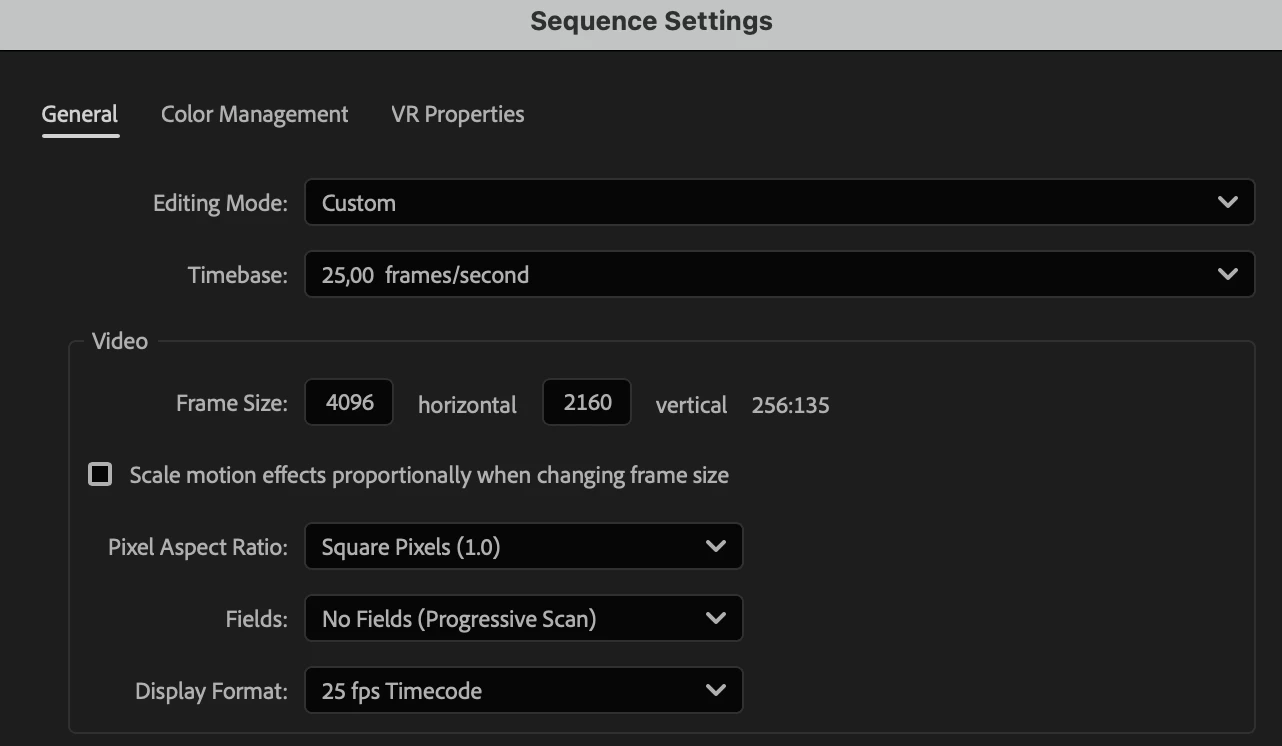
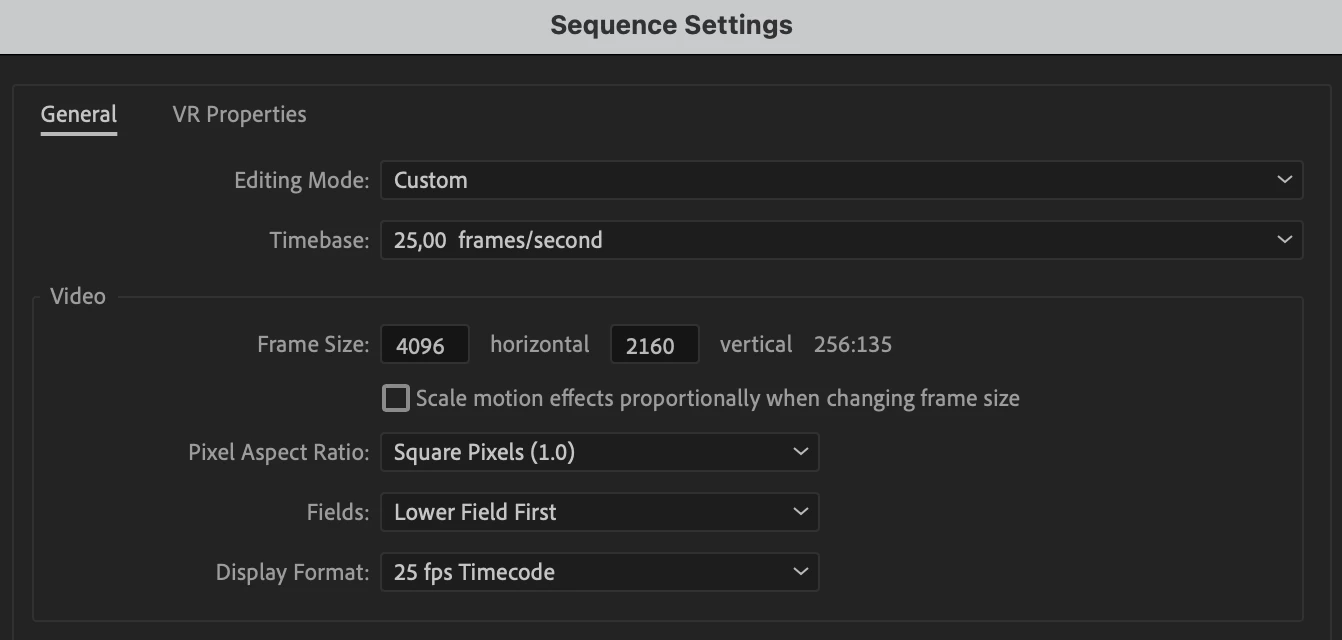
After opening same timeline in the premiere 2025 24.6.3 it appears that 2025 premiere exported it as interlaced sequence. 


Premiere 25.0 Sequence settings  
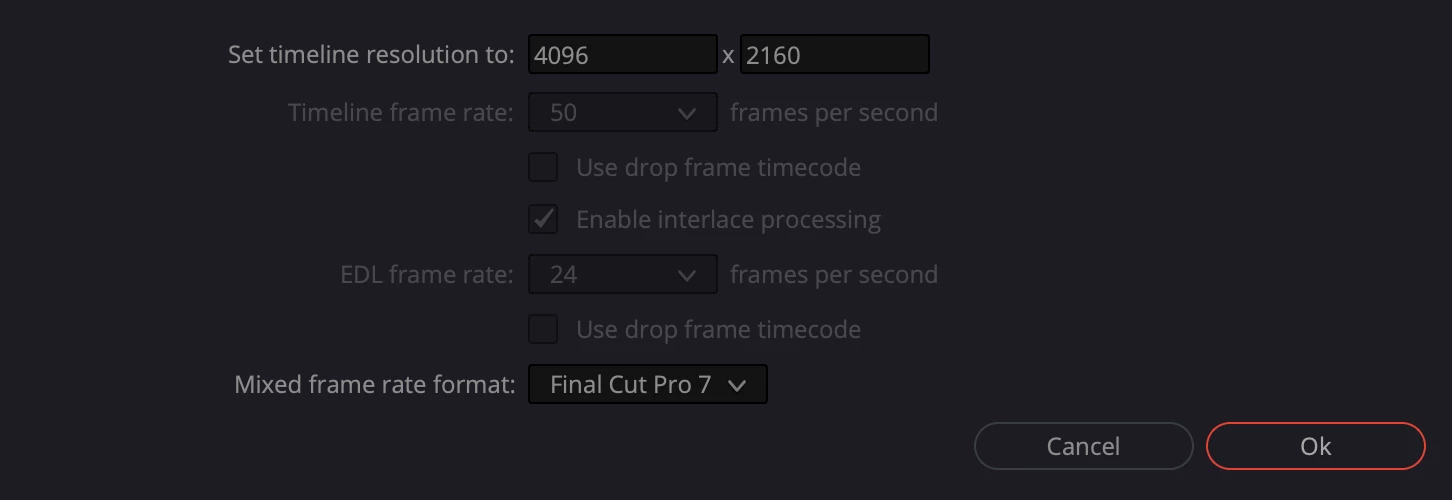
Davinci Project Import Screen
Premiere 24.6.3 same XML import


19 replies

Participant
November 17, 2024
Hello everyone!
I've been struggling for a couple of weeks now with a bit of a problem interpreting the timecode in Resolve (19) from Premiere 2025 exports. Namely, when keeping all settings in Premiere, that is, 25 fps (europe) and exporting the XML and then importing them, the dialog informs that the ‘EDL frame rate’ is 25fps, but the ‘timeline frame rate’ dialog informs 50fps. I'm working on a normal 25fps timeline, progressive scan, there are no interlacing settings or anything to indicate a different frame rate.
I already find a workaround - exported AAF without breaking it to mono. But...
I've been working extensively for a couple of years and have only now encountered the problem, especially as it happens the same on my version of Resolve as it does on clients. Has anyone encountered a similar problem? It's starts happening when i switched to newer version of Premiere.
R Neil Haugen
Legend
November 17, 2024

I work for/with/teach pro colorists, so am always on the BM forums and LGG also. I've seen a couple posts in those places about R19 misreading data from XMLs also.


If you or anyone has a 'fix', I'd be interested in seeing it.

Everyone's mileage always varies ...
Known Participant
November 10, 2024

Field information incorrectly written as 'lower field first' when exporting progressive sequence to xml

Not written as 'none'


Premiere pro ver 2025.0

MAC STUDIO M1 Ultra
MAC OS Sequoia 15.0.1


Participant
November 8, 2024

Facing the same glitch as well. I have been export AAF which detects normally as 25 fps. Below are the AAF settings, Try it out. Been sending these AAF to colorists and haven't face any issue.


IanB_360
Community Manager
Community Manager
November 6, 2024

Hi @jonas5C3F 

I can confirm that this is happening in the current version of Premiere Pro 25 and did not occur in the previous version. For now the work around on Mac  would be to change the field dominance segment to none in text edit. I am logging this as a bug and will speak to our team to have this looked at.

Thanks

Ian

Warren Heaton
Community Expert
Community Expert
November 5, 2024

@Rach McIntire @jonas5C3F 


Hello.


I am chiming in to say that I am able to reproduce this, but with an additional note.


  • Issue - Incorrect field dominance in XML export.
  • Adobe Premiere Pro version number:  25.0.0 (Build 61)
  • Operating system - macOS Sonoma14.6.1
  • System Info:
    • Apple M1
    • 16GB
    • 512GB Internal Flash Storage
  • Video format:  1080p25 ProRes 422 LT
  • Workflow details:  Stringout of source footage using Video Track 1 and Audio Track 1
  • Steps to reproduce
  1. Start a new Project in Premiere Pro 2025.
  2. Create a new Sequence using the "HD 1080 25 fps" preset.
  3. Assemble source clips in Sequence.
  4. Save project.
  5. With Sequence selected, choose File > Export > Final Cut Pro XML....
  6. Set name and location of XML file and save.
  7. Open XML file in TextEdit and search for "field'.
  • Expected result - Field dominance should be "none".
  • Actual result -  Field dominance is "lower".


Additional note:  If a Premieer Pro 24.x project with a 25 fps Sequence is opened in Premiere Pro 25.x, the XML exports as expected.  This appears to affect Sequences made from scratch in 25.x.


Workarounds:

  • Edit the field dominance flag in the XML file in a text editor.  Or,
  • Import the XML and change the Fields from Lower Field First to None.
Community Manager
November 5, 2024

Hi @jonas5C3F  ,

Welcome to the Premiere Pro forums! We are glad to see you here. We need a few more details to try to help with the issue. Please see, How do I write a bug report?

Thanks for submitting your bug report. I hope we can help you soon. Sorry for the frustration! 

Thanks,
Rach

Participant
November 5, 2024

Hello, same bug here..

Participant
November 5, 2024

Thanks for that insight. I've just manually edited XML in notepad, to change "fielddominance" valure to none. That seems to work as workaround and Resolve correctly interprets timeline as 25 fps.
It's a BUG nonetheless.

Inspiring
November 5, 2024

Same problem as https://community.adobe.com/t5/premiere-pro-discussions/premiere-v25-exports-xml-with-wrong-fps/m-p/14960638

Here's the XML from the same sequence (with all settings the same) exported from V25.0 compared to V24.6.3

<fielddominance> is wrong in my V25 XML export. Not sure what TL.SQVisibleBaseTime="4064256000" is but it is different too.

Sequence 1920x1080 25 fps
MacOs 14.6.1 
Premiere V25 
Resolve V19.0.3


Doesn't matter if there is no time-remap or speed changes on any clips. ProRes LT clips in timeline.

Current solve:
Import timeline in Resolve as normal, copy clips into a new 25 fps timeline. Make sure to set 25 fps starting timecode in Resolve to match. Most clips should sync up but do manually check and conform each clip!

edit: same situation in beta 25.2