Known Participant
May 15, 2024

Premiere Pro 2024 "frame cannot be found" error randomly through timeline

  • May 15, 2024
  • 4 replies
  • 481 views

Whenever I render my timeline it frame cannot be found frames randomly throughout the timeline
This topic has been closed for replies.

4 replies

Kevin-Monahan
Community Manager
Community Manager
May 22, 2024

Hello @Clay5FC4,

Thanks for the information you provided. I am not on the product team; I am just the moderator here. Sorry for the confusion. I always ask for complete details on the Bug Reports forum so that the team can try to reproduce your bug.


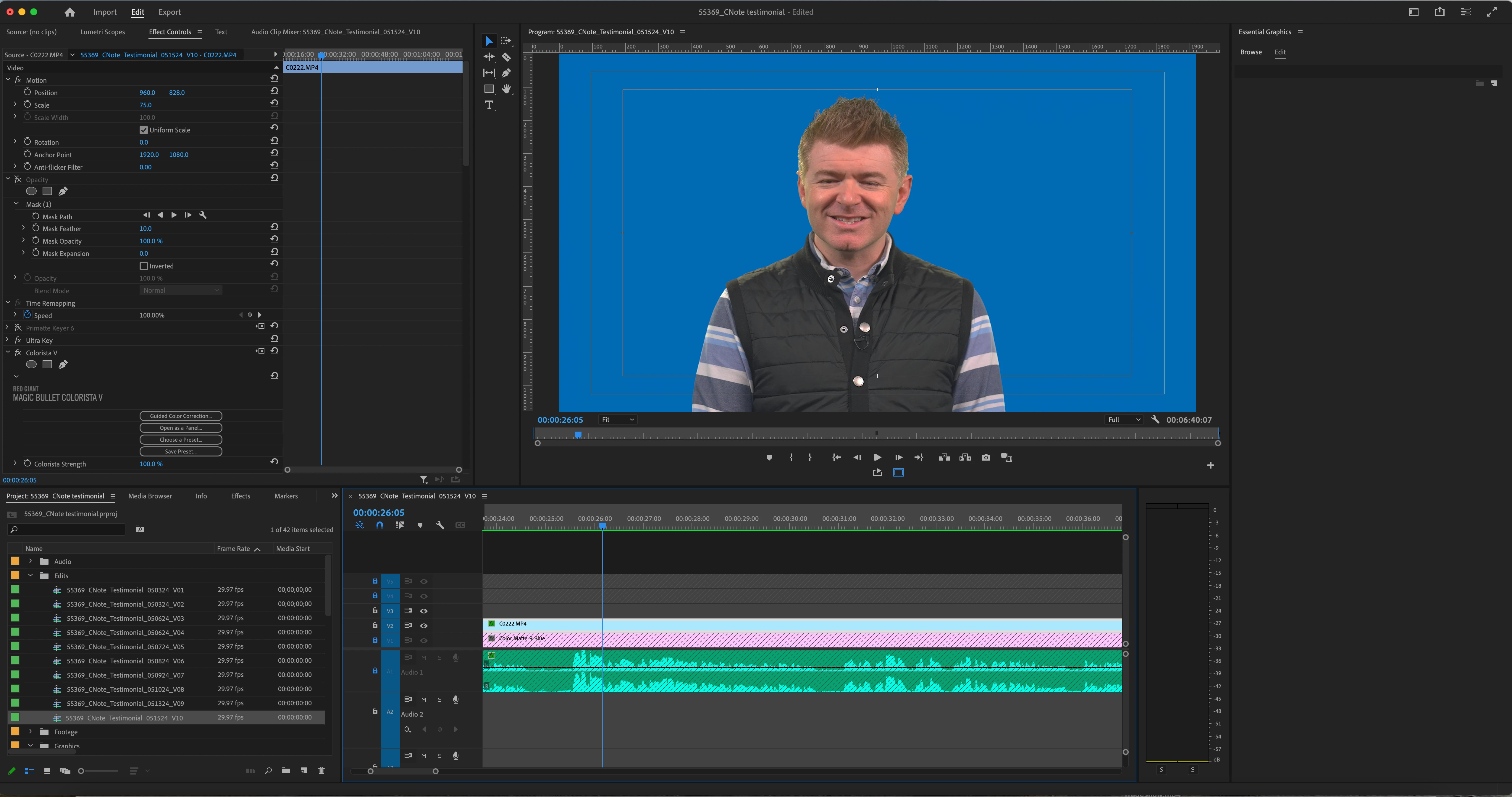
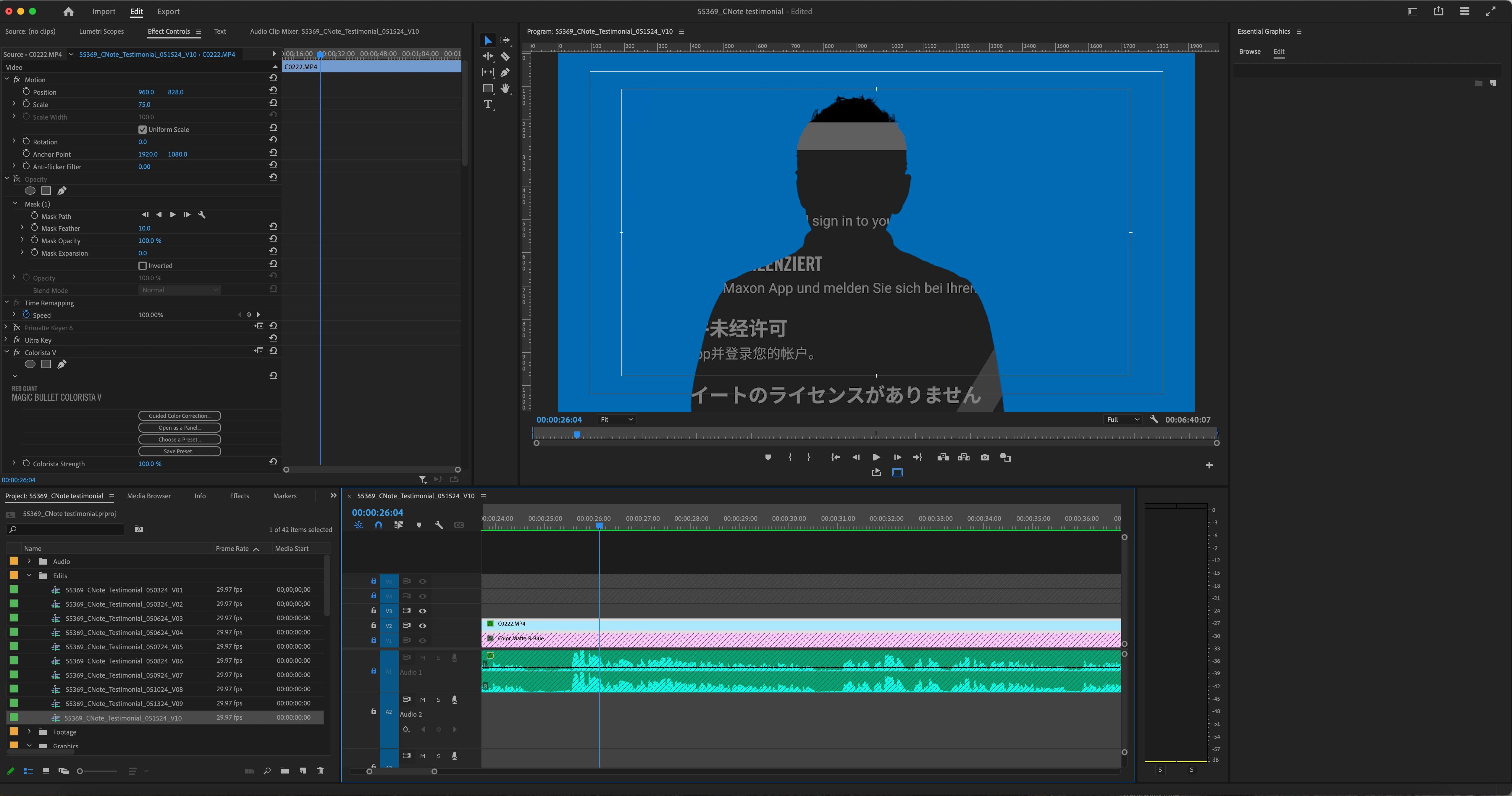
I am an editor, however. In this case, I could not reproduce the issue offhand. I cannot access any third-party plug-ins here at the shop, so I could not add the Colorista effect. See if that effect has any influence on your alpha channel.


You might try removing the effect to see if the issue is resolved. I could not locate a way in Ultra Key to reverse alpha, so check Colorista first, which does have that capability.


You could also change the order of the effects in the Effect Controls panel by dragging the Colorista effect upward above Ultra Key. That may also help.


Let us know what happens.


Thanks,
Kevin

Kevin Monahan - Sr. Community and Engagement Strategist – Adobe Pro Video and Audio
Clay5FC4Author
Known Participant
May 21, 2024

Mac Pro 2019 3.2 GHz 16 Intel Xeon W, Premiere version 24.3.0, Mac OS 14.3.1, GPU AMD Radeon Pro W5700X 16GB, RAM 96GB, EFI Driver Version: 01.01.200, Hard Drive Facilis Trerrablock connected via 10 Gigabit Ethernet (RJ-45). Preview format Apple ProRes 422 LT

Clay5FC4Author
Known Participant
May 21, 2024

Hi Kevin, I believe a picture tells a thousand words. If you look at the frames above you will see one is showing the media can't be found error. I can load the export as well if you like. I've emptied the cache and reset all preferences.

Kevin-Monahan
Community Manager
Community Manager
May 17, 2024

Hi @Clay5FC4,

Is it possible to provide more information? How do I write a bug report?


Thanks,
Kevin

Kevin Monahan - Sr. Community and Engagement Strategist – Adobe Pro Video and Audio
