
Return the option for 'Software Rendering Only' to PR and ME
We frequently run into issues where the GPU struggles with certain codecs or formats, and artifacting issues can arise during rendering or exporting to H.264. I.e. glitches and artefacts, which don't appear in the source footage, are present on the footage when exported through Premiere or Media Encoder.
This has been an ongoing issue for many years. Transcending operating systems, GPU Drivers and Premiere Pro versions.
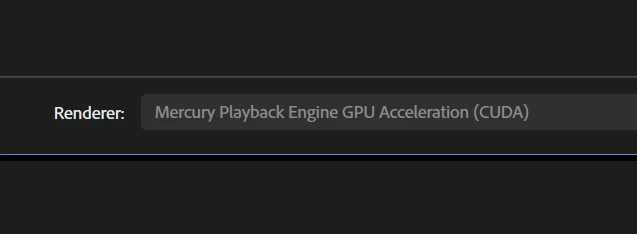
We've always been able to get around these problems, when encountering them, by switching to 'Software Rendering Only' during export.
For some reason, this option has been hidden in recent updates. Meaning that in order to access it, I have to shut down Premiere, and hold the Shift key while re-opening it, just to be able to use the option once. Why? What on earth could possibly be the point of removing this option, other than so that someone can say that they've "done something"?
Please stop making our lives more difficult with these pointless changes, and return this option.
- Adobe Premiere Pro version – Version 25.2.3 (Build 4)
- Operating system – Windows 11 24H2 Build 26100.4652.
- GPU driver version (Windows only) – NVIDIA GeForce RTX 3060Ti - Studio Driver 576.80.
- Video format – I predominantly work with ProRes and H264 footage. But regardless of the source or export formats the problem is the same.
- Full System Specs:
- AMD RYZEN 9 3950X 16-Core CPU
- ASUS ROG STRIX B450-F GAMING Motherboard
- ASUS DUAL/NVIDIA GEFORCE RTX 3060 Ti OC V2 LHR -
- CORSAIR VENGEANCE LPX 128GB (4x32GB) DDR4 3600 (PC4-28800) C18 1.35V Desktop Memory
- OS and Applications installed on C: - Samsung SSD 980 Pro 1TB - Health Status Good
- Projects and Files on 😧 - Samsung SSD 870 QVO 2TB - Health Status Good
- Adobe Caches all on E: - Samsung SSD 970 EVO Plus 1TB - Health Status Good
 AdChoices