lbernier
Known Participant
April 4, 2025

Text Cut Off by Scrollbar in Comments Window from the Marker Panel

  • April 4, 2025
  • 返信数 3.
  • 221 ビュー

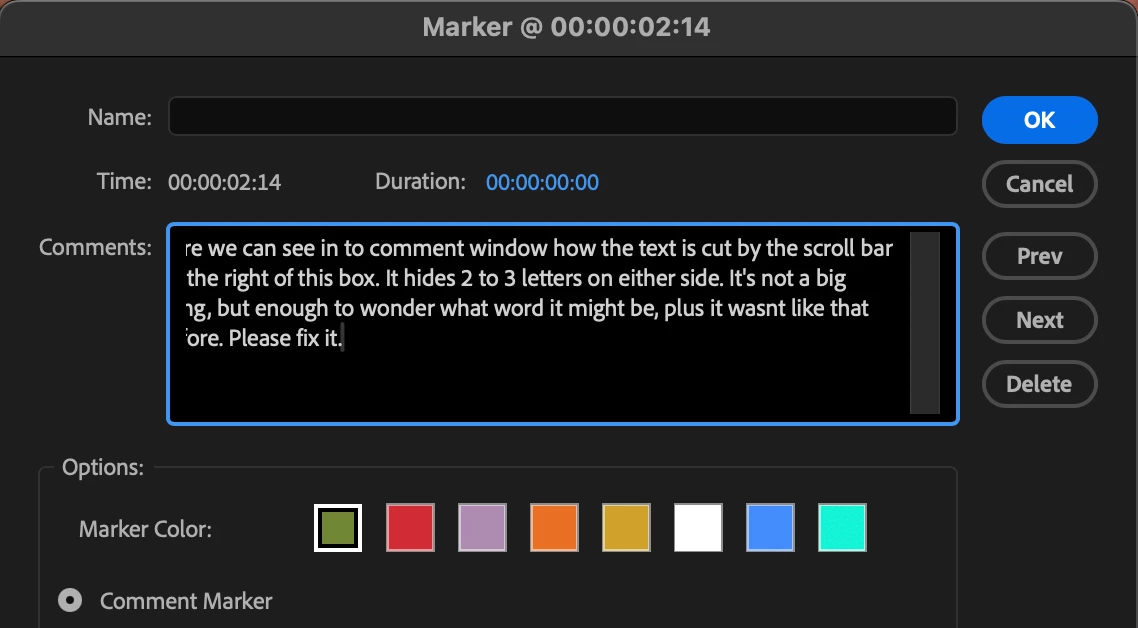
In the comment window, the text is being partially obscured by the scrollbar on the right-hand side. This results in 2 to 3 letters being hidden at the beginning and/or end of each line, making it hard to read and guess the full words. This is making it hard to read the content without guessing what’s behind it. This is also through on the left when we scroll right in the window, see the screengrabs here :  
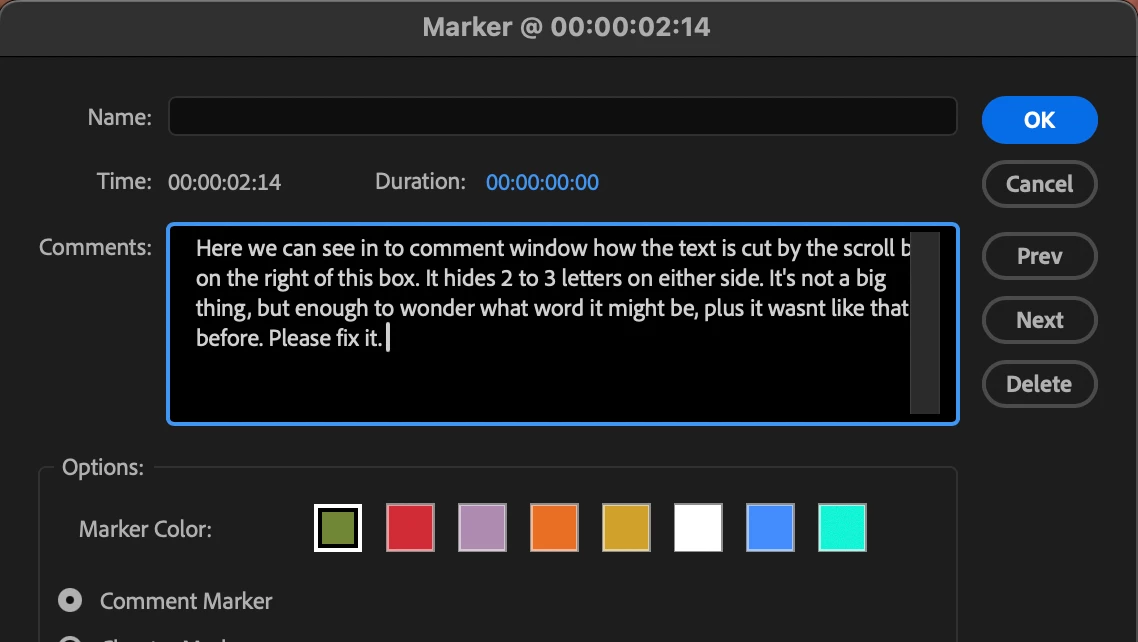


Expected Behavior:
Text should remain fully visible and not be overlapped by the scrollbar. Previously, this wasn’t an issue — everything was readable without obstruction.

返信数 3

Stan Jones
Community Expert
Community Expert
April 7, 2025

> Stan has a good suggestion Can you try and hold down "SHIFT" while launching Premiere and check the boxes
"Reset app preferences" (Backup Preferences first)


I was just suggesting resetting the workspace first. Resetting preferences doesn't reset the workspace.


Stan


jamieclarke
Community Manager
Community Manager
April 7, 2025

Hi @lbernier -  Thanks for submitting your bug report. We need a few more details to try to help with the issue.
Please see, How do I write a bug report?


Let us know your OS, Premiere version, and computer specs are.


Stan has a good suggestion Can you try and hold down "SHIFT" while launching Premiere and check the boxes
"Reset app preferences" (Backup Preferences first)


Sorry for the frustration.

Stan Jones
Community Expert
Community Expert
April 5, 2025

@lbernier,


I would try resetting your workspace.


I tested on the new update 25.2.0 on Win 10. It is working correctly for me.


The box does not appear to allow any resizing of the box - some issues like this were problems when boxes were too narrow etc. But not possible here.


Our fonts look similar: is there a preference for fonts? I don't see one.


I am looking on a UHD monitor on Win 10 set to 150% (recommended) text scaling. No advanced scaling.


Stan