FlyingFourFun
Inspiring
April 8, 2025

Timeline Performance Issues / Stalling in 25.2.1

  • April 8, 2025
  • 22 replies
  • 1849 views

I have been having issues with the timeline in PP, in version 25.2.1,  I have rendered proxy files for some h265 iPhone SDR footage.   the clips will plat for about 2 min or so, and then the program monitor starts to stutter and within a few seconds of that it stops playing completely.


I have been monitoring the Taskmanager, and when this happens the GPU resources got o zero.  There is no crash,  a wait a couple of seconds, hit play, and it will play the video fine again for another 2 min.


This happens with the proxy turned either on or off (its watermarked also).  This GPU utlization screen shot shows exactly the where the program monitor stops responding and freezes the video frame, this one is playing the H265 Iphone footage.
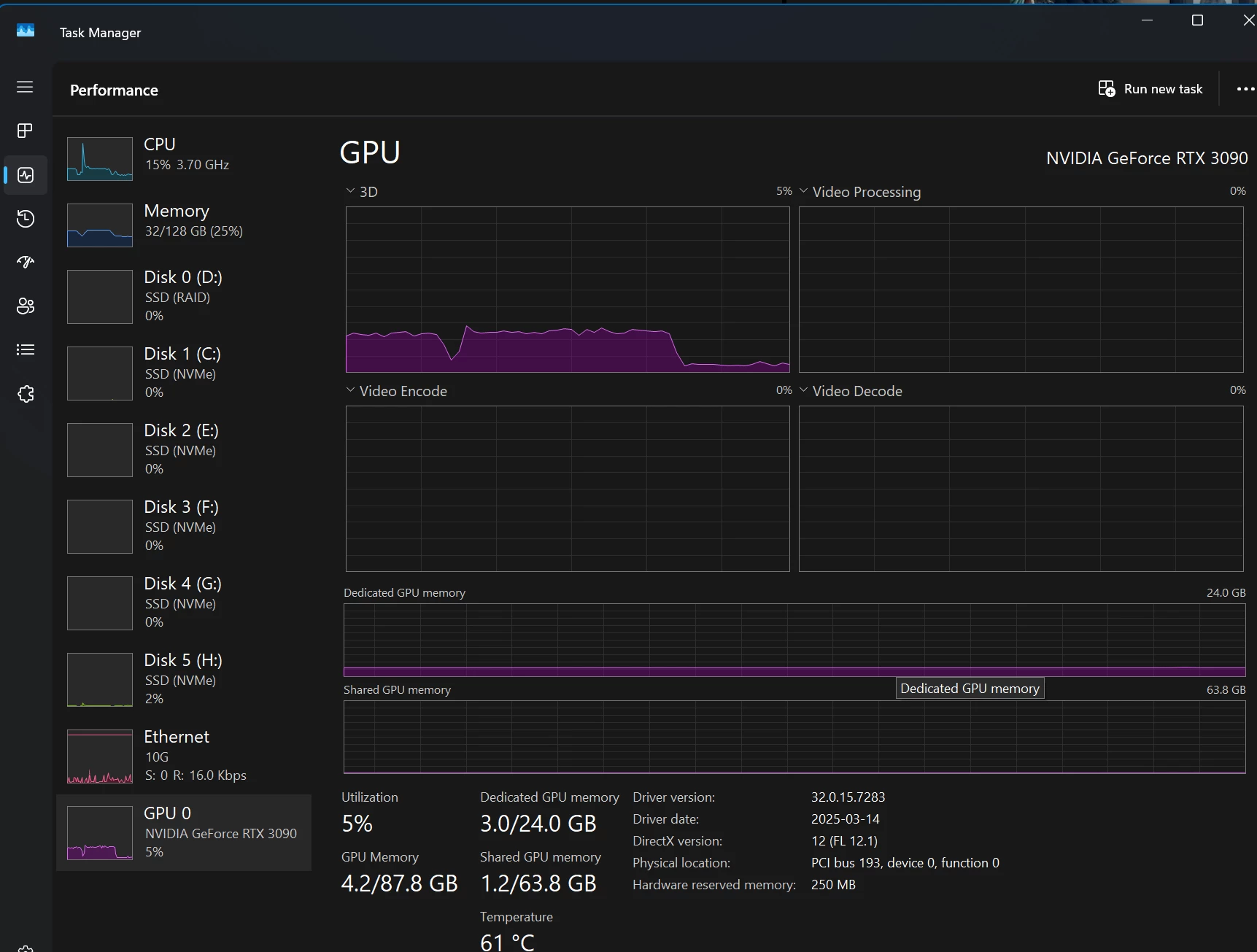


The drop off you see in the resource monitor on the GPU is exactly where the program monitor stops updating, and freezes on one of the video frames. (this is with Proxy ON)
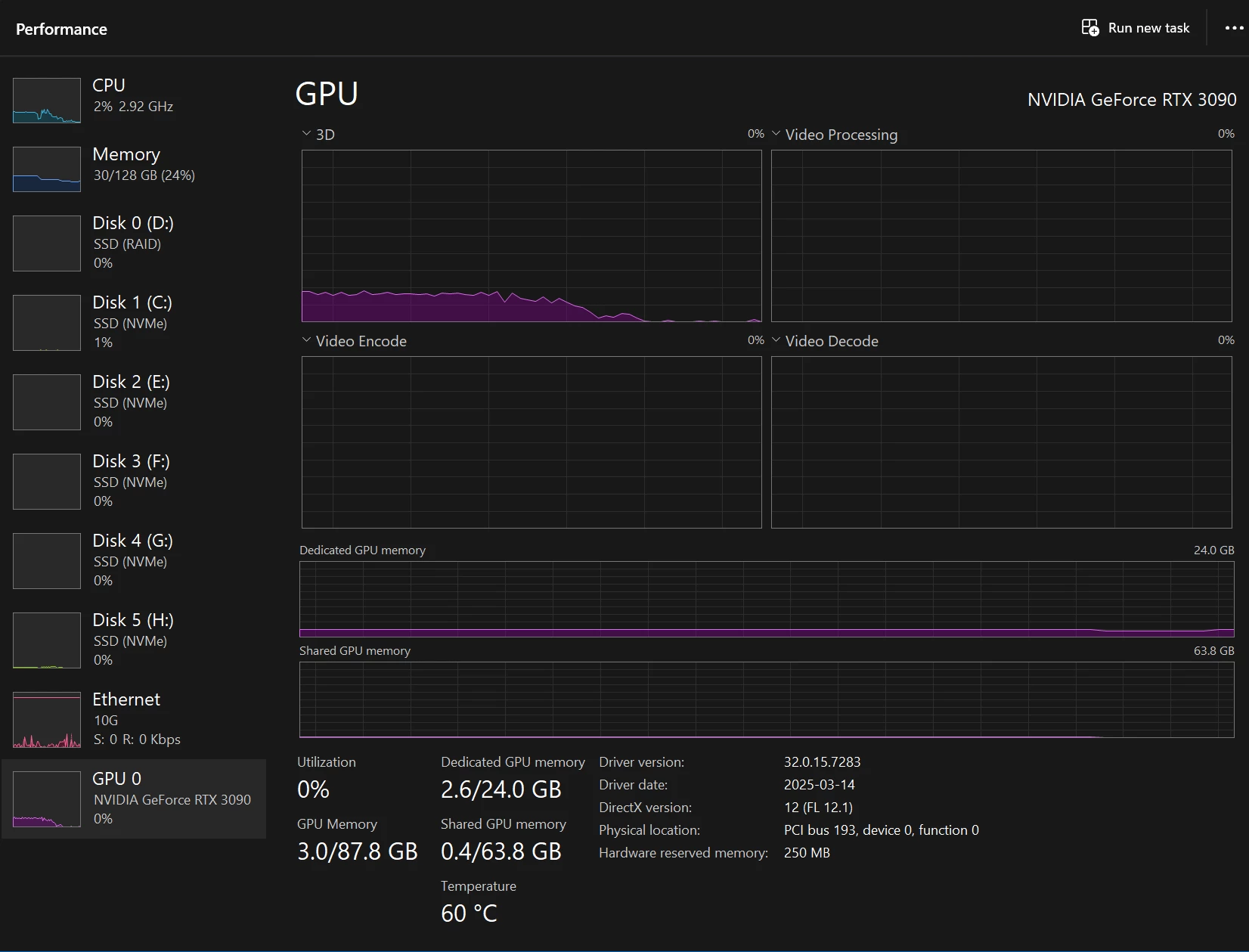

 

All the drives as Samsung NVMe.

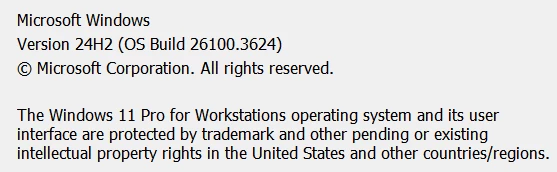
Processor Intel(R) Core(TM) i9-10980XE CPU @ 3.00GHz 3.00 GHz
Installed RAM 128 GB (128 GB usable)
System type 64-bit operating system, x64-based processor

Operating system, is separate from all the adobe products and video files,  they are all loaded from local NVMe, NOT loading off a NAS.


This system has NEVER had an issues playing back proxy files, or any other video file I have ever used, and this is 100% new behavior with my first project after upgrading to 25.2.1


I have been letting it run when the video starts to stutter, and the utilization graph below shows whats been happening.  The Audio continues to play perfect, but the video stutters, and freezes, then starts up again,  just liek this utilization graph for the GPU shows


I have done the basics, like cache clearing etc.


Any thoughts or others experience this?

22 replies

FlyingFourFun
Inspiring
April 9, 2025

@Dani_V.  thanks for the response.  The source video as per media info is as follows:


General
Complete name : H:\Xmas 2024\20241225_170449000_iOS.MOV
Format : MPEG-4
Format profile : QuickTime
Codec ID : qt 0000.00 (qt )
File size : 1.11 GiB
Duration : 2 min 39 s
Overall bit rate mode : Variable
Overall bit rate : 59.9 Mb/s
Frame rate : 59.940 FPS
Recorded date : 2024-12-25T10:04:49-0700
Encoded date : 2024-12-25 17:04:49 UTC
Tagged date : 2024-12-25 17:07:29 UTC
Writing library : Apple QuickTime
Writing operating system : Apple iOS 18.2
Writing hardware : Apple iPhone 16 Pro
com.apple.quicktime.location.accuracy.ho : 15.006167
com.apple.quicktime.full-frame-rate-play : 1
com.apple.quicktime.location.ISO6709 : +50.8434-113.9995+1047.986/

Video
ID : 1
Format : HEVC
Format/Info : High Efficiency Video Coding
Format profile : Main@L5.1@High
Codec ID : hvc1
Codec ID/Info : High Efficiency Video Coding
Duration : 2 min 39 s
Bit rate : 59.6 Mb/s
Width : 3 840 pixels
Height : 2 160 pixels
Display aspect ratio : 16:9
Frame rate mode : Variable
Frame rate : 59.940 (59940/1000) FPS
Minimum frame rate : 30.000 FPS
Maximum frame rate : 66.667 FPS
Color space : YUV
Chroma subsampling : 4:2:0
Bit depth : 8 bits
Bits/(Pixel*Frame) : 0.120
Stream size : 1.11 GiB (99%)
Title : Core Media Video
Writing library : HEVC
Encoded date : 2024-12-25 17:04:49 UTC
Tagged date : 2024-12-25 17:07:29 UTC
Color range : Limited
Color primaries : BT.709
Transfer characteristics : BT.709
Matrix coefficients : BT.709
Metas : 3,4,5
Codec configuration box : hvcC

Audio
ID : 2
Format : AAC LC
Format/Info : Advanced Audio Codec Low Complexity
Codec ID : mp4a-40-2
Duration : 2 min 39 s
Source duration : 2 min 39 s
Bit rate mode : Variable
Bit rate : 68.8 kb/s
Channel(s) : 1 channel
Channel layout : M
Sampling rate : 44.1 kHz
Frame rate : 43.066 FPS (1024 SPF)
Compression mode : Lossy
Stream size : 1.31 MiB (0%)
Source stream size : 1.31 MiB (0%)
Title : Core Media Audio
Encoded date : 2024-12-25 17:04:49 UTC
Tagged date : 2024-12-25 17:07:29 UTC

Other #1
ID : 3
Type : meta
Format : mebx
Codec ID : mebx
Duration : 2 min 39 s
Bit rate mode : Constant
Title : Core Media Metadata
Encoded date : 2024-12-25 17:04:49 UTC
Tagged date : 2024-12-25 17:07:29 UTC

Other #2
ID : 4
Type : meta
Format : mebx
Codec ID : mebx
Duration : 2 min 39 s
Source duration : 2 min 39 s
Bit rate mode : Variable
Stream size : 1.06 MiB
Source stream size : 1.06 MiB
Title : Core Media Metadata
Encoded date : 2024-12-25 17:04:49 UTC
Tagged date : 2024-12-25 17:07:29 UTC

Other #3
ID : 5
Type : meta
Format : mebx
Codec ID : mebx
Duration : 2 min 39 s
Bit rate mode : Variable
Title : Core Media Metadata
Encoded date : 2024-12-25 17:04:49 UTC
Tagged date : 2024-12-25 17:07:29 UTC

Other #4
ID : 6
Type : meta
Format : mebx
Codec ID : mebx
Duration : 2 min 39 s
Bit rate mode : Constant
Title : Core Media Metadata
Encoded date : 2024-12-25 17:04:49 UTC
Tagged date : 2024-12-25 17:07:29 UTC


The Proxy format:

General
Complete name : H:\Xmas 2024\Proxies\20241225_170449000_iOS_Proxy.mov
Format : MPEG-4
Format profile : QuickTime
Codec ID : qt 2005.03 (qt )
File size : 6.58 GiB
Duration : 2 min 39 s
Overall bit rate mode : Variable
Overall bit rate : 354 Mb/s
Frame rate : 59.940 FPS
Encoded date : 2025-04-08 22:34:23 UTC
Tagged date : 2025-04-08 22:36:32 UTC
Writing library : Apple QuickTime
TIM : 00:00:00:00
TSC : 60000
TSZ : 1001

Video
ID : 1
Format : ProRes
Format version : Version 0
Format profile : 422 Proxy
Codec ID : apco
Duration : 2 min 39 s
Bit rate mode : Variable
Bit rate : 354 Mb/s
Width : 3 840 pixels
Height : 2 160 pixels
Display aspect ratio : 16:9
Frame rate mode : Constant
Frame rate : 59.940 (60000/1001) FPS
Color space : YUV
Chroma subsampling : 4:2:2
Scan type : Progressive
Bits/(Pixel*Frame) : 0.711
Stream size : 6.56 GiB (100%)
Writing library : adb0
Language : English
Encoded date : 2025-04-08 22:34:23 UTC
Tagged date : 2025-04-08 22:34:23 UTC
Color primaries : BT.709
Transfer characteristics : BT.709
Matrix coefficients : BT.709

Audio
ID : 2
Format : PCM
Format settings : Little / Signed
Codec ID : sowt
Duration : 2 min 39 s
Bit rate mode : Constant
Bit rate : 705.6 kb/s
Channel(s) : 1 channel
Channel layout : M
Sampling rate : 44.1 kHz
Bit depth : 16 bits
Stream size : 13.4 MiB (0%)
Language : English
Encoded date : 2025-04-08 22:34:23 UTC
Tagged date : 2025-04-08 22:34:23 UTC

Other
ID : 3
Type : Time code
Format : QuickTime TC
Duration : 2 min 39 s
Frame rate : 59.940 (60000/1001) FPS
Time code of first frame : 00:00:00:00
Time code of last frame : 00:02:39:17
Time code, stripped : Yes
Language : English
Encoded date : 2025-04-08 22:34:23 UTC
Tagged date : 2025-04-08 22:34:23 UTC


I dont have any formats to try - I pretty much only have H265/H265 videos to work with.  The issue described curren happens if playing from the Proxy or the source.  It happens with and without the "high quality playback" set.  It happens with "full" all the way down to "1/8" res playback.


I have used this exact workflow, with video recorded with this exact iPhone many times without issue until 25.2.1 update (I never had a chance to try 25.2.0).


Hardware acceleration is on;


I have turned off and tested the HW acceleration.  I ran it with the proxy file first, it takes about twice as long before the video freezes frames.  However,  if I turn off the proxy, and use the source file,  it so far plays for at least 10x longer and still no symptons of frame feezes.  There is a an occasion  imperfection in the playback but near flawless playback.  SSD utilization apepars to at 2% during playback.  CPU usage increases about 10% with HW acceleration off but hovers around 25% on this machine.


Oddly, turning it off has better visual perfomance - but I dont think this machine and GPU (RTX3090) should have to have this turned off.


Community Manager
April 9, 2025

Hi @FlyingFourFun,

Thanks for submitting your bug report. We need a few more details to try to help with the issue. Please see, How do I write a bug report?

What kind of proxies are you working with and what frame rate is your footage? Right-click on the Program monitor and check if "High Quality Playback" is selected, and deselect it if it is.

Do you have hardware acceleration enabled under Preferences > Media, and have you tried disabling it to see if you notice a difference?

Do you have any effects in use or third-party plugins installed and have you noticed this with any other kind of footage?

Sorry for the frustration, hope we can help you soon.
Dani