- Home
- Premiere Pro
- Discussions
- Updated Premiere Pro keeps crashing upon starting ...
- Updated Premiere Pro keeps crashing upon starting ...

Copy link to clipboard
Copied
Issue – When I go to open a project or start a new project my Premiere Pro crashes.
Steps to reproduce –
- Open Premiere Pro
- Start New Project (save to local drive)
- Import sample media
- Crash happens
Expected result – I should be able to start editing
Actual result – Crash happens and immediately closes Premiere Pro
Screen recording – Attached
Adobe Premiere Pro version – Newest version (see attached "latestest version of Premiere Pro"
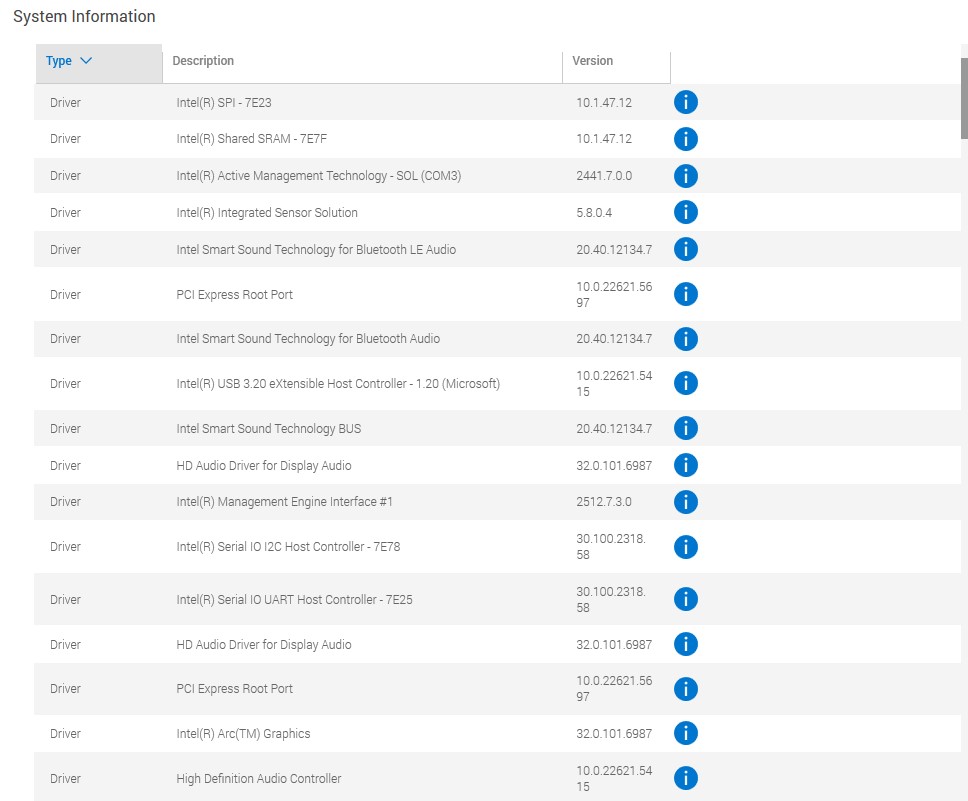
Operating system – See attached "my computer informtion"
GPU driver version (Windows only) – Attached
Video format – mp4
Comparative information helps us understand more about when the issue occurs: I work in this program daily and have had no issues up until 2 pm est on 10/20. My my work uses OneDrive and it was 90% full so I removed shortcuts from my OneDrive to get my capacity down to 30%. This was after it started crashing.
Does it affect all projects or only some projects? Yes, all new and previously edited videos.
Does it affect new projects? Yes, new and both previous projects
When did the problem begin? Began randomly on Thursday, 10/30 around 2 pm EST


 1 Correct answer
Jamie, my IT actually had to uninstall and reinstall the Nvidia driver at a previous older version for it to work. The newest version is not available yet through Dell. Seems like that solved the issue.

 4
Replies
4
4
Replies
4


Copy link to clipboard
Copied
OneDrive is the key here. OneDrive like most cloud-sync apps puts headers in the file to track when it needs to update the sync. This causes a problem as NLEs like Premiere then think it's not exactly the same file.
That's the first issue that's problematic.
The second is what you hit, which is using the sync app to do folder maintenance and deletions. This screwed up Premiere's expectations of what's where so it can't function.
You probably need to use the CC app to uninstall what's left of Premiere, reboot, and reinstall.


Copy link to clipboard
Copied
Hi @Casey33668237u0em - Thanks for submitting your bug report. I’ve received your crash report and will check with the team to understand what’s going on. I appreciate your patience in the meantime.
Sorry for the frustration.
Copy link to clipboard
Copied
Hi @Casey33668237u0em - Can you try updating to the latest Nvidia driver currently version 581.80. Let us know if that helps.
Copy link to clipboard
Copied
Jamie, my IT actually had to uninstall and reinstall the Nvidia driver at a previous older version for it to work. The newest version is not available yet through Dell. Seems like that solved the issue.


Get ready! An upgraded Adobe Community experience is coming in January.
Learn more
 AdChoices