


Participating Frequently
August 4, 2024
Question

A low level exception occurred in Error. How to fix?

  • August 4, 2024
  • 1 reply
  • 874 views

Hi,

This is the error I am getting. I used Logitech webcam externally. I uninstalled that program as I read a past solution that said I need to uninstall this program. I did it. But, still the error is there.
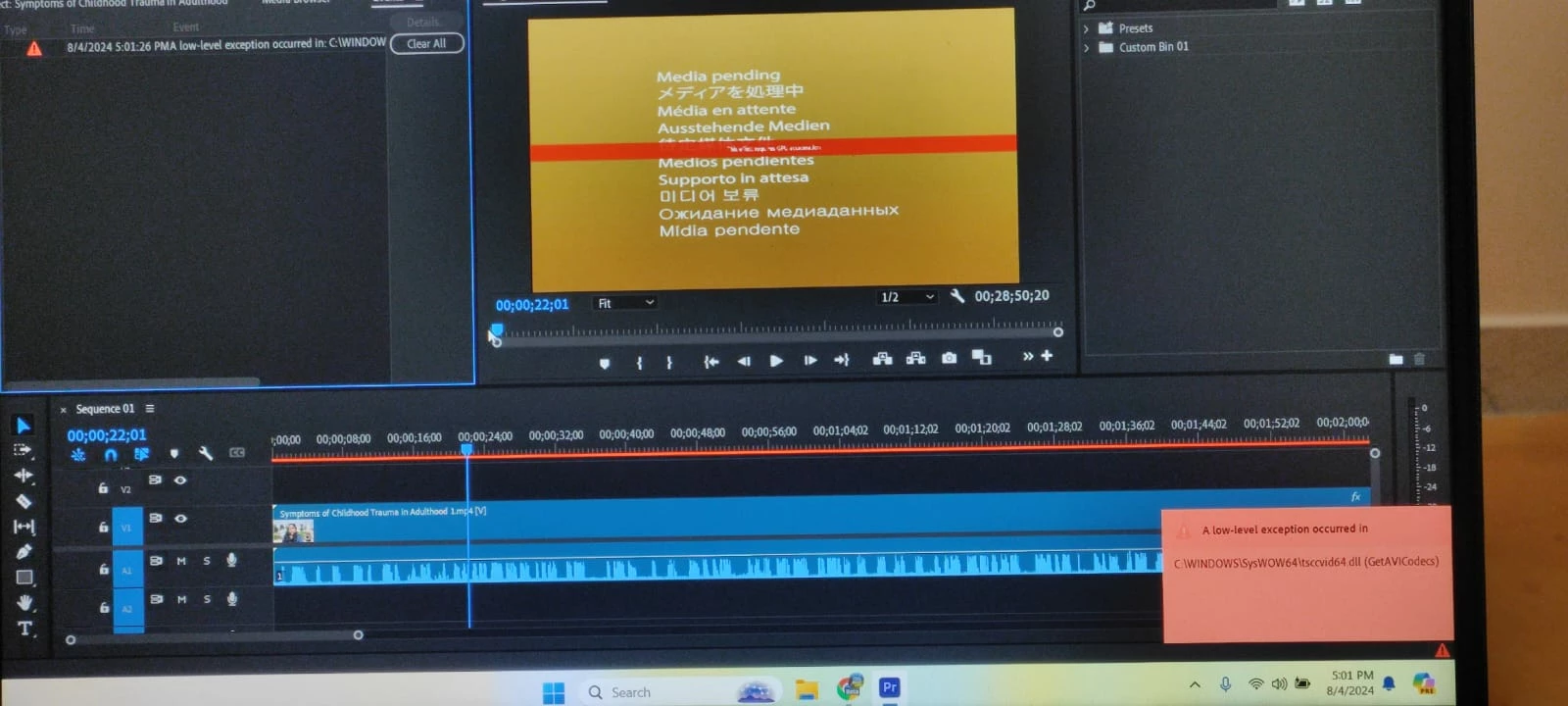
 

This is the error showing in the orange color box in the right bottom corner once I open the software. 

What's the solution? Please guide.

Thank you.


This topic has been closed for replies.

1 reply

Averdahl
Community Expert
August 4, 2024
quote

This is the error I am getting. I used Logitech webcam externally. I uninstalled that program as I read a past solution that said I need to uninstall this program. I did it. But, still the error is there.


By @Avadhut25


It seems that the uninstaller left the file tsccvid64.dll and the solution for now is probably to go to C:\Windows\SysWOW64 and then delete the file tsccvid64.dll.


When done, Premiere Pro should launch without errors.

Avadhut25Author
Participating Frequently
August 4, 2024
Thank you for your reply.

Is this solution without any issues?

I'm not a technical person and so would be careful before deleting a file,
especially if it's a System file.
Avadhut25Author
Participating Frequently
August 4, 2024
quote
Is this solution without any issues?I'm not a technical person and so would be careful before deleting a file,especially if it's a System file.

By @Avadhut25


The file seems to be a file that TechSmith Camtasia uses. Do you use Camtasia?


If yes, rename the file when you use Premiere Pro to tsccvid64.OLD and when using Camtasia, rename it back to tsccvid64.dll.


If no, move the file to the trashcan and see if you encounter any issues with other apps.


Yes, the Premiere Pro team would ideally take care of this issue, but for now a workaround may be of some help.


No, I don't use Camtasia.

I will delete this file and see.