
Participant
December 27, 2023
Resuelto

A1 audio = only left ear. A2 audio = only right ear. A3 audio no sound..

  • December 27, 2023
  • 6 respuestas
  • 1535 visualizaciones

This problem is only at the timeline.

A1 audio = only left ear.

A2 audio = only right ear.

A3 audio and below, no sound..


Seems like the problem came after the update.

Can someone figure this problem out?
 

Mejor respuesta de Filip5E50


Yeah, figured it out yesterday. Idk why they changed to this as standard for me ;/ 

So i just set all these to "0" and "standard"?


Thanks a lot for answers!

6 respuestas

Participant
March 18, 2025

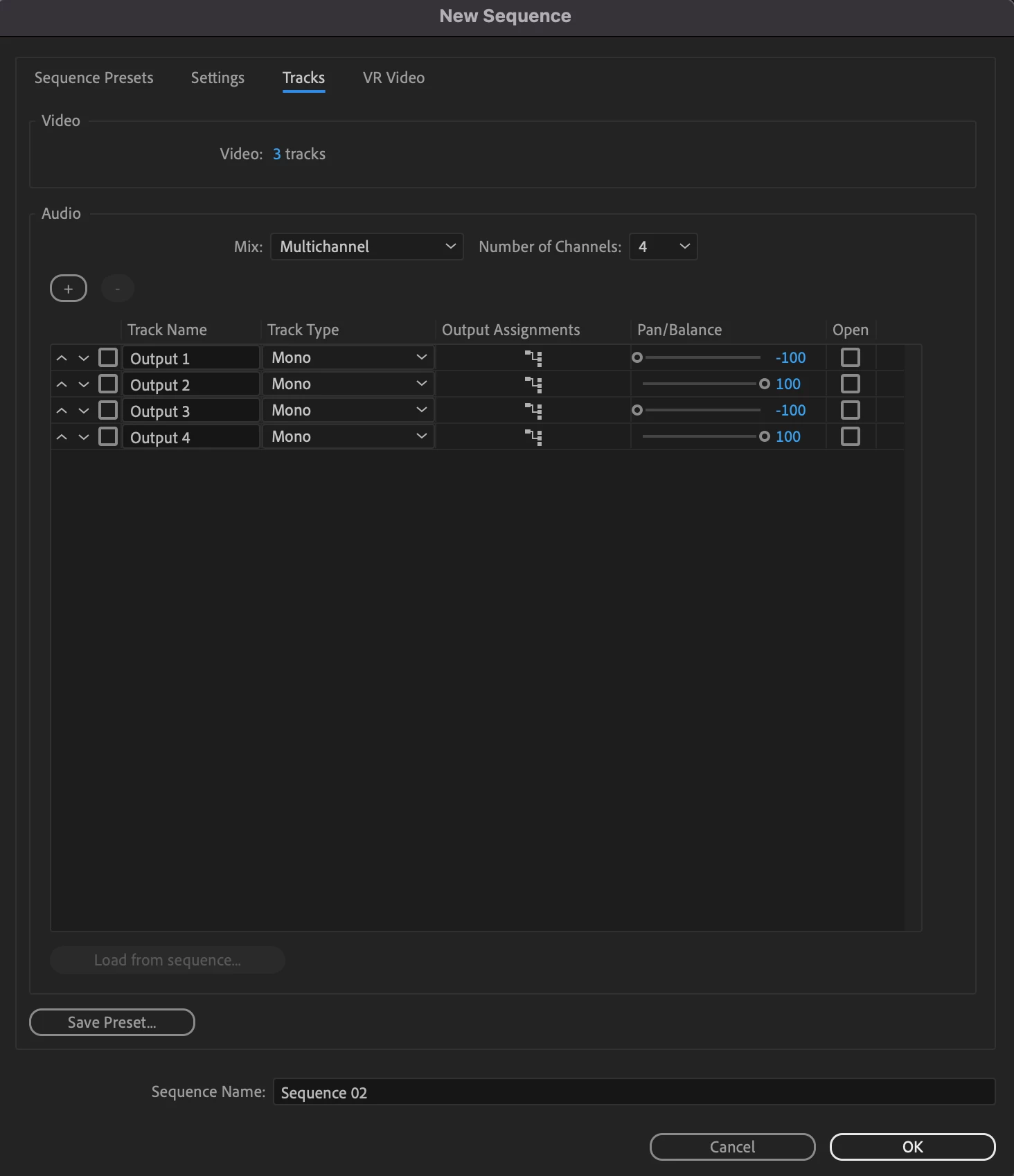
I think certain sequence presents (like Broadcast) default to A1 = left, A2 = right, etc.

You can put them back to normal as follows. In the Window menu, go to Audio Track Mixer. In the Audio Track Mixer panel, set the Balance for A1 and A2 to 0. (So the round knob with the line looks vertical.) 

R Neil Haugen
Legend
July 4, 2024

I would not suggest that specific preset, as it is by color space designed for 12 bit RGB media ... Full range ... not the proper limited range for 8/10 bit YUV (Y-CrCb) media that is that vast majority of Rec.709 media.


If you are not sure, you do not have 12 bit RGB designed for full range use.

Everyone's mileage always varies ...
Participant
July 4, 2024

problem: i've got it, we are selecting the seq. from the broadcast preset and from which we've selected mono discrete, 
Solution: create the seq. from HD 1080p preset and you won't have that problem...
it'll solve that,

I hope it'll help.

Filip5E50AutorRespuesta
Participant
December 28, 2023


Yeah, figured it out yesterday. Idk why they changed to this as standard for me ;/ 

So i just set all these to "0" and "standard"?


Thanks a lot for answers!

Christian.Z
Community Expert
Community Expert
December 27, 2023

also, scree grab of your aidio preferences

R Neil Haugen
Legend
December 27, 2023

Sounds like it's got 'dual mono' ... A1 is left, A2 is right.


If you made a screen grab of your timeline panel showing the control header block to the left, the little icons in the track headers will tell us what you're set to.

Everyone's mileage always varies ...