


Participant
May 18, 2022
해결됨

Adjustments not working in Blackmagic Raw plugin

  • May 18, 2022
  • 1 답변
  • 865 조회

 I am trying to use the Blackmagic Raw plugin to adjust the settings of the original source file. All of the guide I have seen mentioned that I should see "Master" under the effects control tab but I only see "Source". It does give me the option to change the settings but in the program monitor I am not seeing anything change. Am I doing something wrong or is this a bug with the plugin? 

I'm using Premiere Pro version 22.4.0 (Build 57)

I'm working on Macbook Pro 2021 M1 Max with 64GB ram running MacOS Monterey 12.2 
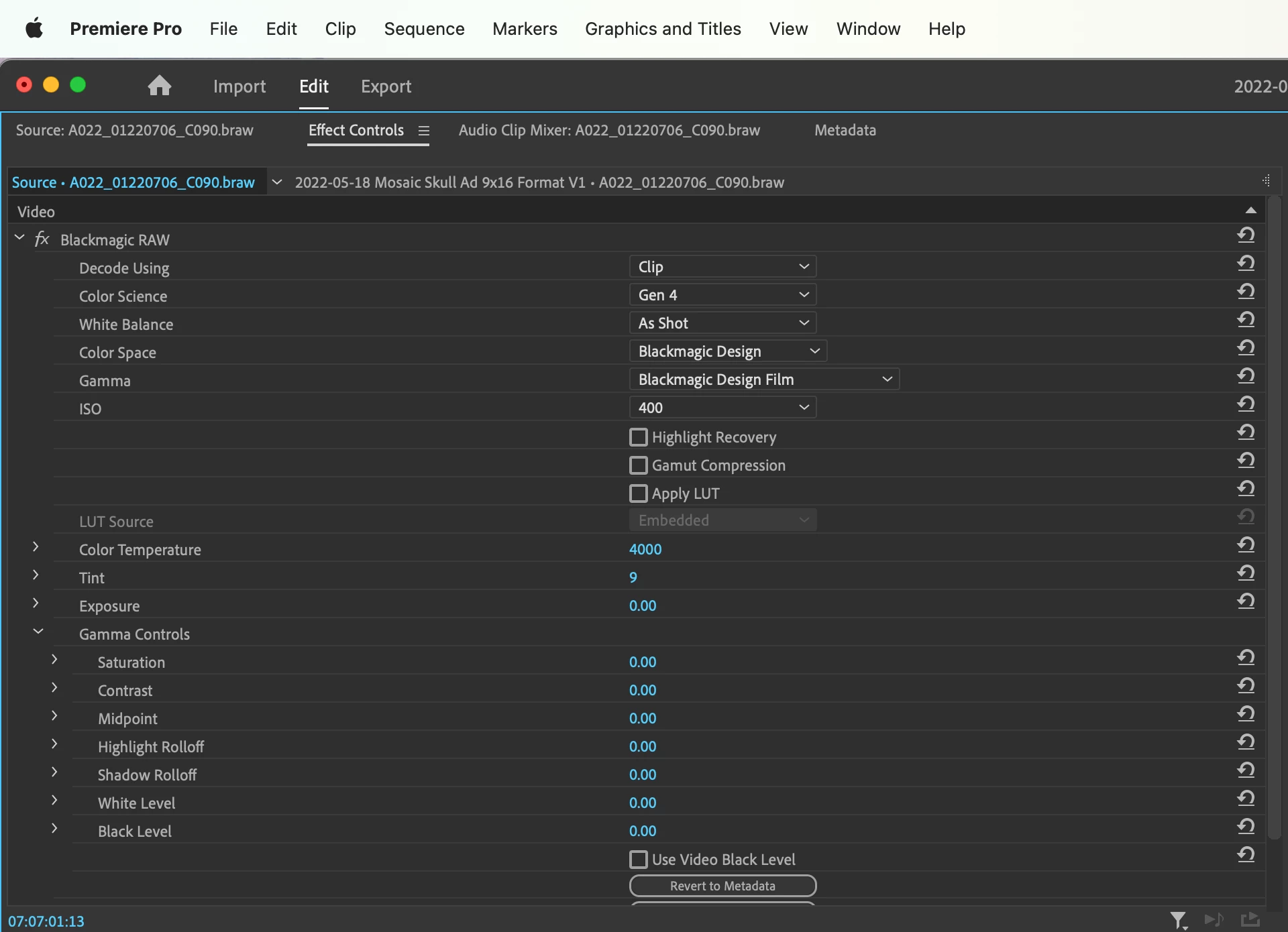
 

이 주제는 답변이 닫혔습니다.
최고의 답변: Bruce Bullis

Master was renamed to Source.

1 답변

Bruce Bullis
Community Manager
Community Manager
May 18, 2022

Master was renamed to Source.

DJASH_E작성자
Participant
May 18, 2022

Thank you for your response. That does clear up the confusion with the naming but it doesn't solve the issue that when I move any of the sliders under the master/source tab it does not make any changes to the file in the program monitor window. If I make changes via Lumetri then I see the changes but if I make changes via the Braw Source window nothing happens. 

Bruce Bullis
Community Manager
Community Manager
May 19, 2022

The behavior you've described, suggests that there is no BRAW clip visible in the Program monitor, at the current time. 

In the scenario above, you mention Lumetri; is a Lumetri effect applied as a source clip effect, to the same clip, as well?