

joeleo321
Inspiring
September 23, 2023
Question

Adobe Fonts not syncing with Creative Cloud account

  • September 23, 2023
  • 6 replies
  • 24236 views

Hi there,

I like using Adobe Fonts (in theory). There are quality fonts there and I use several of them in my graphic templates.

However, nearly everytime I start Premiere and return to a project with an Adobe Font, the font does not display. The title displays but uses another local font, usually the one that it as the top of my local fonts list. 

The way that I fix this is to go to the font drop down in Essential Graphics and click on the small Add Adobe Fonts button.
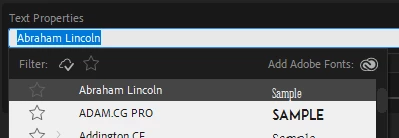


That launches the Adobe Fonts website where I sign in to my Adobe Account. Then I close and reopen Premiere and the proper font displays as it should.


Most of the time when it is not working the name of the Adobe font that is being used is displayed in brackets. Like Premiere is saying, this is what font we're supposed to use but we can't and instead it displays a local font.

But sometimes, more rarely, all of my Adobe Fonts are simply gone. Searching them in the font dropdown list returns nothing like they have never been added. This one really gets me and this reason that this has become annoying enough to leave a post here.

To be clear, I am logged into my Adobe account via Creative Cloud. I always launch Creative Cloud first and then launch Premiere.

What I don't get is that I'm logged in so my fonts should be synced, why do I have to launch the website and login to my Adobe account to get it to work?

Any advice?

Thanks for your time,
Joel

6 replies

MyerPj
Brainiac
October 3, 2024

Nice Tip Filip! 🙂

Also, sometimes logging out and back into Creative Cloud will get things working again.

New Participant
October 3, 2024

Hi, 

it happend to me today, usually opening creative cloud app just fix the problem, but it didnt help this time.
I dont have solution but I have a work around, found this tutorial, just select all layers with that font and change it for example [arial] to arial

https://youtu.be/7_q9_zU4IIs

joeleo321
joeleo321Author
Inspiring
January 26, 2024

Several months later this is still an issue... a pretty frustrating issue, because at this point I'm locked into using Adobe Fonts as the fonts are part of our brand guidelines for the channel I work on.

If I could download the free version of the font to my system I would (because I'd technically have the license from Adobe Fonts, if anyone ever came calling for it) but free versions of the particular font that I use don't exist. 

This is actually super frustrating... because sometimes I export hour long videos and upload them (which takes at least a couple hours total) only to realize that the fonts weren't synced and I have to start the process over. I have to go through my "hack" to get it them synced again. Yeah yeah I should always check a video before exporting but I also shouldn't have this issue. 

I can hear people saying just change your brand guidelines to a font, stop relying on Adobe Fonts. Fine. But that's kind of not the point of bringing up an issue in the forums... the point is to get a fix or at least hear back from someone saying "hey, we'd like to fix this" even if it's super minor and affects a very small subset of the user base and it's at the bottom of the list. That would be something.

Anyways... if you see this and have this issue as well please upvote or leave a comment!

New Participant
May 14, 2024

yeah, it is incredibly frustrating. I continuously have syncing issues. it's literally a everyday occurance. Only fix I found that works, i'd say less than half the time is restarting creative cloud. This aspect of adobe is useless to me if its this inconsistent. 

New Participant
October 25, 2024

this worked for me. yipee! ty

MyerPj
Brainiac
September 23, 2023

Make sure Creative Cloud is running when you start PP. 

Yes, those brackets are for what you describe.

joeleo321
joeleo321Author
Inspiring
September 23, 2023

I always launch Creative Cloud first and then launch Premiere.

R Neil Haugen
Brainiac
September 23, 2023

Have you checked the CC Desktop app's Fonts tab, to see if those fonts are actually 'synced' or whatever they call it to your CC account? As I've had to go through that every once in a while to get fonts working.

joeleo321
joeleo321Author
Inspiring
September 23, 2023

Yeah, I was wondering about that tab. And yes, the fonts in question are marked as in Adobe & other local apps.

You can see in the Added Fonts tab that you can have a font "added" but not installed, which is the difference from a blue dot to a green dot. Blue dot meaning that it is in Adobe apps (which is all I need for Premiere), but for the font that I use regularly, "Brother 1816", I've gone the extra step and clicked that Install family button and changed that to a green dot which says it is in Adobe & other local apps.

Ann Bens
Adobe Expert
September 23, 2023

I don't even bother with Adobe fonts anymore. Look for a free example on the net and install in your OS.

joeleo321
joeleo321Author
Inspiring
September 23, 2023

I appreciate that approach.

But as for myself I'd like to see this fixed, because again in theory, this is a great feature of an Adobe subscription and clearly work has gone into Adobe Fonts (both on the side of the developers and the designers who have their fonts there) so I do think this should work as advertised.

Ann Bens
Adobe Expert
September 24, 2023

Off course, it should work properly, but it does not. Never has, there is always something going on the with the fonts.

Hence, installing straight into the OS.