


Adobe Premiere Pro CS5- No entry point and Error 127
Waaay back in 2011 I bought Adobe Creative Suite Production Premium. Now 7 years later I realize that Premiere Pro CS5 has disappeared from my computer. I must have accidentally purged it. I of course don't have the installation disk because I have moved five times since then and somehow my parents (1500 miles away) have it and they are out of town this week. I need Premiere Pro, so I went online last night, found an installer and got the product installed.
Even though Premiere is now installed and I can click on the icon, I immediately get two pop ups.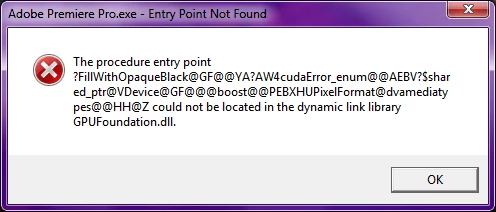
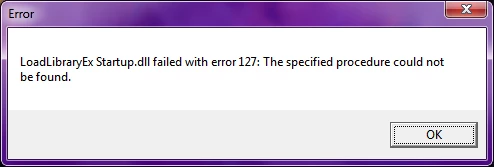
I have looked all over the internet and I am not the only one with this problem, but either the solution did not work for me or there was no solution posted at all. Yes, I have updated Premiere Pro CS5 to 5.0.3-- it won't update to 5.5.1 or 5.5.2. Yes, I have uninstalled and re-installed and re-updated. There is no change in the errors. I have already sat through three different live chat sessions that ended in not talking to a human and being told "Thanks for Visiting Adobe. Visit our Forums."
I'm at a loss, guys. I don't have the money to get CC, or I would have done it. I'm pretty sure that I've already used my trial of Premiere Pro CC in the last 2 years, so that's out too. I spent so much money on the Production Premium package and I really want to be able to use my program 
I really hope there is a simple solution that I'm missing here.
Note- I installed Flash and lllustrator at the same time and they both work fine, so this doesn't seem like an installer problem, but who knows.
 AdChoices