Participating Frequently
July 14, 2022
Question

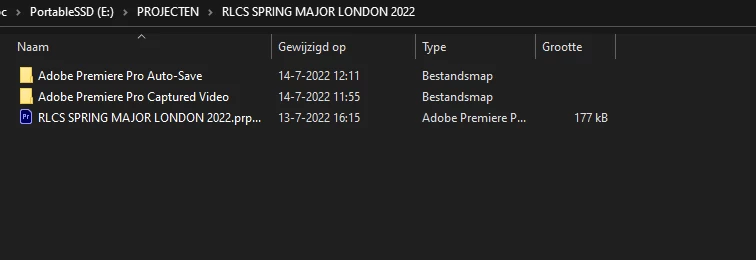
All footage + effects folders dissapeared in file explorer

  • July 14, 2022
  • 1 reply
  • 560 views

Hello.


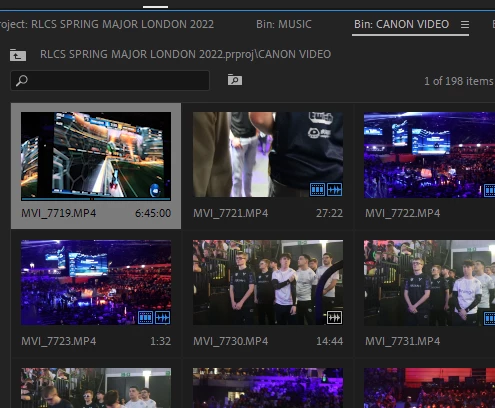
I wanted to access some of my raw footage that I was working on in a Premiere Pro project, when I noticed that every folder EXCEPT my premiere pro project file vanished. However, when I am working in premiere pro, I can see all the folders clearly, and all my media can be located. Screenshots are attached. I am working on the newest version of Premiere Pro on Windows 10. Please help.


Thanks. 


This topic has been closed for replies.

1 reply

Participating Frequently
July 14, 2022

Does anyone know a way to make the folders appear again in my File Explorer? I would really like to access the files.

Jeff Bellune
Legend
July 14, 2022

Try right-clicking one of the bin clips and select Reveal in Explorer. That may get you to the right place,

Alternatively, you can make one of the bin clips offline and then try to relink it. Pr will tell you where it thinks the file should be.

Participating Frequently
July 14, 2022

When I select Reveal in Explorer, it takes me to the right place with all the footage from that folder, but when I try to navigate around my footage in that same Explorer program, it sends me to the black project folder and acts like there is nothing there anymore. When I select Relink media, it navigates me to an empty project folder again. Any other advice?