

Inspiring
November 8, 2019
Answered

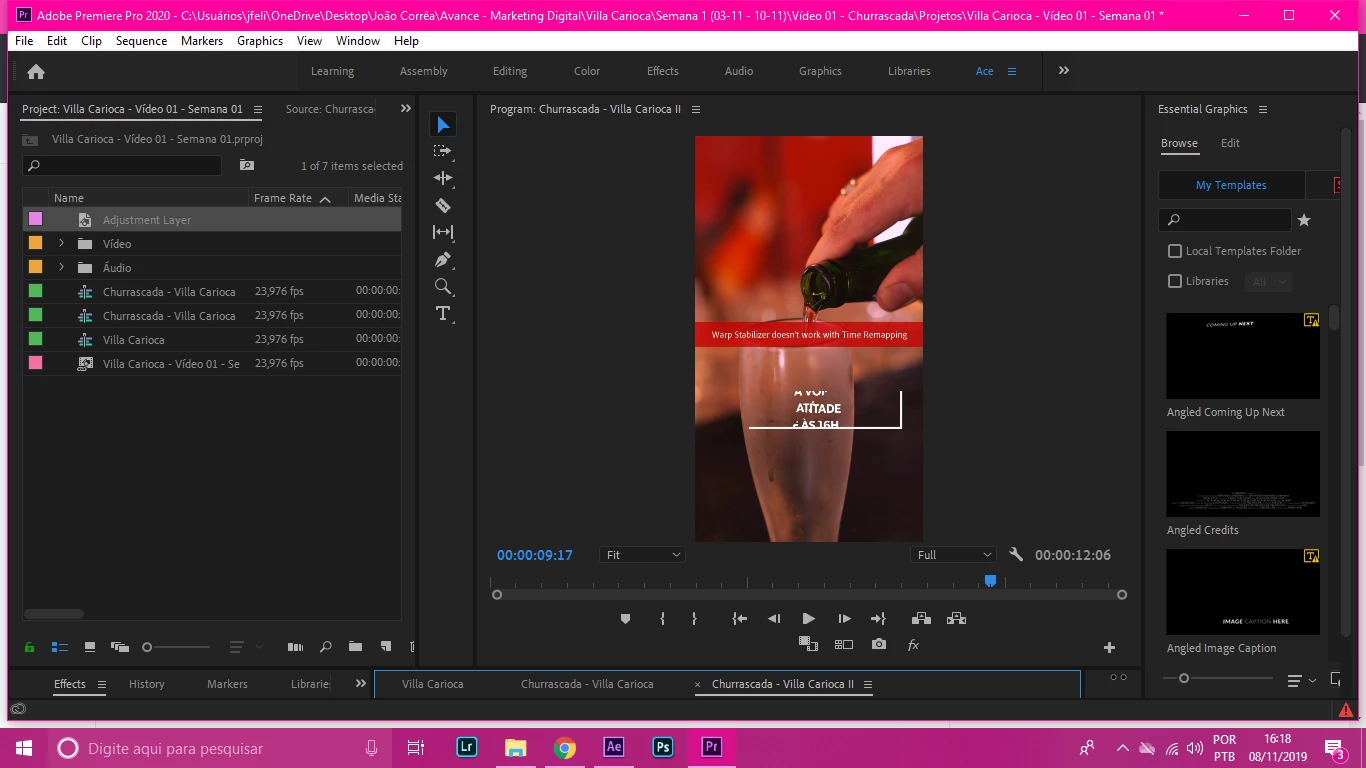
An error message won't go away

  • November 8, 2019
  • 8 replies
  • 3511 views

An error message won't go away. I'm afraid I might export the video with it. I already disabled the effect (warp). 
This topic has been closed for replies.
Correct answer AceLegacy

I found the solution. I had to click on the composition I took to After Effects in After Effects and delete Warp Stabalizer in After Effects Effect Controls.

8 replies

New Participant
October 10, 2023

I keep getting Error Message:  " There was a problem We were unable to sign you in please try again later"

Community Expert
October 10, 2023

don't think this has anything to do with the original post for this thread but wondering if something on your system is preventing your computer from signing into adobe.  Could you be behind a firewall...  Can you sign into adobe from a web browser?  

MyerPj
Community Expert
November 9, 2019

So, in PP you applied Warp Stabilizer to an After Effects composition with which you had applied Warp Stabilizer. 🙂 I would guess that processed rather slowly!!

AceLegacyAuthorCorrect answer
Inspiring
November 9, 2019

I found the solution. I had to click on the composition I took to After Effects in After Effects and delete Warp Stabalizer in After Effects Effect Controls.

MyerPj
Community Expert
November 9, 2019

I'd try opening it in After Effects, make any small change and save, see if that changes it?

Ann Bens
Community Expert
November 8, 2019

Is this a nest?

AceLegacyAuthor
Inspiring
November 9, 2019

Yes, it's a nested linked composition (to After Effects)

Community Expert
November 8, 2019

Have you tried rendering that clip? Press return with the timeline selected. You can place in and out points around the clip so that it doesn't render the whole timeline.

AceLegacyAuthor
Inspiring
November 9, 2019

I have, it doesn't work. I even tried changing computers.

Community Expert
November 8, 2019

what happens if you delete the clip from the timeline?

Community Expert
November 8, 2019

maybe try deleting the effect from the clip in the timeline.  

AceLegacyAuthor
Inspiring
November 8, 2019

Didn't work, unfortunately

AceLegacyAuthor
Inspiring
November 8, 2019

The effect has been removed but the message remains


It's almost as if it has become part of the video
