


Participant
August 7, 2020
Question

Audio on source recording is juuuuust a little off from the video

  • August 7, 2020
  • 2 replies
  • 212 views

Greetings - I am a novice volunteer trying to produce a weekly 30 minute morning TV show. I have noticed this before but tonight it was very pronounced and I cannot seem to correct it. 


My source recording seems to be fine. Some clips that I pull from it to create my final program, the audio and video are sync'd perfectly. However, on some clips the audio is noticeably not synchronized with the video. When I first load the source it seems to be fine, but as I begin going forward and backward looking for my clips to extract into the final program is when the problems seem to occur. We did recently upgrade the computer and the version of PP.


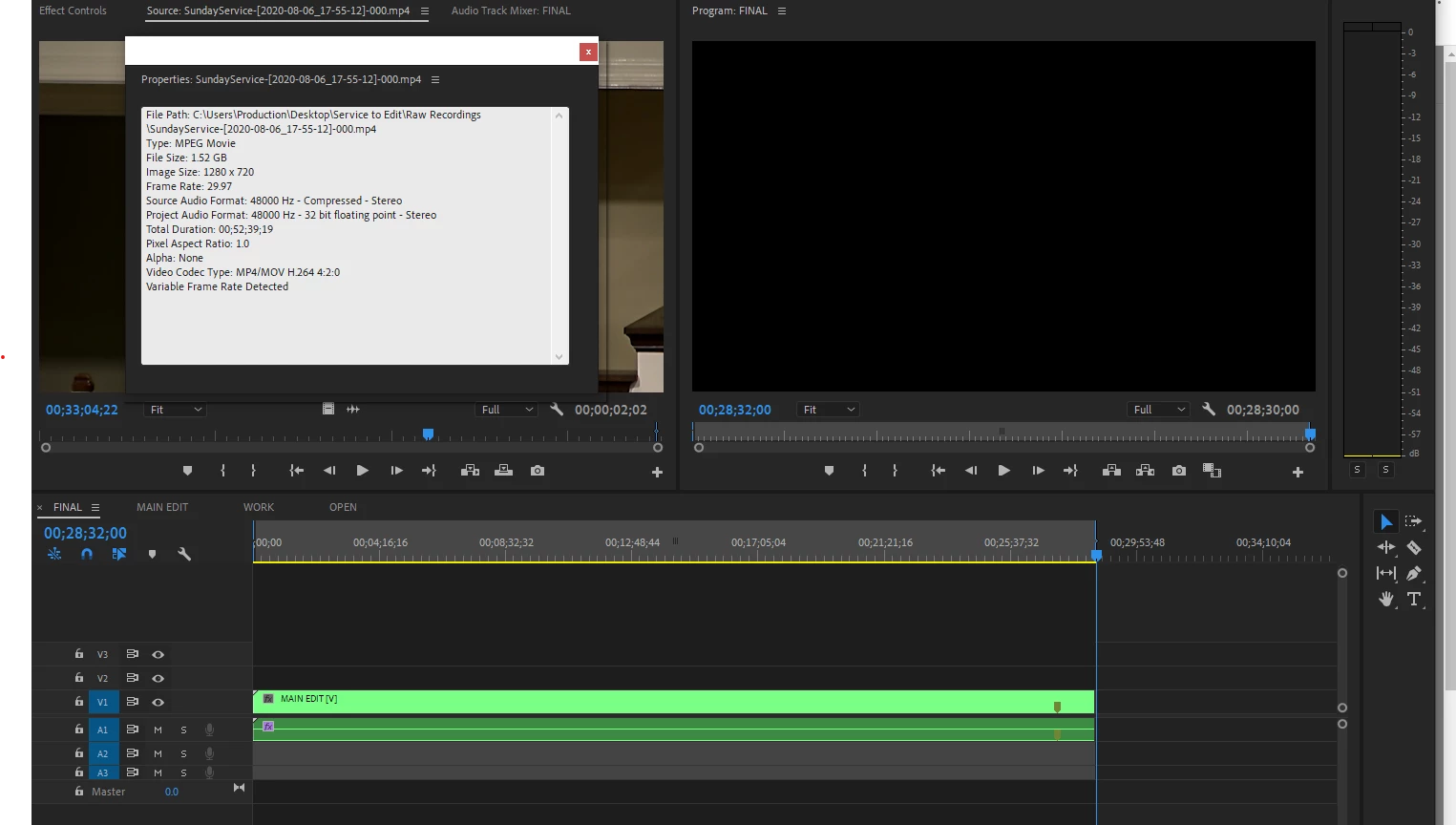
The properties of my source:

File Path: C:\Users\Production\Desktop\Service to Edit\Raw Recordings\SundayService-[2020-08-06_17-55-12]-000.mp4
Type: MPEG Movie
File Size: 1.52 GB
Image Size: 1280 x 720
Frame Rate: 29.97
Source Audio Format: 48000 Hz - Compressed - Stereo
Project Audio Format: 48000 Hz - 32 bit floating point - Stereo
Total Duration: 00;52;39;19
Pixel Aspect Ratio: 1.0
Alpha: None
Video Codec Type: MP4/MOV H.264 4:2:0
Variable Frame Rate Detected


I notice the source and project formats are different, but I'm unsure where I would correct that (if that is the problem here).


Any thoughts are appreciated, thank you.


This topic has been closed for replies.

2 replies

R Neil Haugen
Legend
August 7, 2020

The problem is in your data ... Variable Frame Rate detected.


This means the camera is changing the frame rate constantly throughout the recording, recording fewer frames per second when it thinks it doesn't need all the frames because there's little movement, and recording more frames per second when something moves. This is to save space on the recording medium.


Audio however is recorded always at a fixed time rate ... so you see how they can get wonky?


Using the free utility app HandBrake ... convert the media to CFR, constant frame rate. In Handbrake's video tab, select the CFR dot and also set a specific number for the frame rate. Then set the compression to such a small amount of compression that is shows as "near placebo".


Then import the media, and replace the clips in the bins with the converted media.


Neil 

Everyone's mileage always varies ...
Participant
August 13, 2020

I just saw this (I am only in once/week as a volunteer to record and produce). Thank you so much for the insight, yes it does make sense.


I had noticed the "Variable Frame Rate Detected" line item and wondered. In my research on this forum I'd seen several references to HandBrake. I appreciate you describing the underlying concept to the problem. I am recording tonight and will attempt to use that fix.


Thanks.

Participant
August 7, 2020

I should add that I just finished looking again at the source and can see that the first portion of the recording is fine (the audio/video matches perfectly and the clips I lift from it to put onto the final program also look fine). However, at some point in the source the a/v just goes slightly off-kilter and the words I'm listening to are not matched with the video on the screen. It's maddening. Thanks