


smarts19193560
Inspiring
May 22, 2018
Answered

background is not transparent on transition.

  • May 22, 2018
  • 1 reply
  • 2848 views

Hi, All.

I am creating a transition plugin from SDK_CrossDissolve.

By the way, I have a strange issue.

I set all pixel of output to {0,0,0,0} on plugin code, but the background is not transparent and layer image.

How can I set transparent background?

//code

...

PF_LayerDef* dest = output;

char* destData = (char*)dest->data;

...

for (int y = 0; y < output->height; y++)

{

     for (int x = 0; x < output->width; x++)

     {

          ((float*)destData)[(y * dest->rowbytes) / 4 + x * 4 + 0] = 0;

          ((float*)destData)[(y * dest->rowbytes) / 4 + x * 4 + 1] = 0;

          ((float*)destData)[(y * dest->rowbytes) / 4 + x * 4 + 2] = 0;

          ((float*)destData)[(y * dest->rowbytes) / 4 + x * 4 + 3] = 0;

     }

}

.....

//result
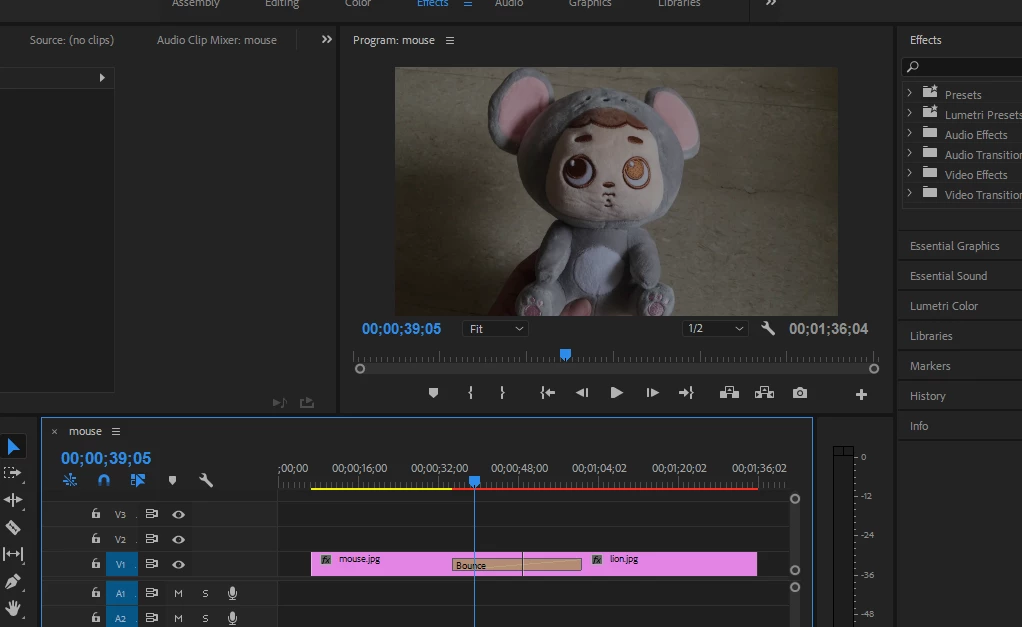
This topic has been closed for replies.
Correct answer smarts19193560

Hi,

I also have this issue.
Is there any news with this bug?
It seems it is cached.

Regards,

Anthonie.


I found this solution .

I set PF_OutFlag2_SUPPORTS_QUERY_DYNAMIC_FLAGS.

It is working as well.

1 reply

smarts19193560
Inspiring
May 31, 2018

Hi, All

I already posted a question before but didn’t get response yet.

So I am posting again with video explanation.

As I showed in the code above, I’ve set all the values (r, g, b, a) of out buffer to 0. (It means out buffer should be transparent)

When I’ve applied sample transition in one layer, out buffer was transparent.

But when I’ve applied transition between two layers, out buffer did not become transparent.

Strange thing is if I change scale, rotation or position values of layer, the out buffer becomes transparent.

I am not sure why this happens.

Would someone help me on this issue?

Recordit: Record screencasts fast & free! with GIF Support!

PS: I’ve tested with SDK_CrossDissolve plugin.

Regards,

Anthonie.

Inspiring
May 31, 2018

Hi Anthonie,

Perhaps it is the way you traverse through the pixel buffer.  Because in SDK_CrossDissolve_CPU.cpp, after lines 153-156, if I add another set of lines to set the values to zero, it behaves properly.

Also, since you are working the the CPU render path, make sure in Project Settings, that you have the Renderer set to Software Only.

smarts19193560
Inspiring
May 31, 2018

Thank you  Zac.
I don't think so.

it is Software Only.

static PF_Err Render(

PF_InData* in_data,

PF_OutData* out_data,

PF_ParamDef* params[],

PF_LayerDef* output)

{

PF_LayerDef* dest = output;

char* destData = (char*)dest->data;

for (int y = 0; y < output->height;

++y)

{

for (int x = 0; x < output->width; ++x)

     {

          ((float*)destData)[y * (dest->rowbytes / 4) + x * 4 + 0] = 0;

          ((float*)destData)[y * (dest->rowbytes / 4) + x * 4 + 1] = 0;

          ((float*)destData)[y * (dest->rowbytes / 4) + x * 4 + 2] = 0;

          ((float*)destData)[y * (dest->rowbytes / 4) + x * 4 + 3] = 0;

     }

}

return PF_Err_NONE;

}

I changed the render code like above in SDK_CrossDissolve.

Would you check with the code?

But it still appears same issue.

Regards,

Anthonie.