


Answered
Black Borders - Source Monitor Not the Same Size as Program Monitor?
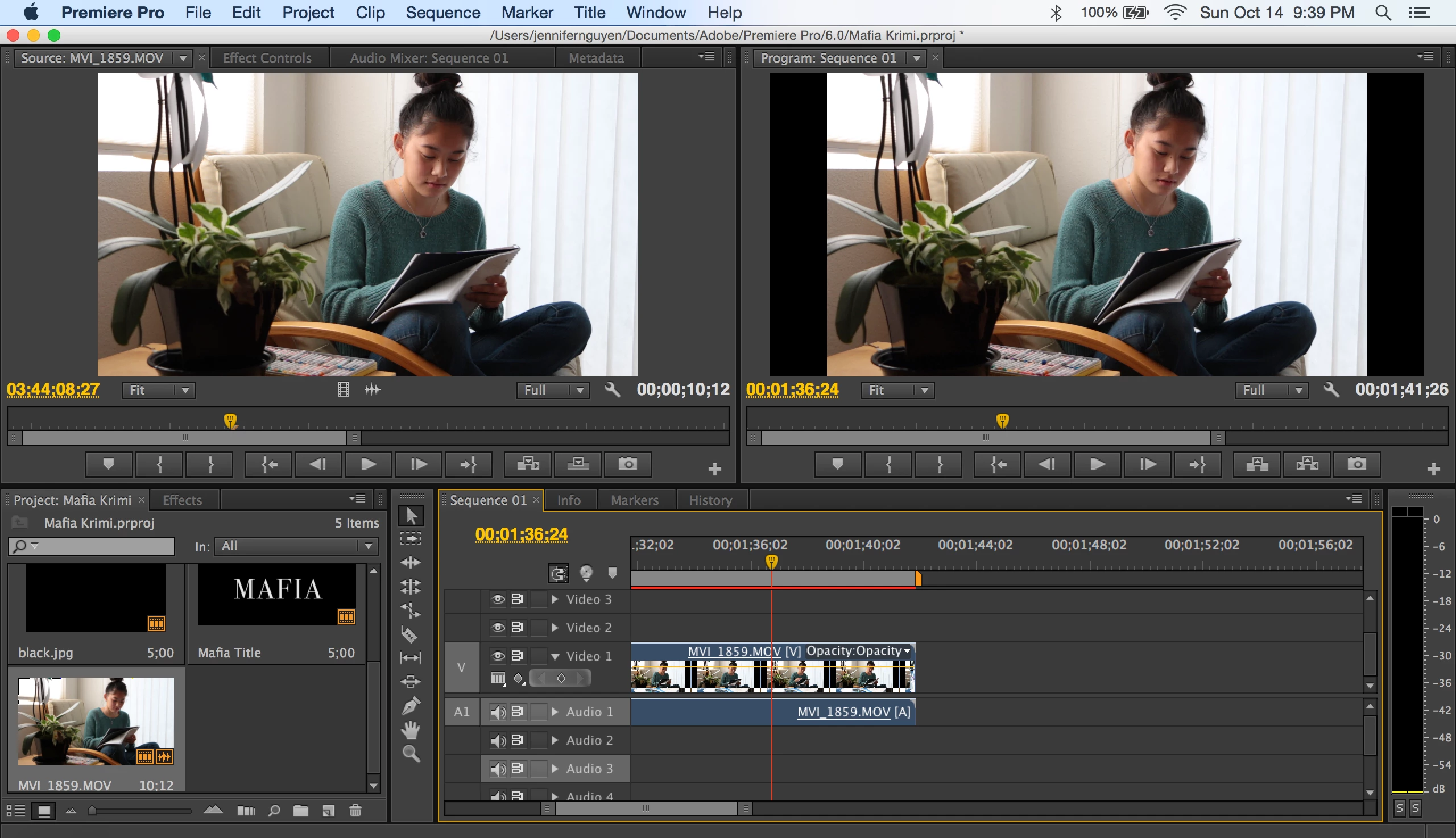
Hello there!
I am trying to edit a video for my school project. I used a Canon EOS 70D and recorded in a 16:9 ratio. I set the video to 1920x1080 pixels, and I want the final video to be exactly like how it looks like in the source monitor. However, in the program monitor, you can clearly see black borders (they are actually a part of the video). How do you remove those borders because I already recorded in the right size?
Thanks!
 AdChoices