dimitardrew
Inspiring
February 14, 2021
Answered

Black Screen (source and preview) when using GPU (CUDA) [NVidia RTX 3070]

  • February 14, 2021
  • 11 replies
  • 16364 views

Greetings to the community (Adobe Premiere Pro 2020 - latest version)

Specs:
Ryzen 9 5950x
RTX 3070
128 GB RAM
SSD
MB: GIGABYTE AUROS MASTER X570 

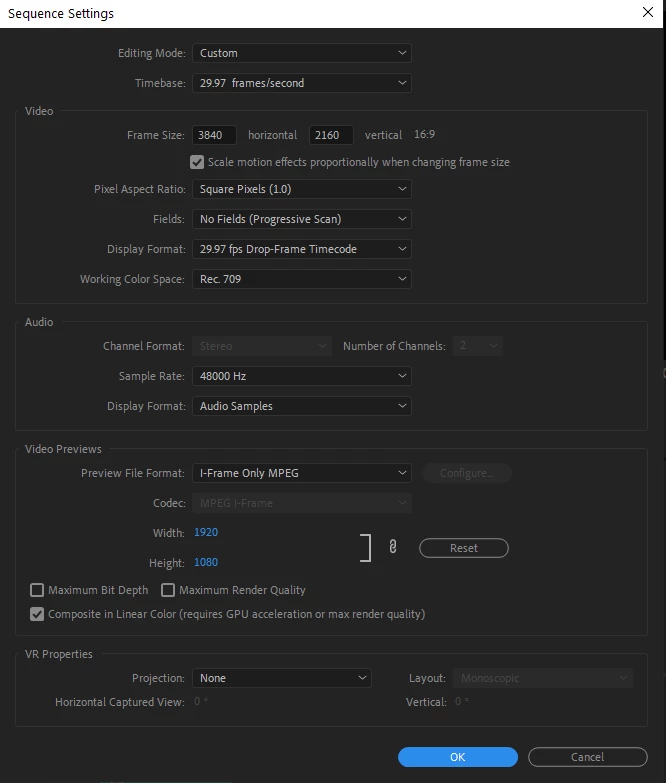
Sequence settings: (most often use for me both on my mac and pc)

ISSUE: 
While working in premiere pro, suddenly without any reason the preview screen goes black (audio still works) in the both timeline and preview screen.
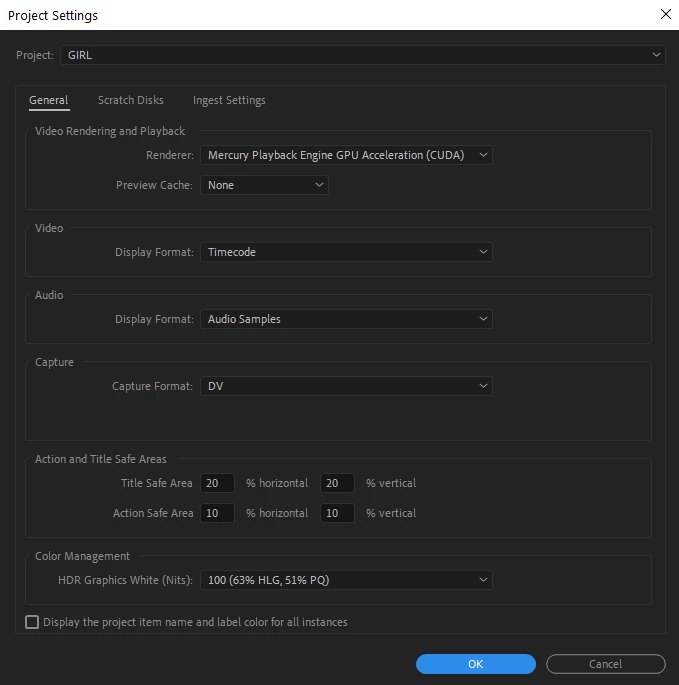
In the project settings if I change the render from CUDA to Software it works (really slow but preview comes back)

When I restart the application, it works once again for a while until it goes black again and it's getting really frustrating already.

All nvidia graphics are with latest updates
Windows is with latest updates

Tried:
Checked already some other old posts from the community with offering small changes in the nvidia settings which i tried with no luck.

Would be happy if somebody has any idea on the issue.

Thank you in advance!


Correct answer dimitardrew

Hey team. I was with the studio driver from Nvidia via the application but I uninstalled everything and installed it only as an exe file and for now I do not have anny issues so far!

On the note, the issue occured mainly when I was colorgrading and adding a few lumetri color adjustment layers  with imported LUTS .

11 replies

New Participant
March 18, 2024

Yup, this is just started happening to me. Big yikes

Ann Bens
Braniac
March 18, 2024

If you are using a Nvidia card with the current (551.61) studio driver, roll one driver back.

New Participant
March 26, 2024

Still doing it for me 

New Participant
March 4, 2024

I have a very similar issue and it's driving me crazy.


NVIDIA GeForce RTX 3080

AMD Ryzen 9 7900X

Premiere 24.2.1 Build 2

Windows 10


With CUDA enabled, the Source Monitor goes black; no playback, no audio. The timeline still plays and the program monitor works but I can't preview clips from the bin. If I match-frame from the timeline... black. I traced the problem to the Input LUT that was on the footage. It's a standard lut that is embedded in the footage and works fine on multiple other systems. Also, was experiencing the issue with multiple camera formats, and multiple LUTS.


If I remove the input LUT and set it to "none" in the clip settings, the problem is fixed. When I change from CUDA to OpenCL or Software Only, the problem is fixed, but obviously bad playback performance. I like to use Input LUTS when I can and many come pre-embedded so it's a real pain.


At first I updated to the latest Studio Driver, no luck. Rolled the Driver back to the Studio Driver 551.23 - STILL no luck.


If I toggle the Renderer to Software and Back to CUDA it seems to work for a little bit... but can't get it to stick completely.


Any additional help at all is greatly appreciated. Thank you!

Participating Frequently
February 29, 2024

this is still happening 3 years later! fun!

I have to close and reopen Premiere every 5 minutes. I've tried game-ready driver and studio driver from NVIDIA. No dice.

R Neil Haugen
Braniac
February 29, 2024

Never use the game ready drivers, as they also install other things that are meant for gamer's use, and problematic for editing NLE applications.


If you've installed a game ready driver, you need to do a "clean install" of a Studio driver to get rid of the junk.


And ... the most recent Nvidia Studio driver is buggy, so take the next older driver, not the current one.

Participating Frequently
February 29, 2024

what's the best way to do a "clean install"?

Ren Sukhram
Known Participant
November 22, 2022

Just happened to me at well.  I was working btwn AE and PR and all 3 screens went black...eventually 2 came back on and I was able to save.  I noticed that the driver was a STUDIO driver.  I used Dell's update utility and it installed version (31.0.15.1694, A00) released on Oct 12 2022.  This is for my RTX 3080Ti.


https://www.dell.com/support/home/en-US/drivers/DriversDetails?driverId=7NFC0


During the install the one screen that blacked out came back to life.  Let's hope its because of that studio driver Nvidia Experience installed!


Ann Bens
Braniac
November 22, 2022

The installed driver is long replaced by new ones.

Go to the Nvidia site and download/install manually.

(You do not need the experience software).

https://www.nvidia.com/Download/driverResults.aspx/194382/en-us/

New Participant
January 2, 2025

I own an Asus laptop Win 11 and the Nvidia driver cannot find the graphics driver in order to install. The error screen says my version of Windows doesn't allow the installation. HELP?

New Participant
December 31, 2021

hi, i have identic spec whit yours, like vga, ram, but im using intel vore i7 actually, a have this issue last night when using cuda my timeline turned black,

the newest nvidia driver is already installed.


I was very confused looking for a solution, finally I reinstalled adobe premiere pro from 2019 to 2020, and its worked, no more black screen

New Participant
October 26, 2021

Bonjour la communauté ! j'ai le même problème et je ne trouve pas de solution !


PC: 

Amd 5950x

Ram 64go 3600mhz

RTX 2060super

Windows 10


New Participant
June 23, 2021

I got the same issue with the latest updates of Nvidias studio drivers. I downgraded it to GeForce Game Ready-Driver v.461.92. It works for now since an hour or more. Usually i couldnt even work longer than 5 minutes.

lindead
Inspiring
June 24, 2021

The Studio Driver works better for me than the Game Ready Driver, but the black screen is still an issue for me ...

lindead
Inspiring
February 21, 2021

I'm having the same issue. Running Nvidia Studio 461.40 (the most resent)


Dell Xps 2019


i7-9750H

Nvidia GTX 1650

ssd m2

64 gb ram


Screen goes black in preview window on different ocations. The issue for me might began when i started to import bigger (around 200 mb) stil images in .png.


The project is in 1080 all tought some photage is in 4k (havent had this issue in this project until recent, and been working on this project since august 2020.

lindead
Inspiring
February 21, 2021

*not screen, preview window

dimitardrew
dimitardrewAuthorCorrect answer
Inspiring
February 18, 2021

Hey team. I was with the studio driver from Nvidia via the application but I uninstalled everything and installed it only as an exe file and for now I do not have anny issues so far!

On the note, the issue occured mainly when I was colorgrading and adding a few lumetri color adjustment layers  with imported LUTS .

Ann Bens
Braniac
February 14, 2021

Latest version is not a version: which build (see about...)?