Known Participant
May 16, 2021
Answered

Can't add clip with different frame rate and size

  • May 16, 2021
  • 1 reply
  • 1987 views

I am creating a video that is 4K/24fps.  My sequence has a number of 4K/24 clips in it.  I'm trying to drag and drop a clip that was shot at 1920/60fps.  When I try to do this, the hand has a slash through it and will not let me add it.  In media preferences, I have set the "Set to frame size" option.  My goal is to add the clip, have it upscale to 4K and have it play in slow motion (24fps, or roughly half speed).  How do I do this?


Am I going about this all wrong?  How do people make slow motion videos?  I was hoping to experiment with even higher frame rates (120fps) and have it play in really slow motion.  120fps in a 24fps video would be 1/5 normal speed, no?
This topic has been closed for replies.
Correct answer Ann Bens

Guessed correct:

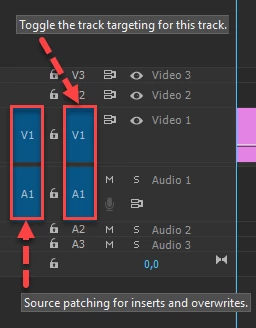
FAQ: Patching source sequences in Premiere Pro

1 reply

Ann Bens
Community Expert
Community Expert
May 16, 2021

Guessing this is a source patching issue.

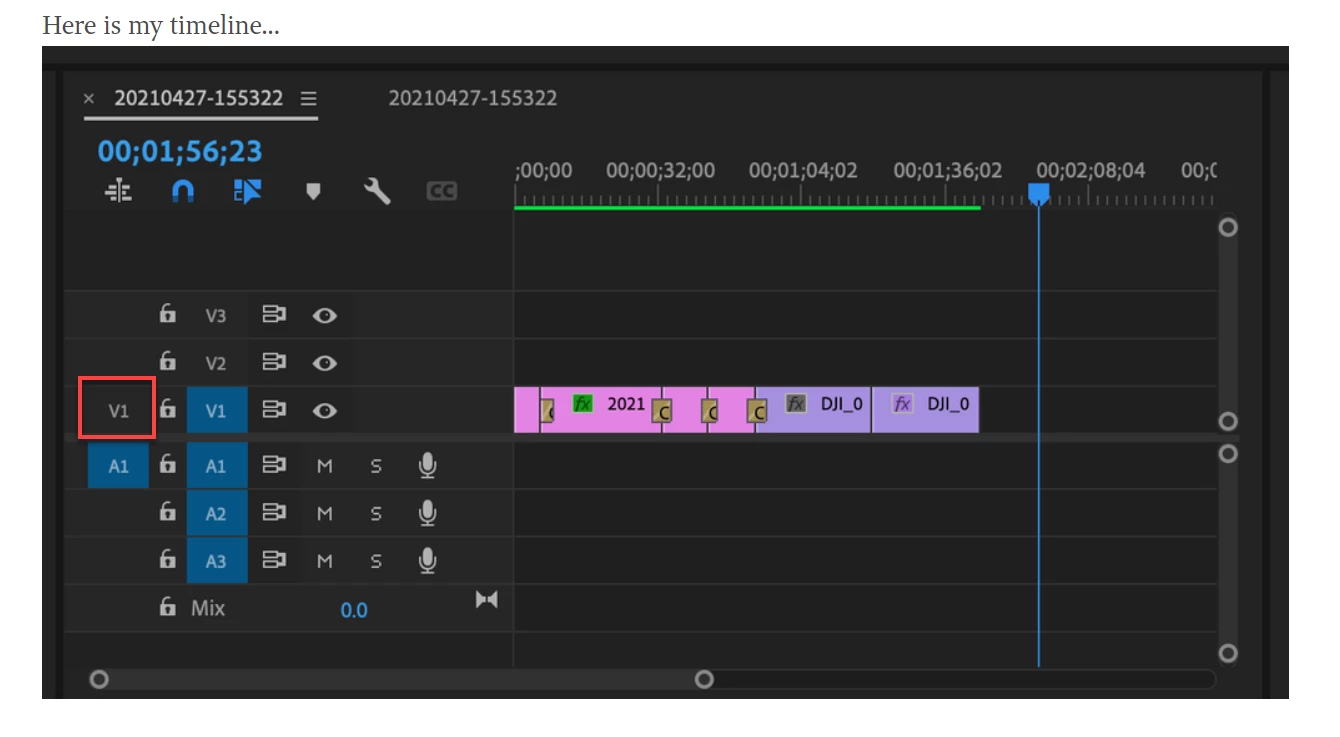
Post screenshot timeline with header showing.

Known Participant
May 16, 2021

Here is my timeline...

Known Participant
May 16, 2021

Guessed correct:

FAQ: Patching source sequences in Premiere Pro


Thank you.  I can now drop the clip onto the sequence.

However, one more problem.  The clip I'm dropping onto the sequence is shot at 60 fps.  The sequence is 24 fps.  It looks like it adjusted the clip's framerate to match the sequence.  I suppose that's probably what most people want.  What I'm trying to do is make the 60 fps clip appear in slow motion - i.e. 1 second of 60fps video would be 2.5 seconds long at 24 fps.


Is this possible?  Is there a video effect I need to apply to make the 60fps video appear in slow motion?


As you can probably tell, I struggle with this program.  I can never seem to do what I want.