


New Participant
August 17, 2020
Answered

can't adjust aspect ratio for sequence even if I create a new sequence

  • August 17, 2020
  • 1 reply
  • 8307 views

when I go to sequence settings my video frame sizes are locked out so I can't adjust them. Even when I create a new sequence  it won't let me change it from 4:3.  Am I doing somthing wrong? I've changed it on a previous sequence before like this so i'm kind of frustrated.


Thanks!
Correct answer Meg The Dog

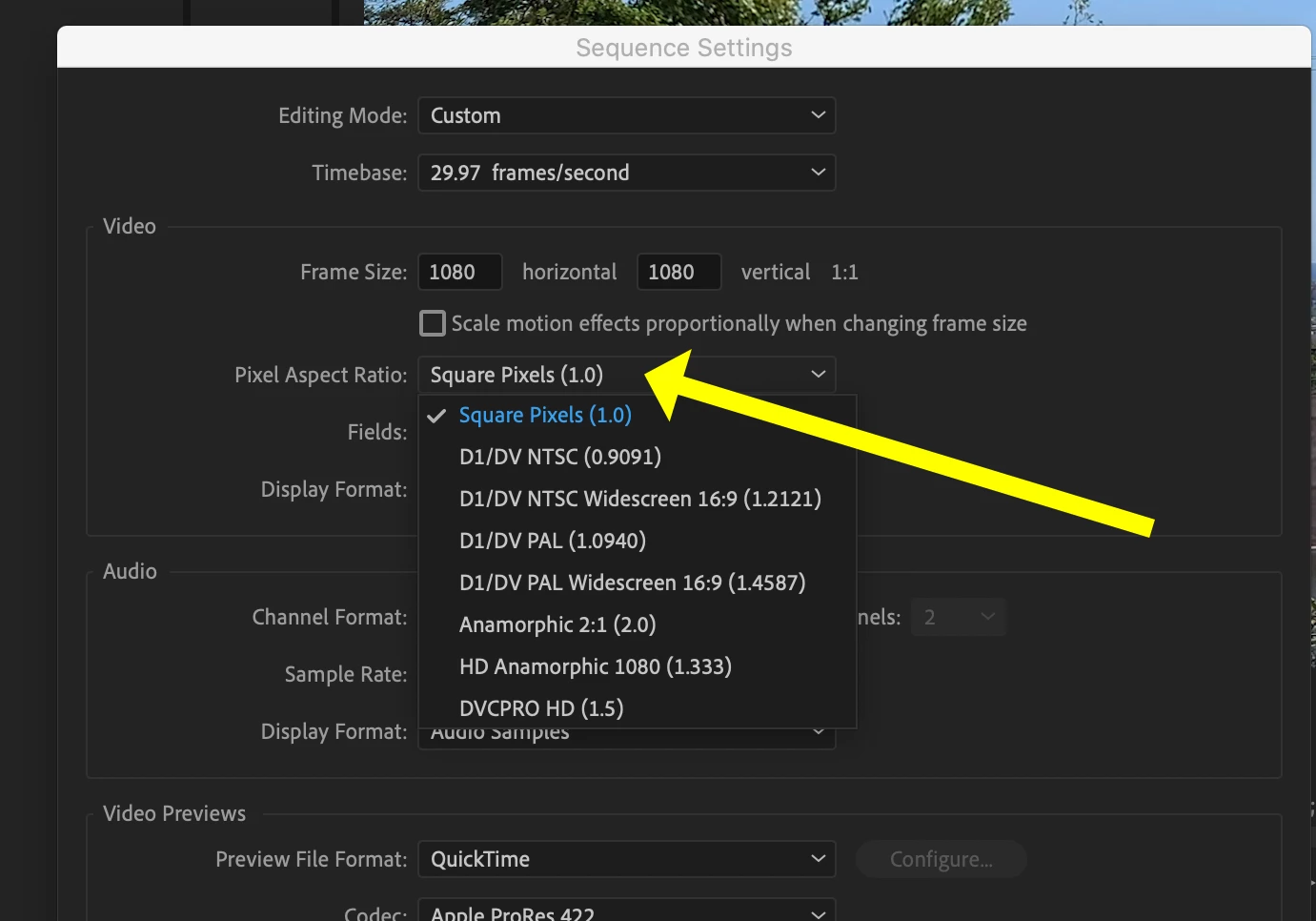
Make sure the Pixel Aspect Ratio is set to 1.0:

UHD, HD and web all use Square Pixels.

MtD

1 reply

Inspiring
August 17, 2020

In the Sequence Settings Pane, click down on the Editing Mode drop down menu then scroll the list UP to find Custom at the top of the list. Select Custom for the Editing Mode:

MtD

Roman5C20Author
New Participant
August 17, 2020

perfect! thank you!